WiiM has made a name for itself in the audio world thanks to its streamers and amplifiers. The company has recently entered the smart speaker market as well with two products: the WiiM Sound and the WiiM Sound Lite. The former is larger and more powerful, and it’s meant as a competitor to the variety of smart speakers you can find out there (Sonos, Apple, Google, etc) with an emphasis on sound quality as well as usability and feature richness. The WiiM Sound delivers on many of those counts, but the company’s ambition when it comes to designing a stereo speaker in such a small chassis has its drawbacks.
Disclaimer: I received a free unit directly from WiiM. The Sound retails for $299/£299. Additional information can be found on the official website.
TL;DR: recap
| Pros |
Cons |
| + Extremely portable
+ Resistant to falls, dust and water + Much more powerful than size would imply + Playback through USB-C + Nice accessory attachment system |
– The design leads to serious issues with midrange and treble
– RoomFit is impressive, but still requires some work |
Rating: 6.5/10
Packaging & Accessories
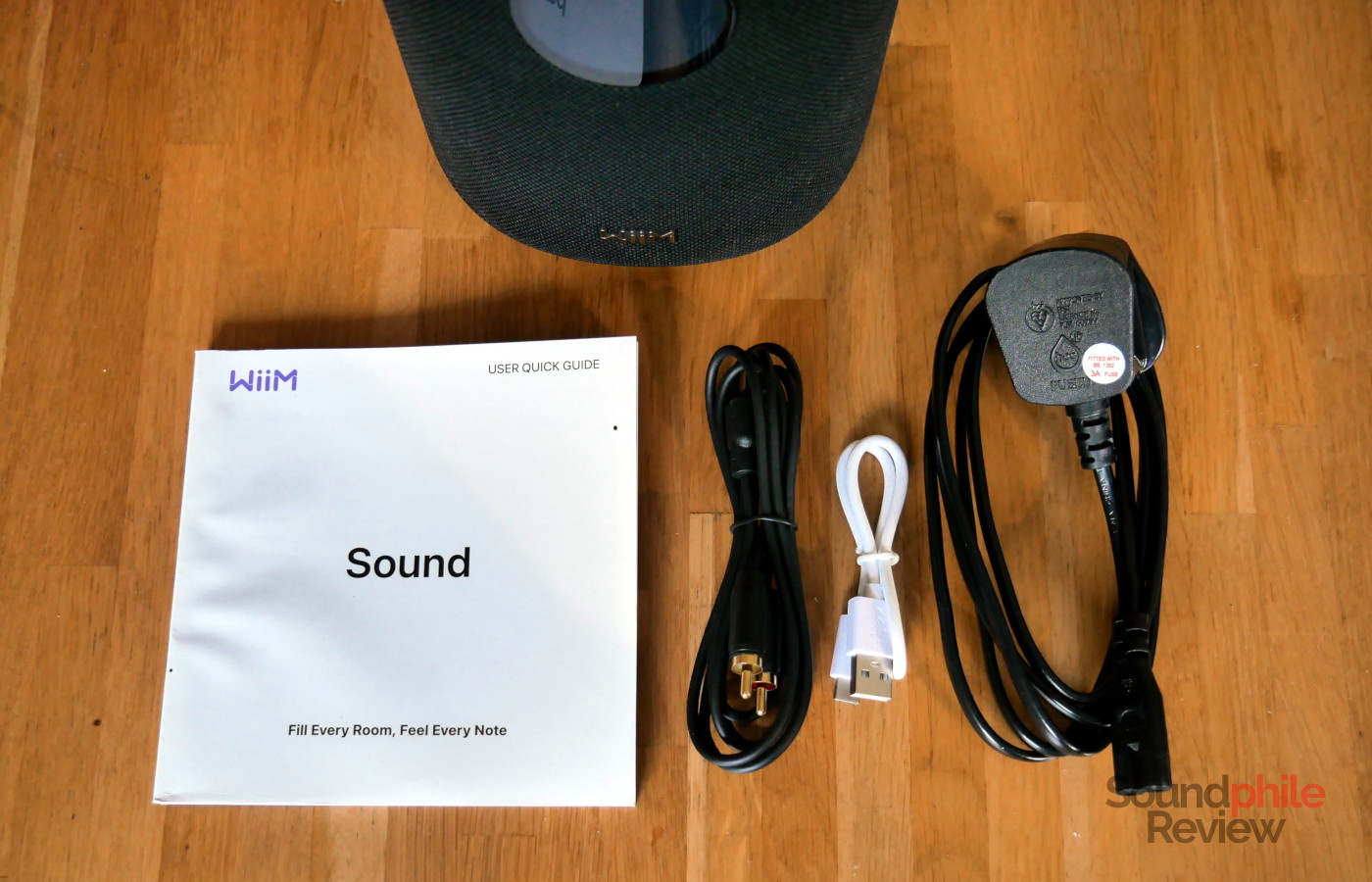
The WiiM Sound comes in a box that requires some patience to open: the bottom slides out vertically, but it takes some effort as it does not come out easily. Once it does, you find the speaker wrapped in non-woven fabric, together with a power cable, an RCA to 3.5 mm jack cable, as well as a remote and a manual.
Design & Build
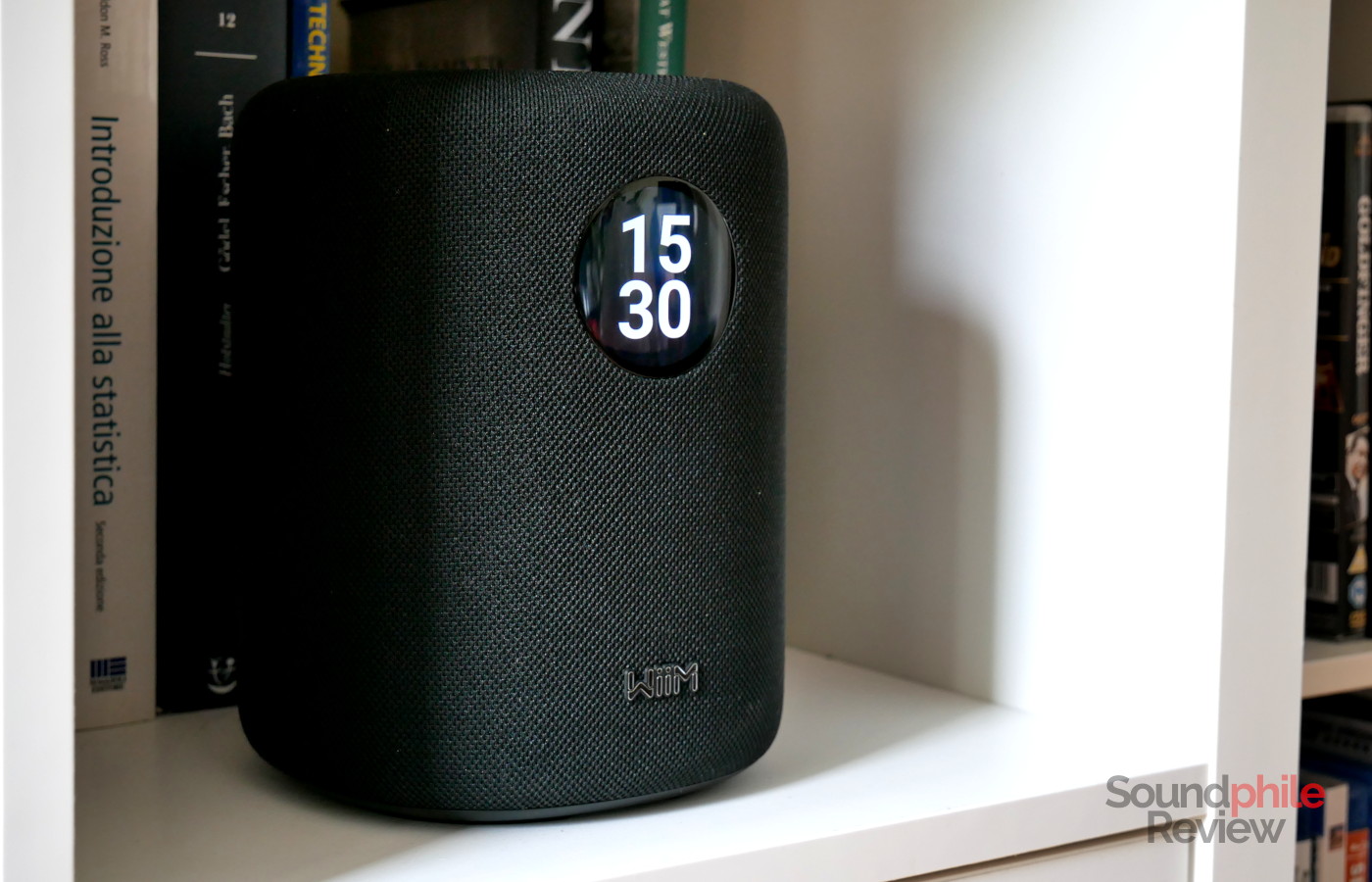
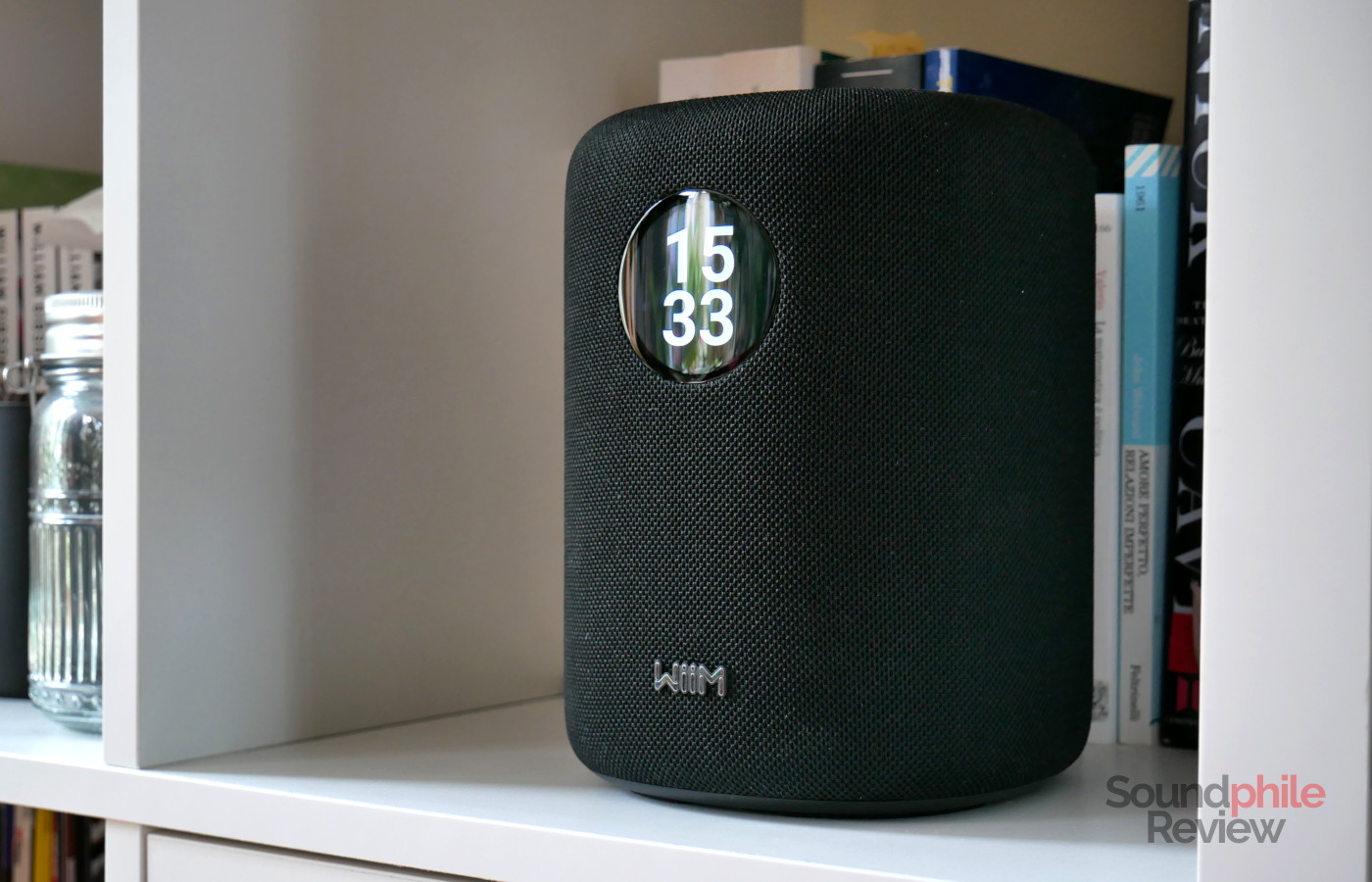
In terms of design, the WiiM Sound looks roughly like a cylinder with tapered top and bottom, both of which are flat. It is relatively large, at 146 x 146 x 194 mm (W x D X H). The thing that immediately pops out is the fact that there is a circular screen on the front, above the WiiM logo. This gives you a clear idea of what the front of an otherwise nearly-circular device is (the speaker is actually a squircle, but we’re getting nerdy here).
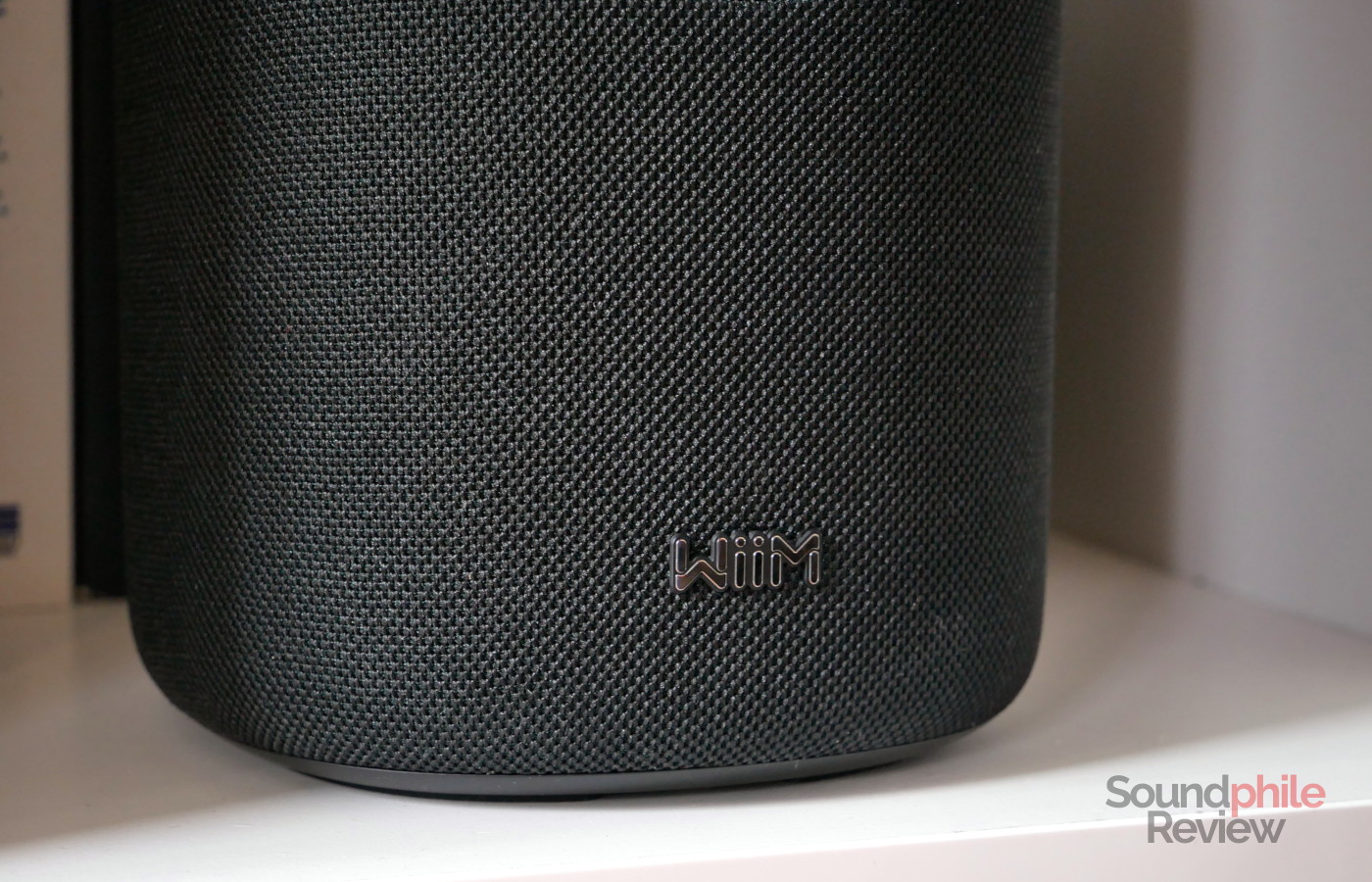
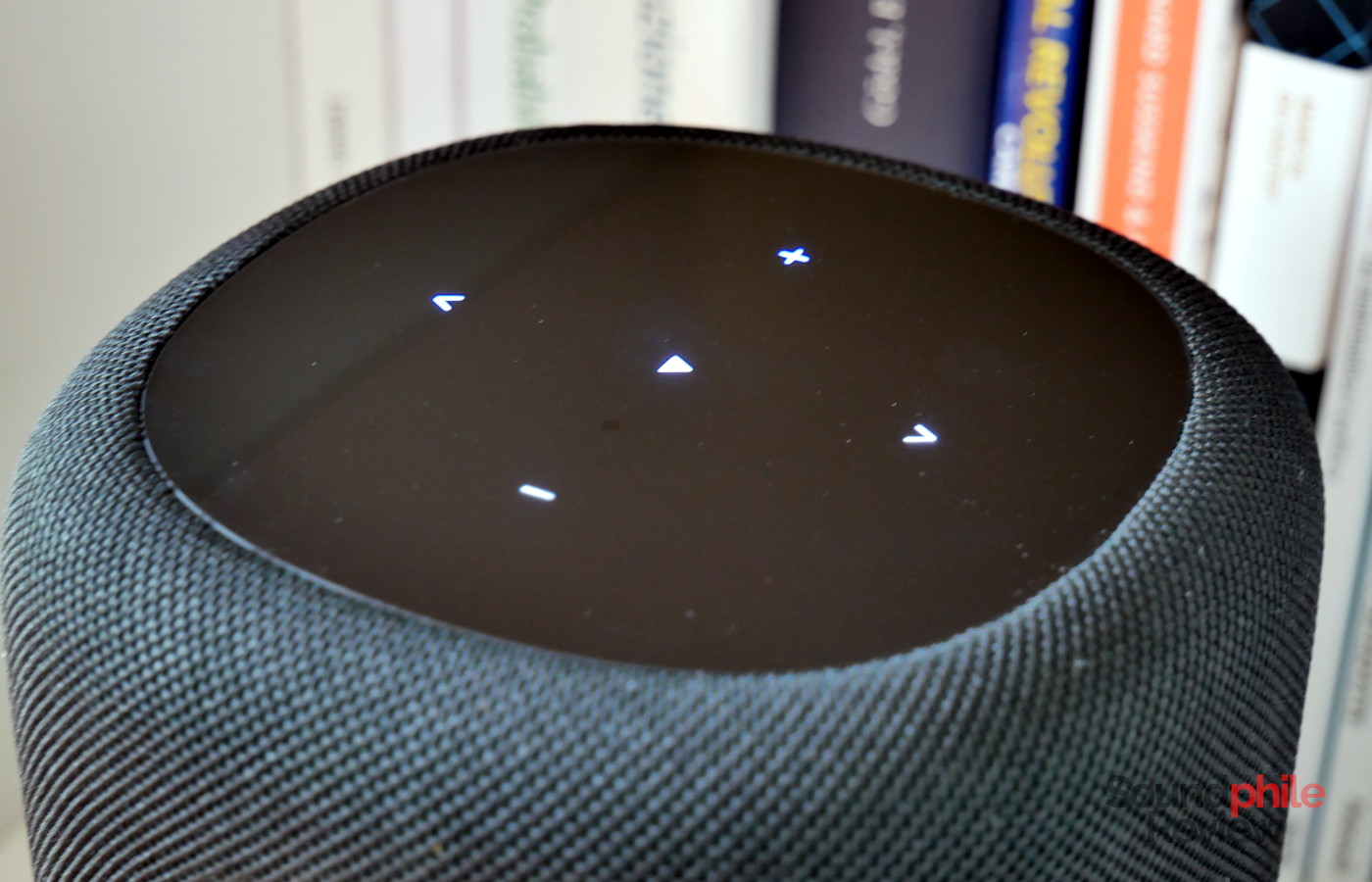
The chassis appears to be made of plastic, which emerges from underneath the fabric on both the top and bottom. The top is glossy and hosts touch controls which light up when your hand goes near them, which is the kind of design that’s so well-thought that you wonder how it is not the standard. The bottom, on the other hand, has recess carved into it so that the power cable can disappear in it – a very nice touch which nobilitates the design and makes it more polished. It’s a very nice little touch that shows attention to detail. The WiiM Sound is available in both black and white.
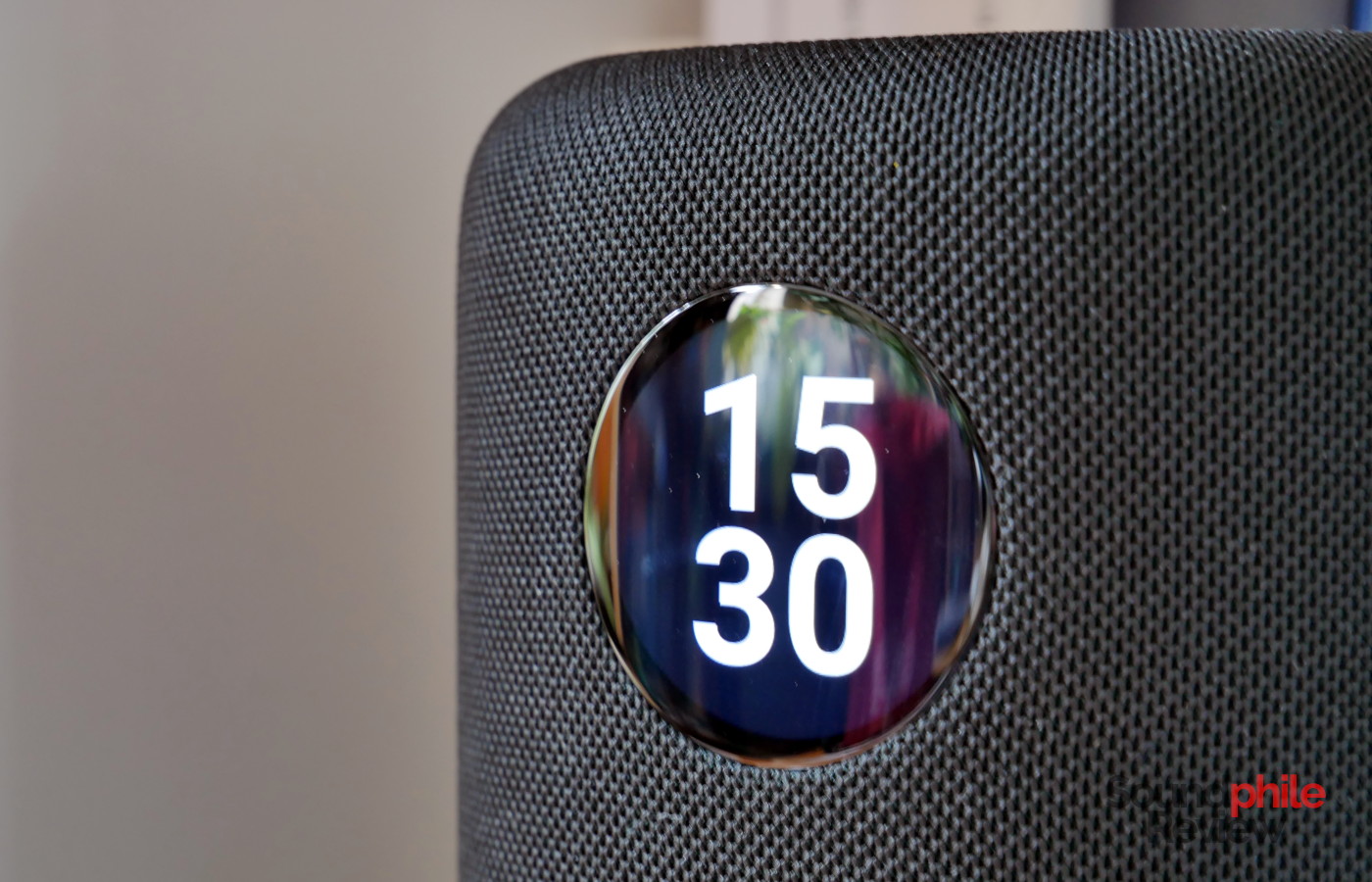
The screen is what really sets the speaker apart from the competition. It’s small, at 1.8 inches, but it’s enough to allow you to interact with the device easily. It isn’t really meant to be used from the distance, as it is more of a quick way to control the speaker and its playback, or to quickly select an online radio station to play, as an example. It is bright enough that you can see it on a very bright day.
Features & Specs
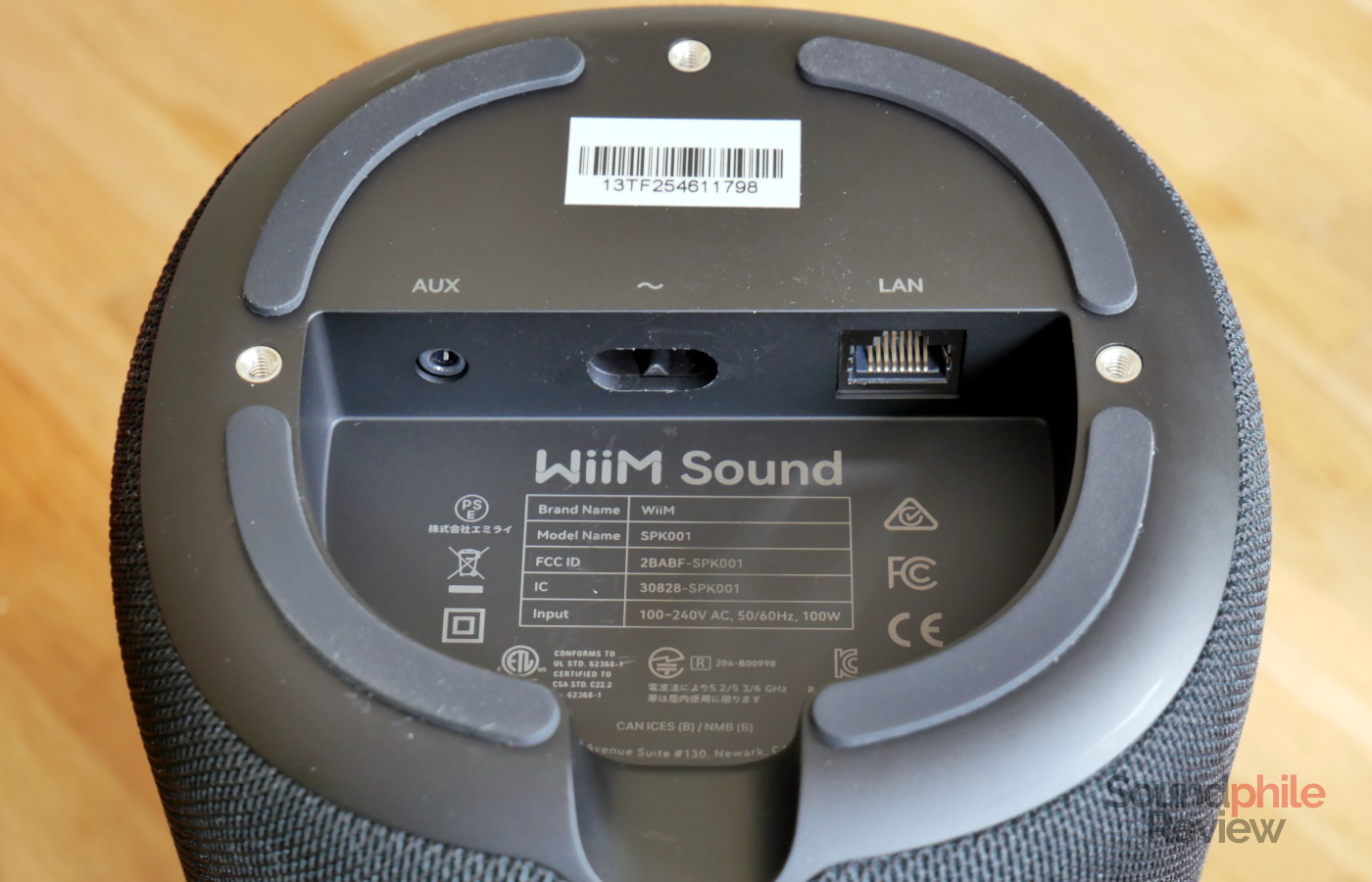
The defining feature of the WiiM Sound is its WiFi connectivity, which allows you to stream all kinds of media through it as well as to use it in multi-room and multi-speaker setups. It supports WiFi 6E, which means it includes support for 2.4 GHz, 5 GHz and the all-new 6 GHz networks. It is backwards-compatible with previous standards and works perfectly well with older versions – I personally tested it with WiFi 6. It also supports Ethernet if you prefer a cabled connection.
On top of this, you can also connect to the WiiM Sound using Bluetooth, which is present in revision 5.3 with SBC, AAC and LC3 codecs. No high-quality codecs such as LDAC are offered, but the main point of the speaker is that you can stream through it with WiFi or Ethernet which offer a much higher bandwidth and therefore a much higher quality.
WiiM Sound |
| Frequency response | 50 – 20,000 Hz |
| Power output | 50 W for the woofer, 25 W for each tweeter |
| Maximum SPL | N/A |
| Connections | WiFi, Ethernet, Bluetooth (5.3), aux |
| Codecs | SBC, AAC, LC3 |
| Driver type | 1 woofer, 2 tweeters |
The total power output reported by the company is 100 W, divided in 50 W for the woofer and then 50 W divided equally between the two tweeters.
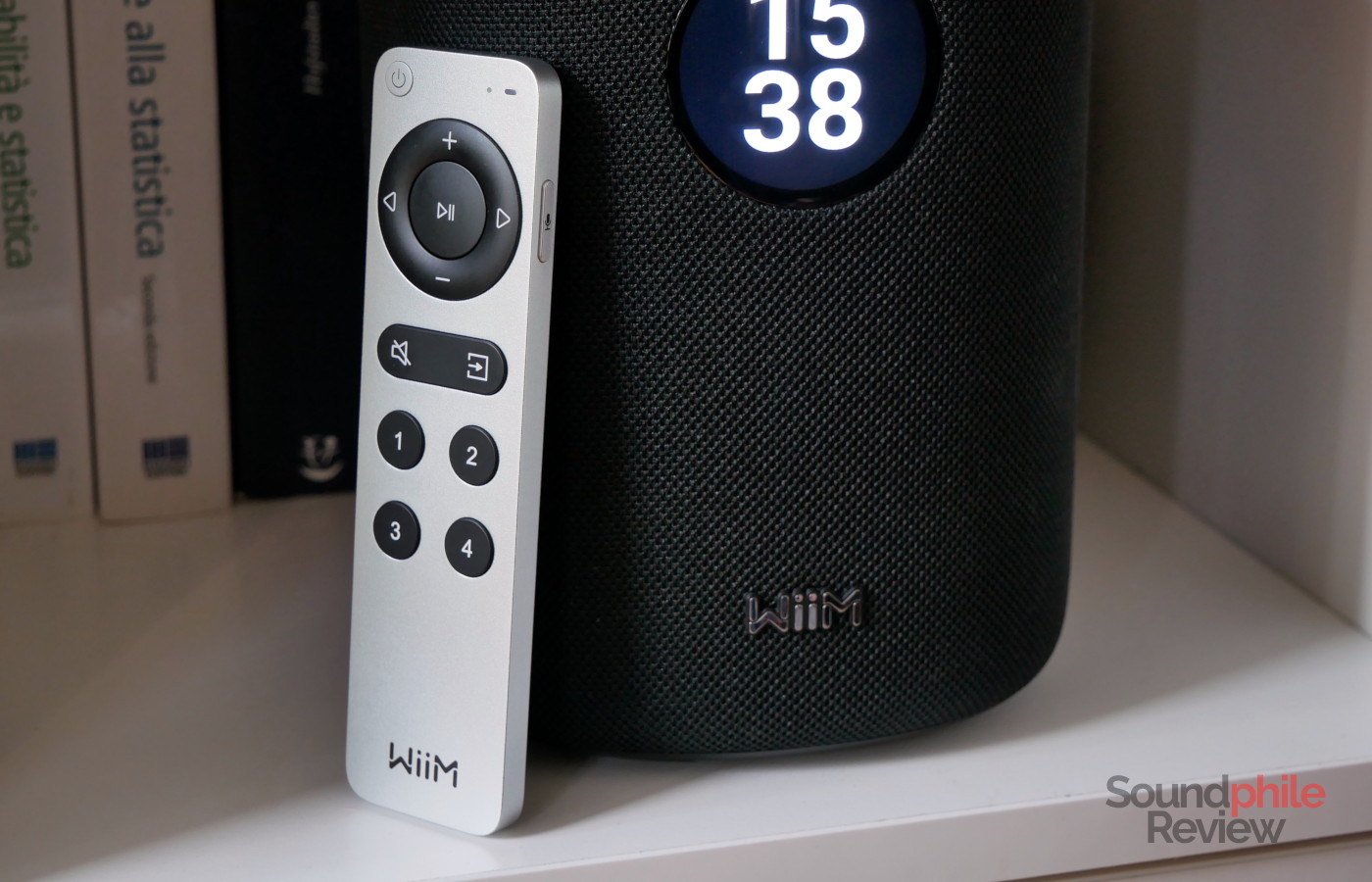
The WiiM Sound comes with its own remote, which you can use to control volume, playback, input, mute as well as multiple devices using the numbered buttons. There is also a button with a microphone on the right hand side in case you are using the Sound with Alexa.
Software
A huge component in the WiiM experience is the software that powers the device and that allows you to control them. The speakers run their own operating system which you can control through both the screen on the front and the WiiM Home application which is available for both Android and iOS. There also versions for macOS, Windows, Apple TV and Google TV.
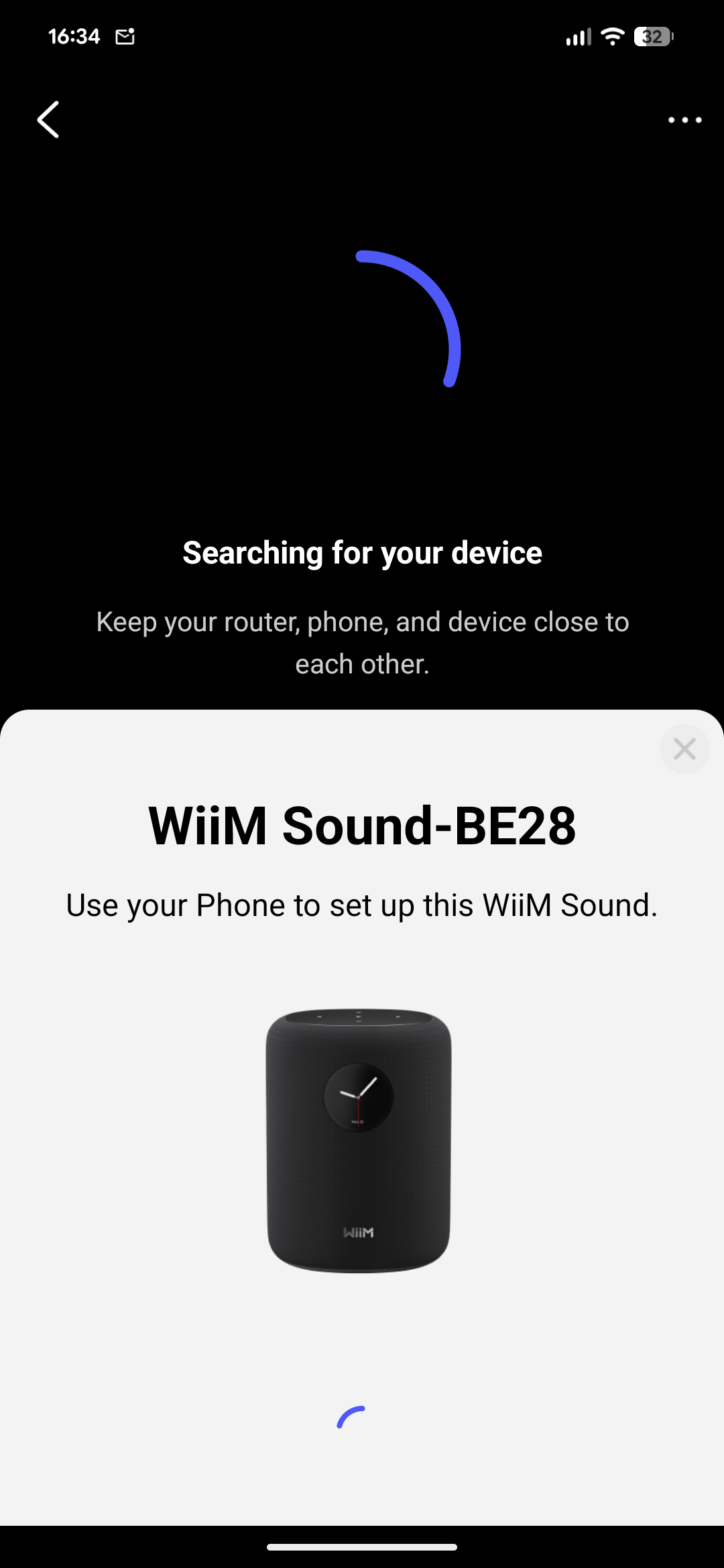
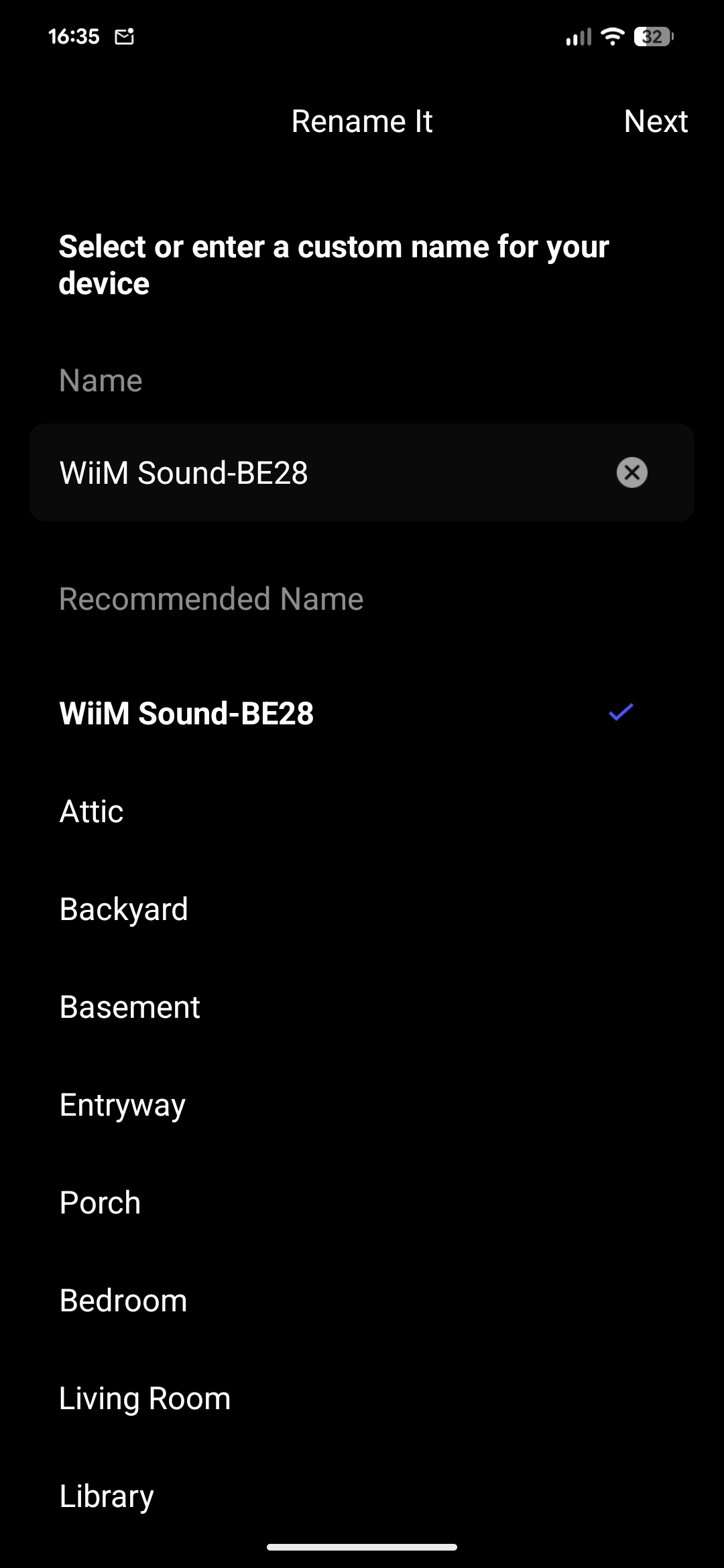
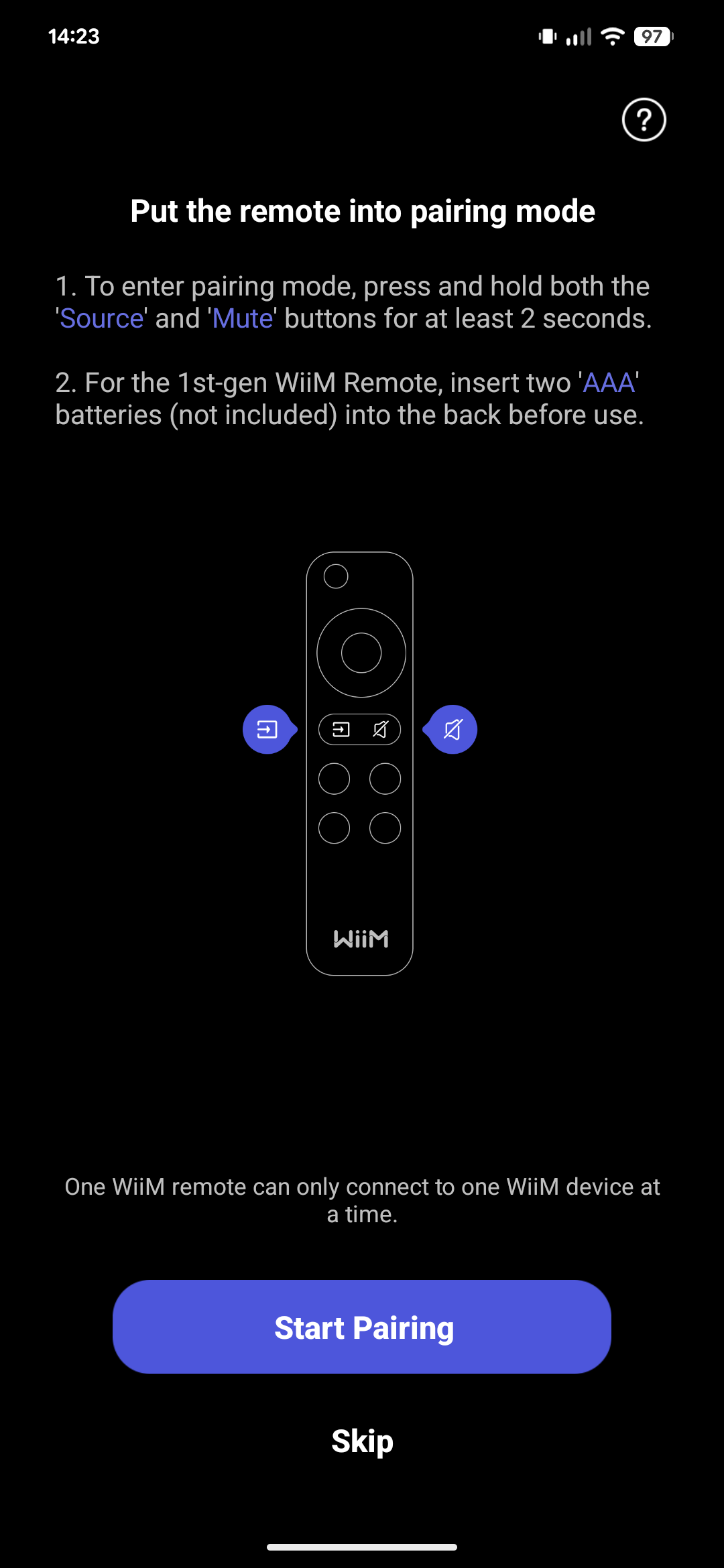
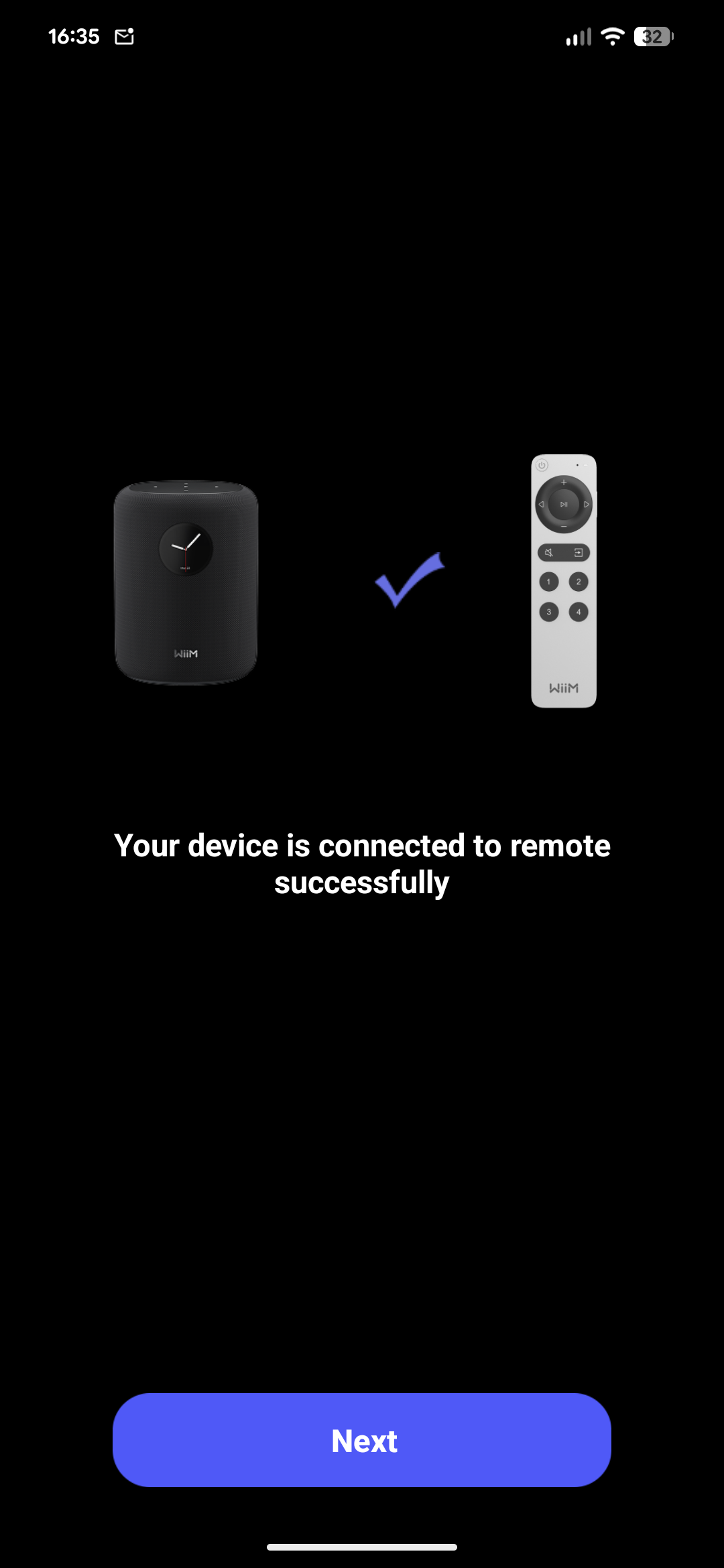
The app allows you to connect the speaker and the remote very easily. The process is very streamlined and only requires you to input the WiFi password. It allows you to choose a name for the device (as an example, “bedroom” or “living room”), customise the screen with different styles of clock and album art displays, as well as applying room correction equalisation through a process WiiM calls “RoomFit” (more on that later). Lastly, it allows you to select which streaming services to enable (although this selection seems to have no effect whatsoever, as they are all enabled anyway).
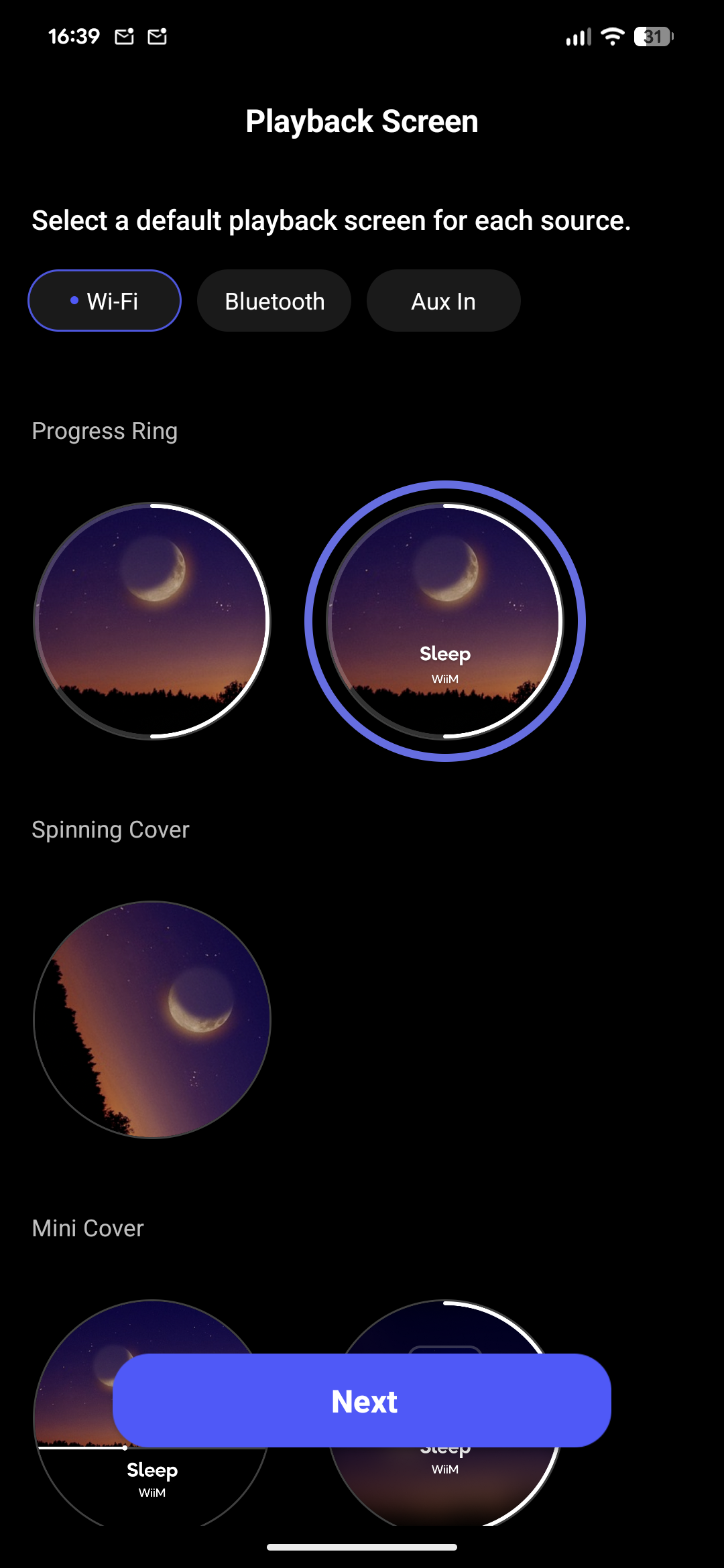
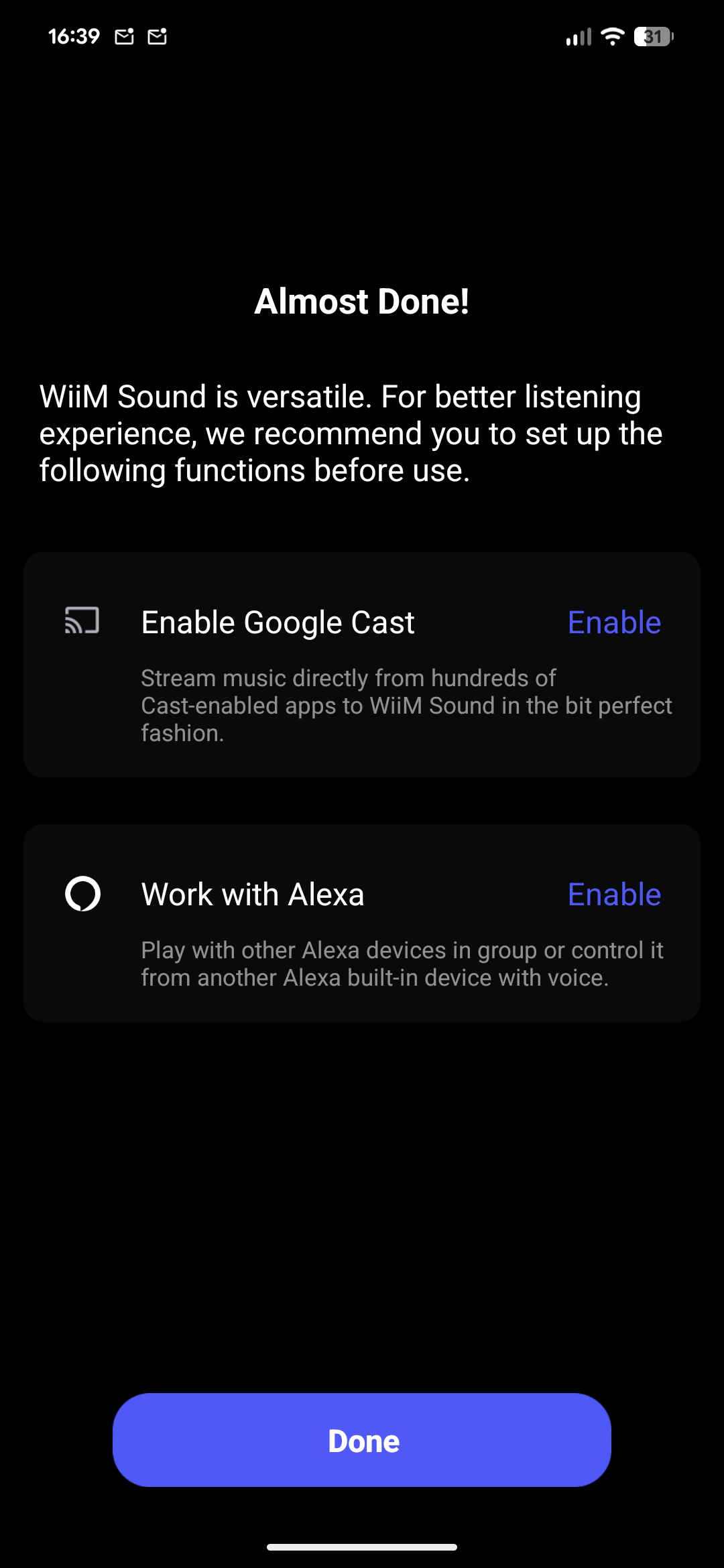
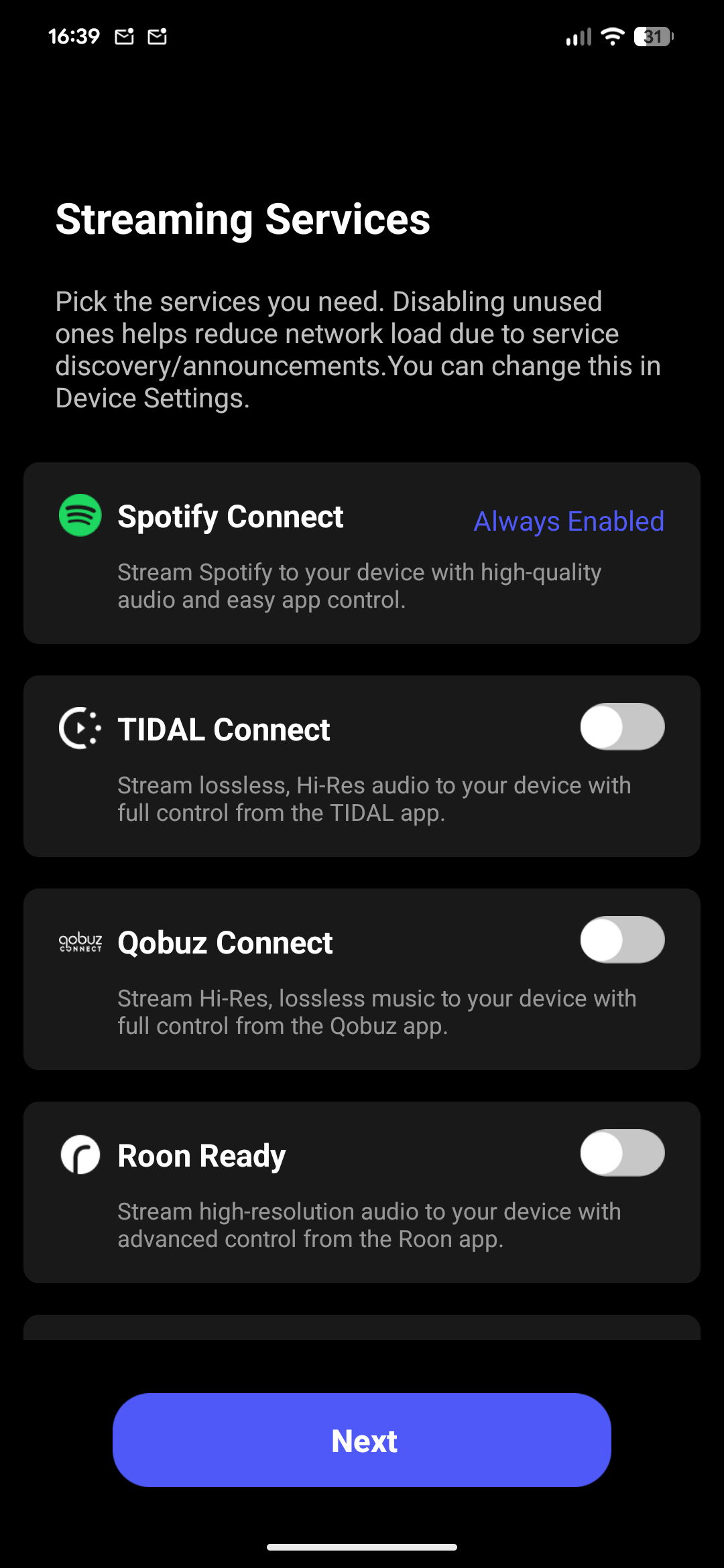
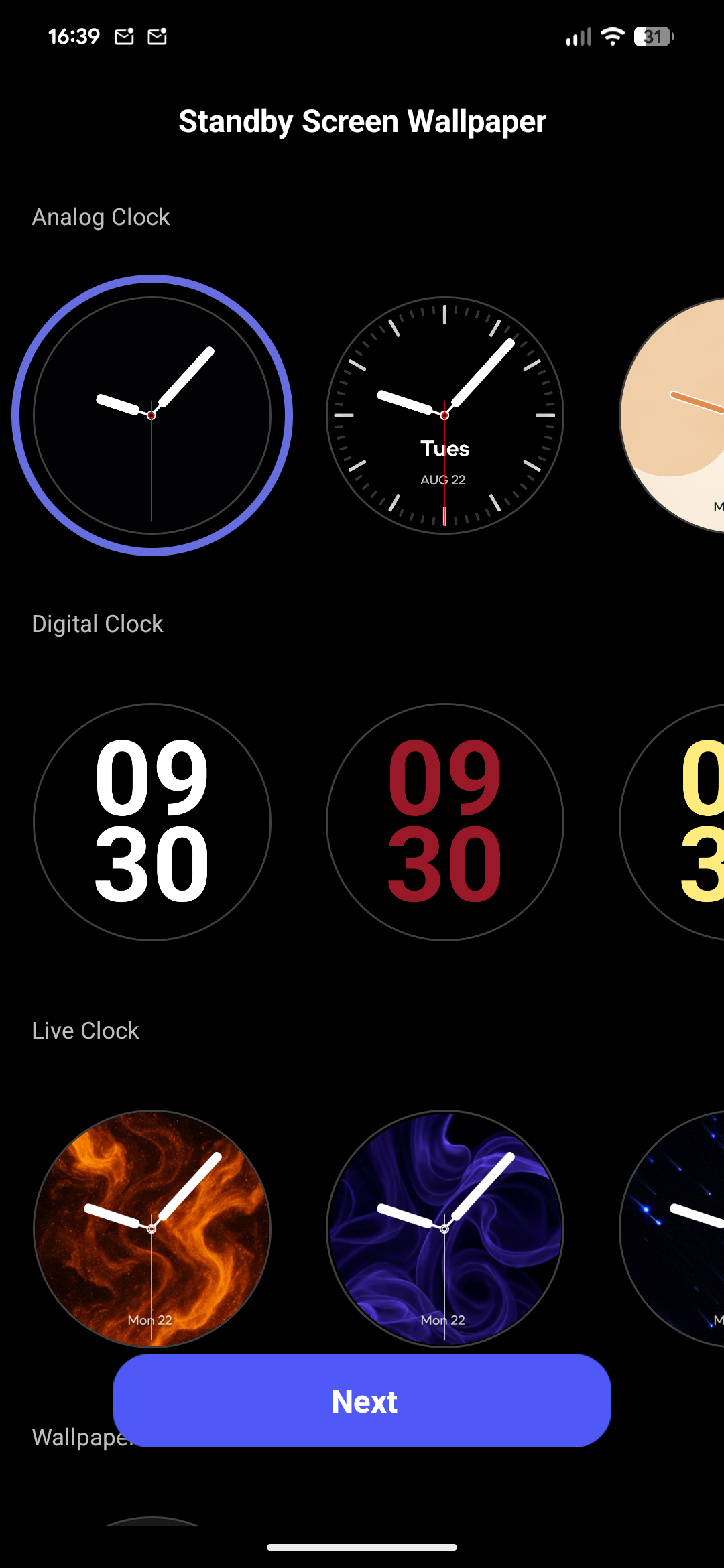
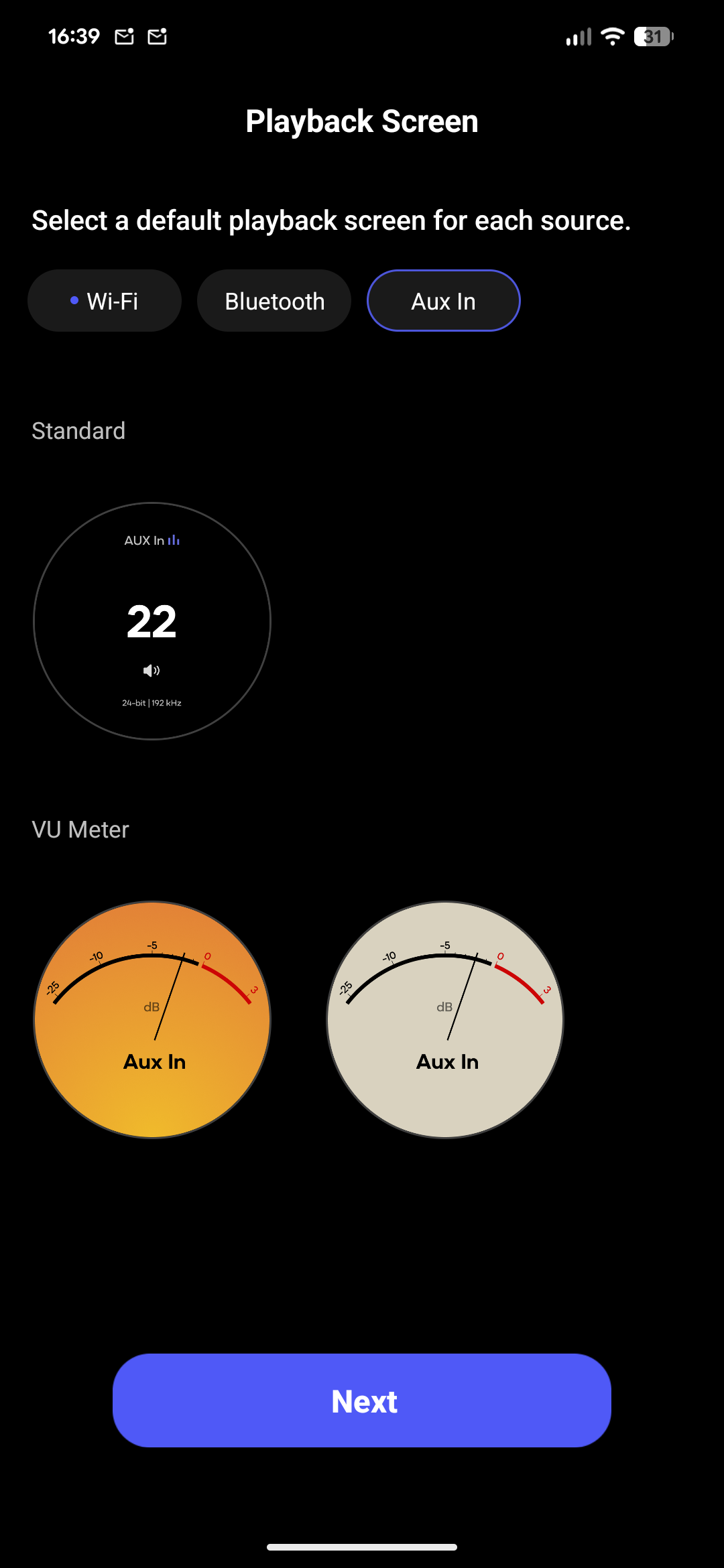
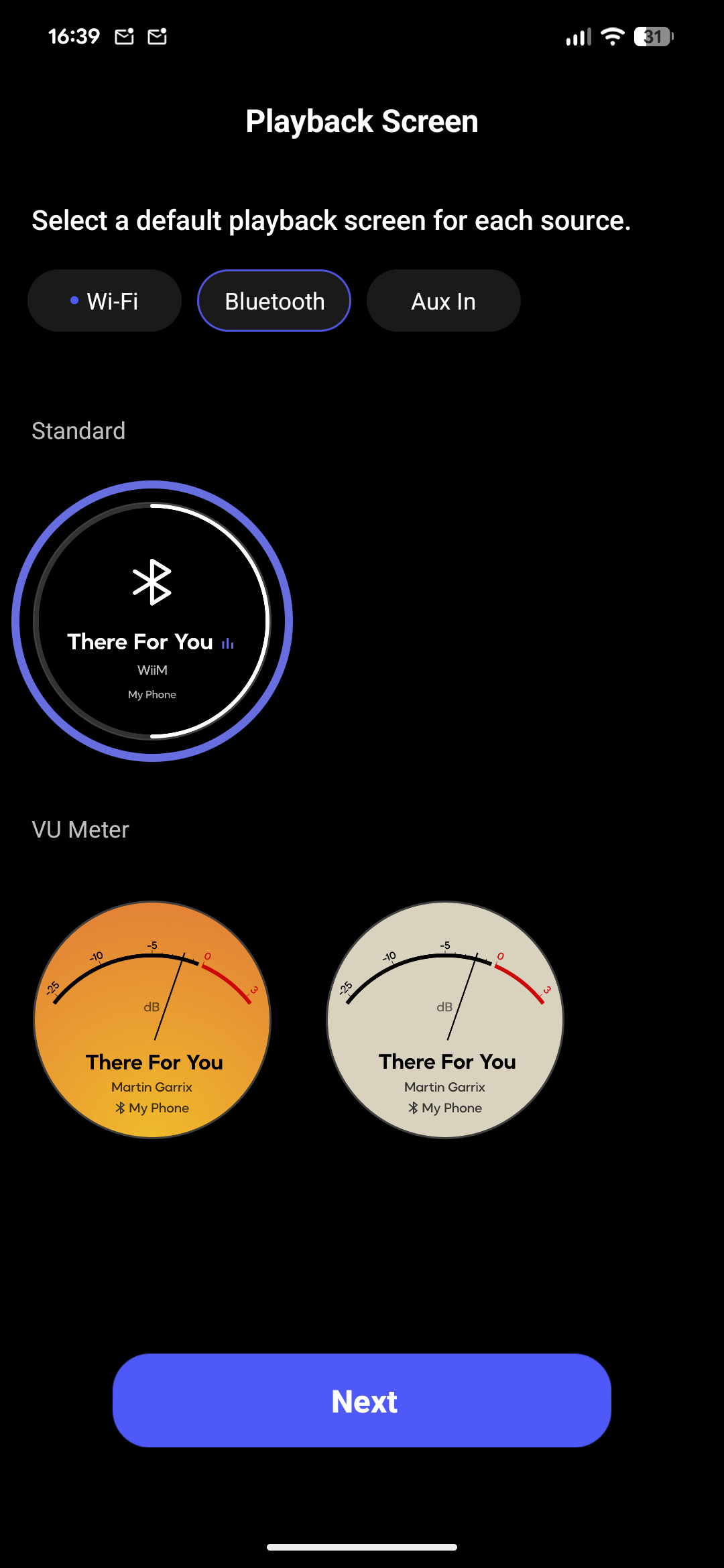
The app, and therefore the speakers themselves as well, is clearly made with the idea that you are going to stream music from a third-party, online service. It boasts compatibility with Amazon Music, BBC Radio (at least here in the UK), Calm Radio, Deezer, Hotmix, iHeart, KKBOX, Pandora, Plex, Qobuz, QQMusic, RadioParadise, Roon, SoundCloud, SoundMachine, Soundtrack, Spotify, Tidal, TuneIn, vTuner, WiiM Radio and YouTube Music. There is also support for network streams, as well as for casting through Google Cast and for Amazon Alexa. This is an extensive collection of services that you can use and it gives you a lot of flexibility.
You can also stream directly from your local network using UPnP and DLNA. This works really well and it allows you to use your local collection directly. One issue I have encountered, however, is that the WiiM Home app seems not to be able to retrieve tracks on its own, as it tries to load the list (whether that is of artists, albums or tracks) and then displays an empty one. Conversely, casting music to the speakers using an application, such as Symfonium on Android, works perfectly well. [UPDATE: WiiM has now introduced an “improved library” that makes it possible to scan the remote DLNA library and create a local one, so that the timeout issue leading to the empty list does not appear any more. When you first connect to a DLNA/UPnP server, you can create a local library which is way faster than the remote one and gives you an experience more akin to having local files than to loading them from a remote source.]
The “Devices” section allows you to control all of your WiiM devices, individually as well as in groups. This allows you to create both stereo setups as well as multi-room setups. From here you can enter the settings page for each device, which allows you to control a variety of settings:
- EQ, which offers both a 10-band graphical equaliser as well as a parametric one, with the ability to set different EQs for different inputs. Currently each input has its own separate presets, but the company is working to make it possible to apply the same preset across inputs. EQ profiles are also unique to each device, but the company said that they will consider implementing the ability to apply the same profile across devices – which would be especially useful if you had multiple speakers and wanted to apply the same profile to all of them;
- RoomFit;
- input source: WiFi, Bluetooth or aux; you can also set pre-gain and aux in resolution (as the signal is converted to digital and then goes through a DSP), as well as set per-source volume control;
- output, as you can output to Bluetooth as well, essentially turning the WiiM Sound into a streamer;
- see device information;
- manage network connectivity;
- set standby mode waiting time;
- pair a remote;
- adjust screen options, such as brightness, wallpaper, and whether to show a 24-hour clock;
- alarms (yes, you can use the WiiM Sound as an alarm clock!);
- automation presets, as an example to change EQ based on;
- enable Dynamic Bass, which adjusts bass depending on volume level to always have a full sound;
- change audio settings, which are volume limit, audio channel (you can choose between mono, stereo , left or right, and it applies to when the speaker is playing by its own), as well as fade-in and fade-out effects;
- group audio delay, which is set to 800 ms by default to allow for buffering and therefore reduce unwanted stuttering and other issues, but can be reduced for Bluetooth and aux-in to 150 ms or 70 ms;
- stereo pair, where the selected device is the left channel and another device can be paired as right channel;
- settings for various streaming and connectivity services, as well as Amazon Alexa and Google Cast.
There is an absolute ton of settings that allow you to customise the experience as you please.
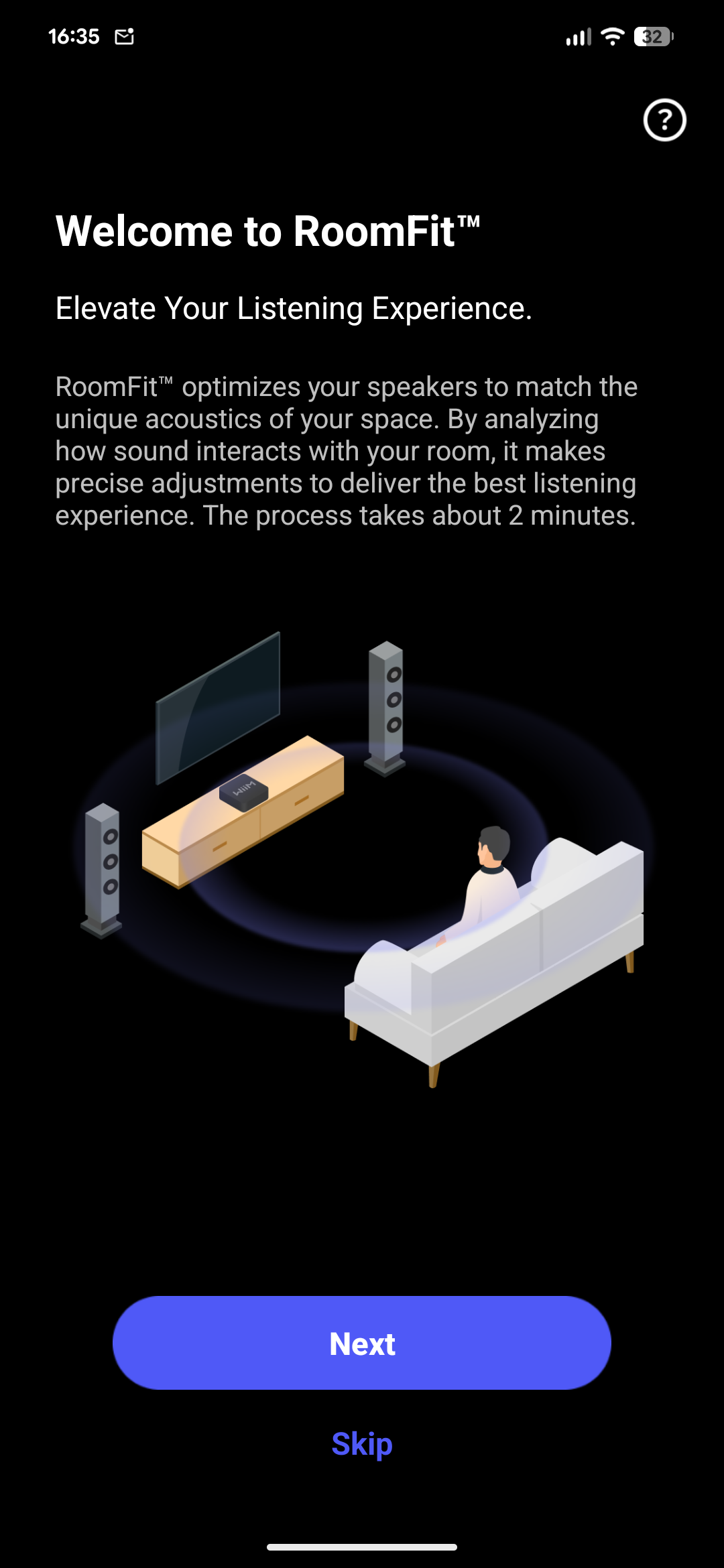
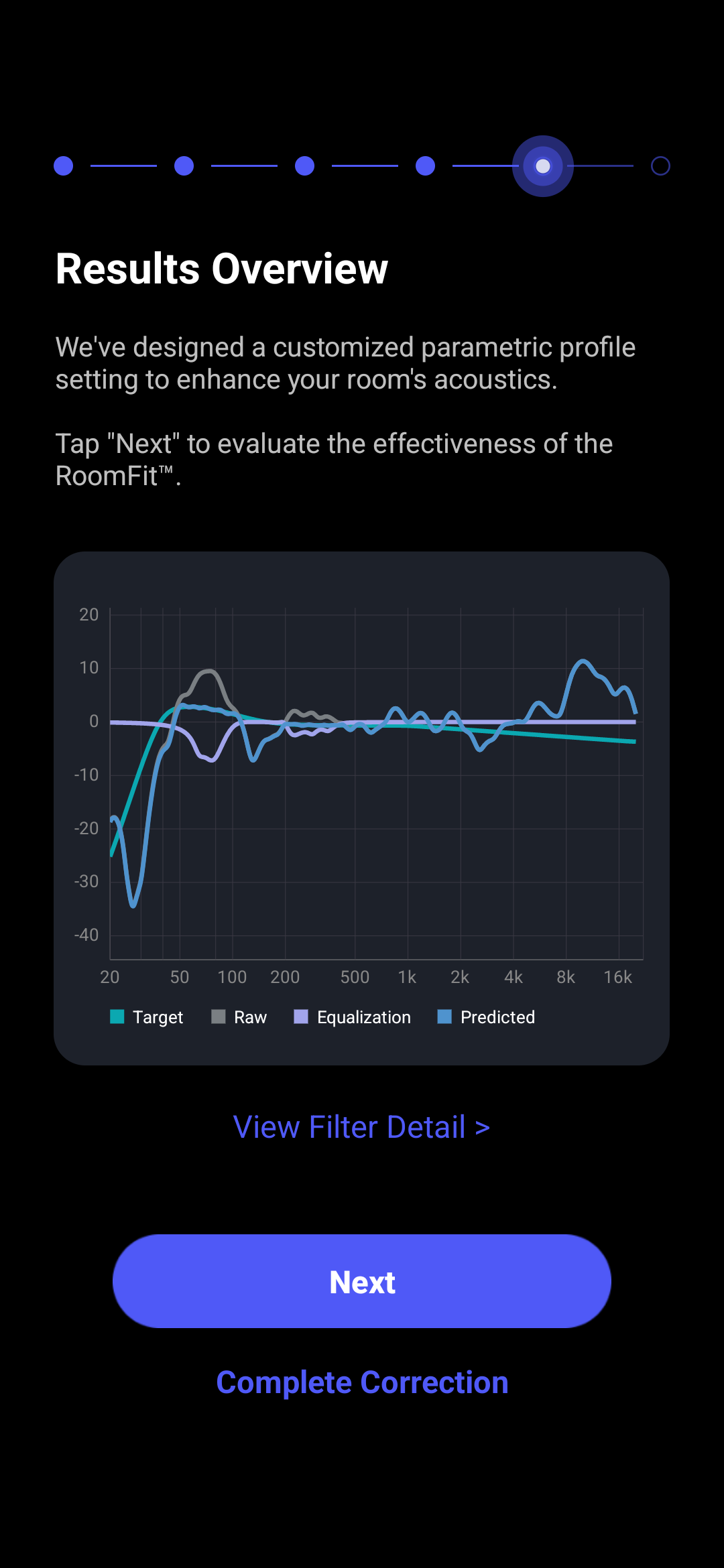
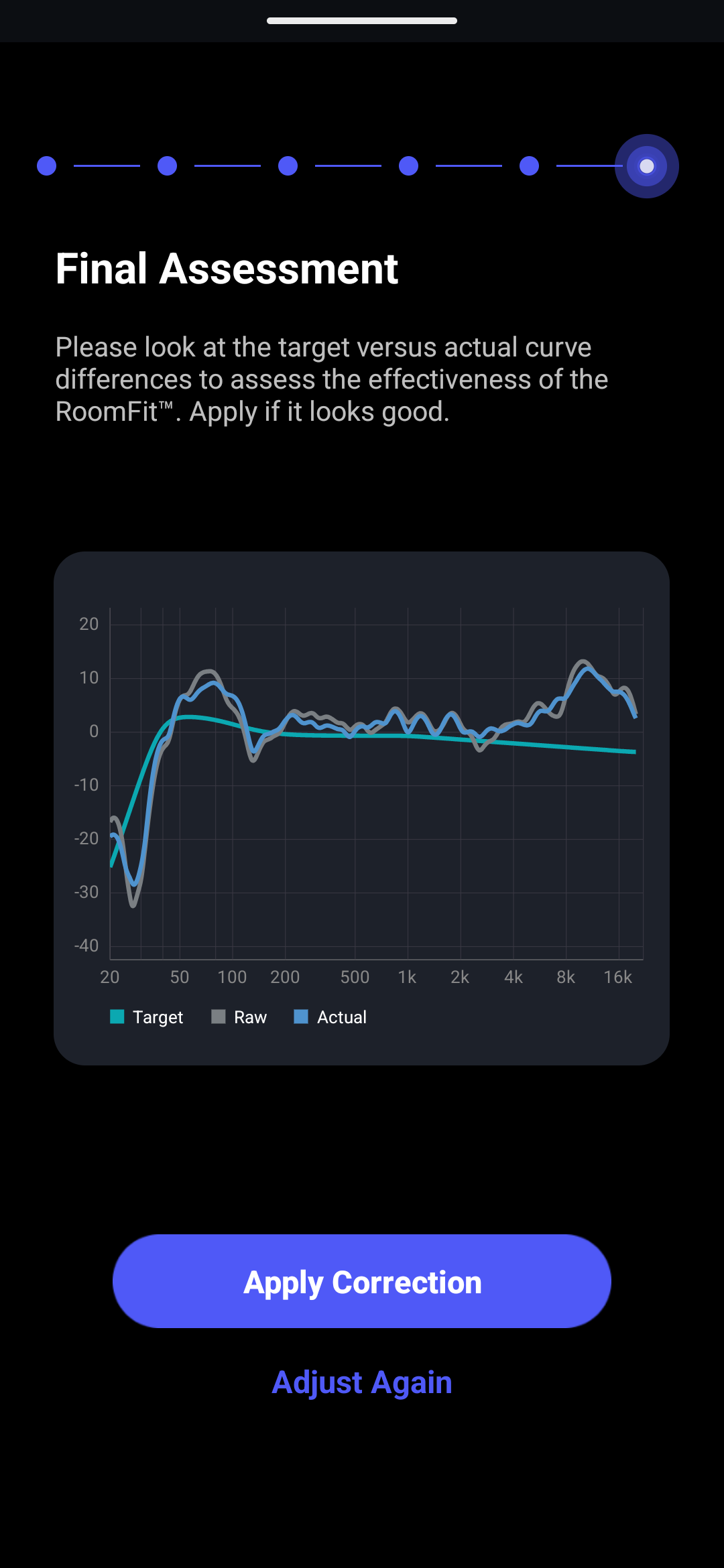
The RoomFit feature sounds great in theory, as it should allow you to apply an equalisation profile which makes the speakers have a flat frequency response, adapting better to the various quirks of individual environments (which we’ve discussed in the GIK Acoustics Amplitude review). The process is very easy: you simply sit in your normal listening spot and hold your phone at ear level, pointing the microphone towards the speaker; this emits a series of tones and then the app produces a graph with the measured response as well as the desired one. After this, it emits another frequency sweep to show how the calibration affects the sound. So far, so good. The issue I’ve faced is that the EQ profile does not correct the response to make it flat: it has a very mild effect, to the point it is basically not there, as shown by the app’s own graphs. As you can see in the screenshots above, the middle one shows how the frequency response should look like after correction in light blue, compared to what’s been measured in grey; the actual result (screenshot to the right) shows that many things haven’t changed appreciably, like the bump between 50 and 150 Hz.
By default, the EQ only corrects frequencies between 50 and 500 Hz and does not touch any frequencies above that threshold. The default setting does not influence upper frequencies, although there is a giant bump above 8 kHz which needs correction. Even below 500 Hz, the proposed EQ profile is very conservative; although the graph shows a nearly 10 dB boost between 50 and 150 Hz, the profile only removes a couple of decibels there.
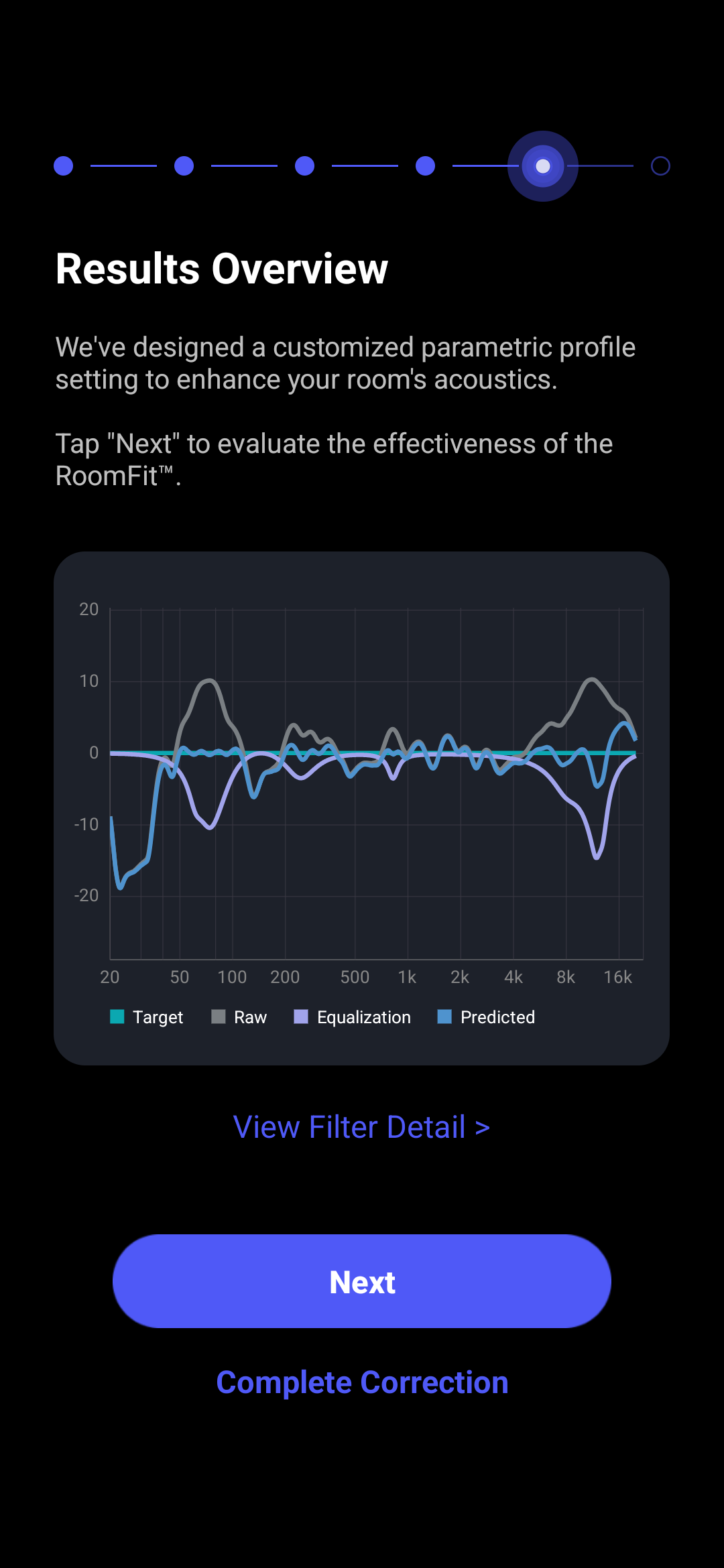
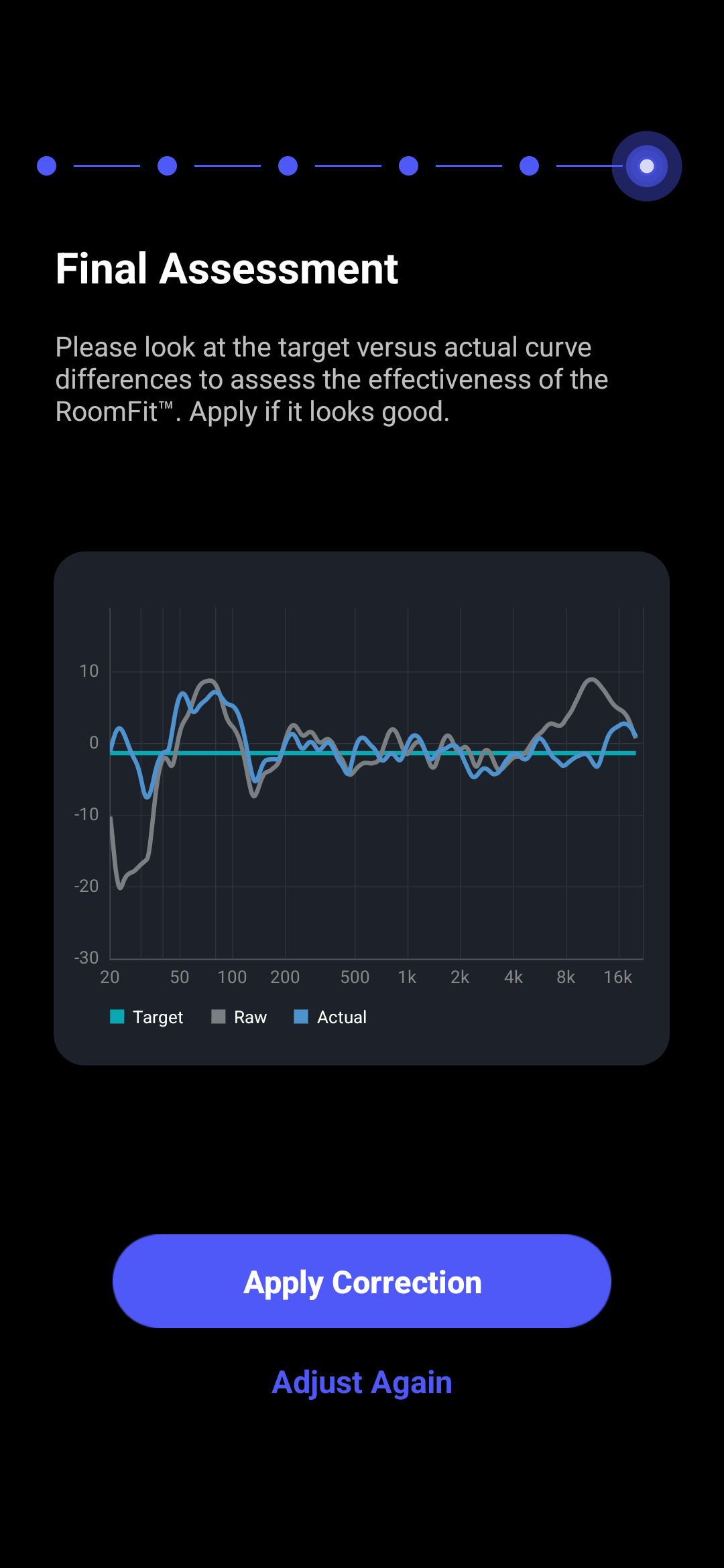
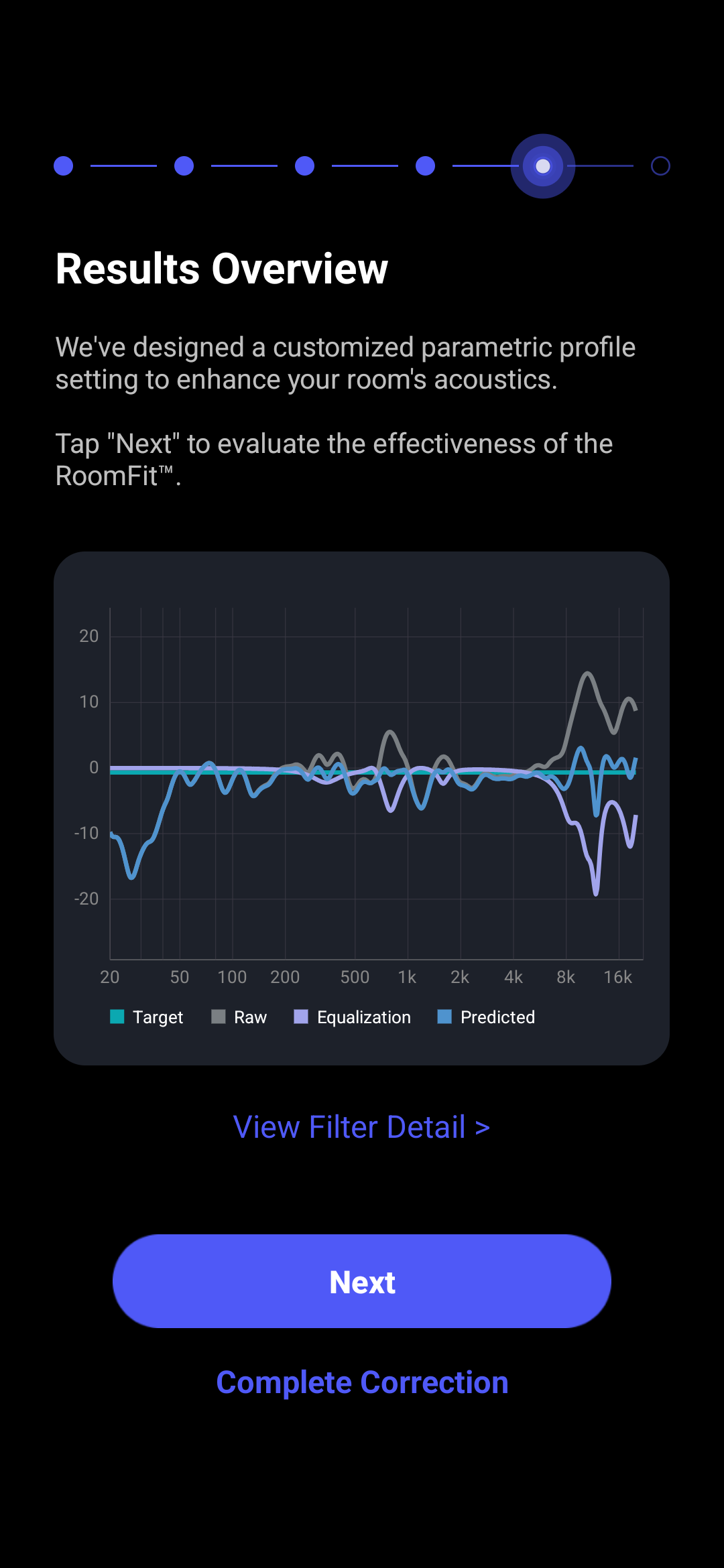
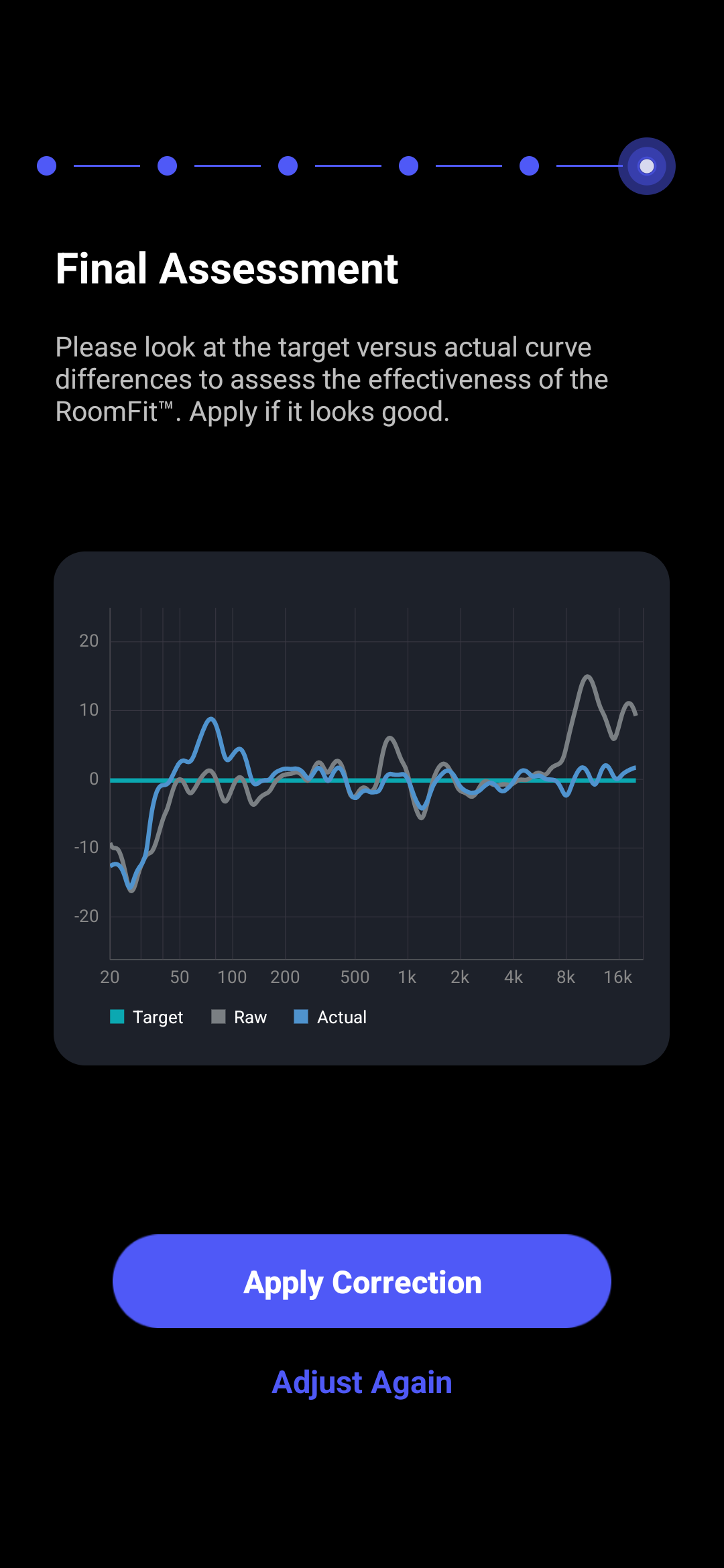
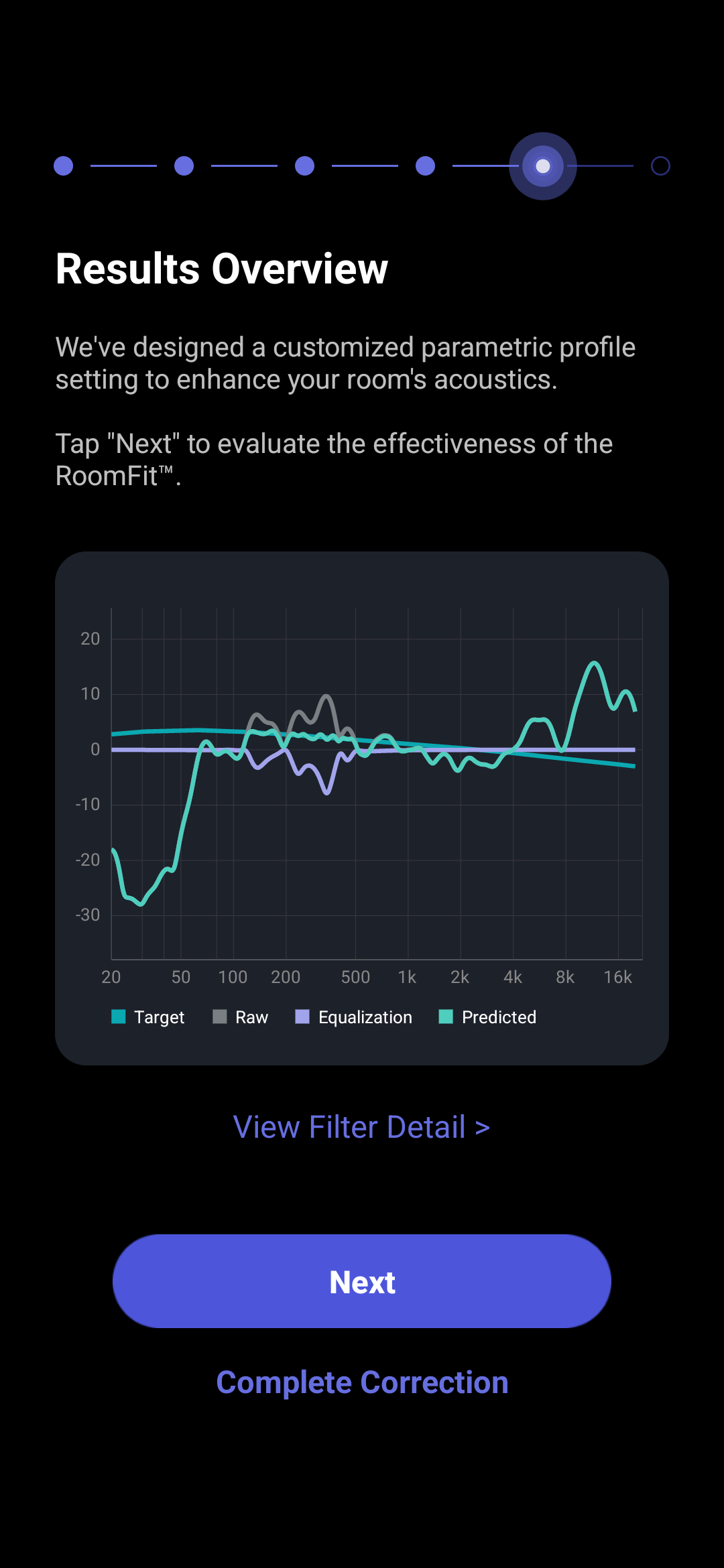
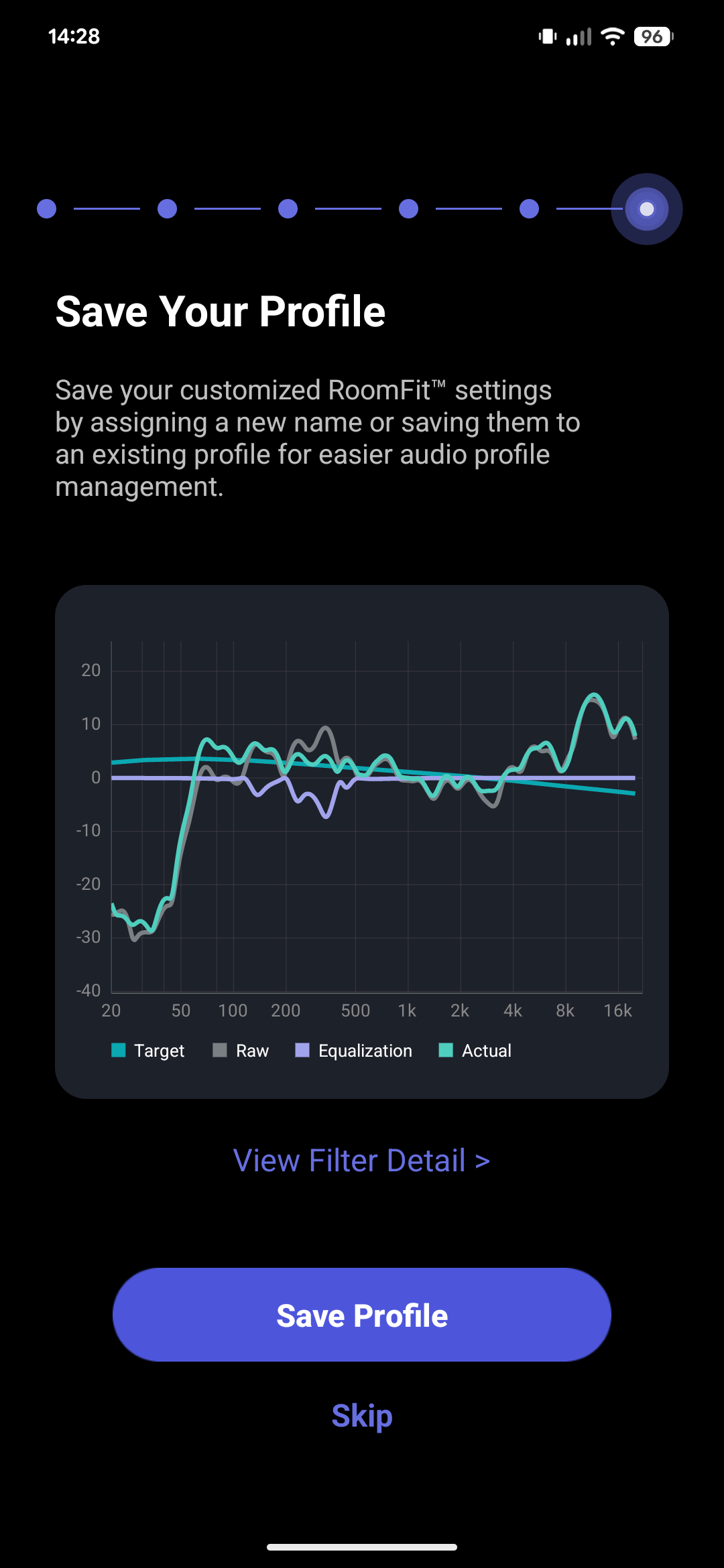
Using the feature outside of the initial setup seems to lead to better results. By selecting RoomFit in the device’s settings, and by tapping on the gear icon in the top right corner, you can adjust various parameters, including the frequency interval, the maximum correction (which you can set between ± 12 dB), the max Q and the smoothing. You can also choose to use a moving mic measurement process, which is still in beta. Testing the feature with the full available range (50 – 20,000 Hz) the equalisation is more effective, but only slightly so. While it does correct the massive peak in the treble area I saw with the stock tuning, it also seems to make the sound lifeless.
RoomFit is therefore a very impressive feature, but at the same time it seems like it still has some rough edges. Considering the quick pace at which the company is developing and improving it, I feel like it is going to be much better in the coming months.
Sound
To write this review I used music in FLAC format stored on my local NAS and transmitted to the WiiM Sound via WiFi using DLNA, preserving its original quality.
In many ways, the WiiM Sound is very surprising when it comes to sound and is a fantastic example of how far small speakers like this have come over the last several years. One element I normally do not mention when reviewing speakers is volume, as this is seldom a consideration; however, when it comes to such a small device, I think it is worth discussing: the WiiM Sound is incredible from this perspective, as one unit can easily fill a medium-sized room and beyond. It is absolutely amazing how well it manages high volume without audible distortion. There are, however, also some considerations to make regarding the way the speakers were designed and tuned, as the WiiM Sound has some notable issues, many caused by the design itself.
Bass is surprisingly deep and powerful, enough that I can feel it through the floor with my feet even at moderate listening levels. Given the size of the driver, this is very significant, as it does this without sounding distorted nor monotone (as in, “made of a single note”) like small speakers like this used to. On the other hand, though, it is very abundant and it often sounds overly present in the mix, especially in the sub-100 Hz range: as it extends down to ~50 Hz, there is quite a bit going on in this area. While it isn’t enough to overshadow the mids, it is enough to often sound invasive. While it doesn’t sound single-note, that bump below 100 Hz is enough to often overpower the rest of the bass area in crowded tracks, leading to a loss of detail and nuance.
The mids are well-crafted and carry a good amount of detail which makes voices and instruments such as guitars pleasant to listen to, but they are also the more problematic aspect of the Sound’s design. There is in fact a pronounced brightness that makes itself very well known as soon as you play any track with a female voice or a high-pitched instrument; as an example, we can take Enya’s voice in On Your Shore or Hevia’s flutes in Si la nieve: in both cases, there is a high-pitched component that overly emphasises the breathy nature of both voices and flutes, to the point of making them sibilant and harsh. Very interestingly, and very tellingly, this emphasis is reduced when you sit at a 45° angle compared to the front of the speaker. I say “tellingly” because it makes it clear that this emphasis is the result of an interaction between the two tweeters, which makes it so that certain frequencies (in the 3-6 kHz range, and then further up in the treble area around 8-12 kHz) are boosted beyond what’s intended. We can confirm this through inference in another way: the crossover is set at 2.4 kHz and the fact that the issues appear above this threshold appear to be in line with the hypothesis.
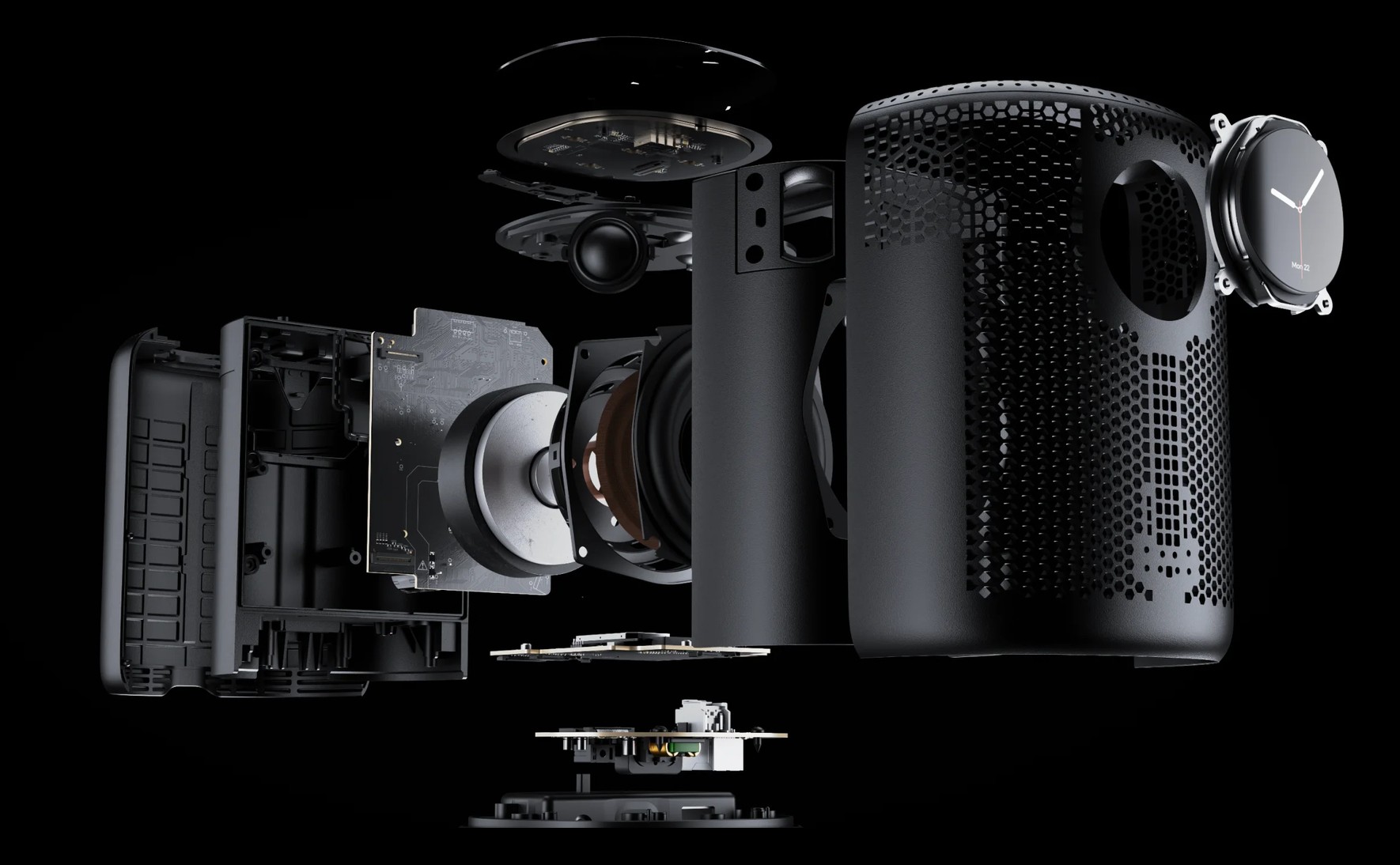
The result is that most tracks where there is a prevalence of high-pitched instruments quickly become fatiguing and sound hollowed out and tinny, despite the abundant bass presence. Virtually every vocal sounds sibilant, while more generally the upper midrange and lower treble sounds harsh and invasive. I get the constant feeling of a hissy sound even when the source material is not hissy at all. It should be noted that this effect is less pronounced if you are away from the speaker; in fact, the effect is reduced if you are distant enough (I would say more than a couple of metres, though it is dependent on volume as well), as the sound waves have the opportunity to disperse and interact with the surrounding space.
While sitting off-axis reduces the effect of the interaction between the two tweeters in the midrange, it also leads to treble being heavily boosted. In fact, while sitting at a 45° angle from the front reduces the issues with the upper midrange, it exposes you directly to the treble, which is boosted in order to account for the fact that the tweeters are angled. The design of the waveguides reduces the importance of vertical alignment heavily, but it also boosts that of the horizontal one. Cymbals and splashes sound almost aggressive and artificial, while instruments with a high-pitched presence like electric guitars, violins and trumpets sound exaggerated and shrill. Treble offers a decent level of detail, but it is often tiring due to the large emphasis it receives.
Overall, I could not get the WiiM Sound to sound good. By default it is overly tinny and fatiguing, and even when applying the RoomFit equalisation (for the full spectrum) the limitations around the double-tweeter design rear their head. Heavy equalisation is a necessity, but it is difficult to achieve good results due to the amount of variables that come into play. I think that a less ambitious design with a single tweeter would have worked better here, as it would have eliminated a host of issues while not giving up much in terms of actual sound performance – the stereo imaging offered by a single Sound is lacklustre in any case, as you would expect from a device with two channels that are so close to each other.
I have tested the WiiM Sound in stereo mode with a second unit and it works really well, with no detectable delay between the speakers and far better soundstage and imaging than in stand-alone mode – as one would legitimately expect from an actual stereo setup. One thing to note, however, is that the issues described above remain present. What happens when you assign a channel to a speaker is that it basically starts acting as a mono speaker reproducing that channel with both its own channels, i.e. both its tweeters, so the issues with tuning unfortunately remain.
Using the speakers as a multi-speaker setup without stereo pairing, so with both speakers reproducing both channels, led to a less successful result. Most of the time, the secondary speaker was operating at a lower volume than the primary one, making it so that the two were misaligned. Interestingly, this seemed to happen in ebbs and flows, as every now and then the volume was correct and then faded away again. It was therefore hard to maintain a constant, consistent acoustic pairing between the two speakers.
[UPDATE: WiiM confirmed that this is an issue with units produced before 15/11/2025, which means that units produced afterwards should not have this issue] One last note goes to the background noise, which is quite pronounced. When not reproducing music, the units emit a constant high-pitched hiss. This is clearly audible from about 1.5 m away, above the background noise of my flat (which is, unfortunately, relatively high, living close to a high-speed road). The hiss disappears as soon as the speaker starts reproducing any audio, so it looks like it might be related to the power supply unit. Thinking it was an issue with my unit, WiiM very kindly sent a second one, but that one had the same issue as well, prompting me to conclude that this is indeed something to do with the design itself rather than with inter-unit variability (which actually appears to be very low from the perspective of sound, as the two units sound subjectively identical to me, indicating very good matching).
Final Thoughts
Like most “smart speakers”, the WiiM Sound sits in a weird position. It is powerful enough to fill a room and it offers lots of options to enjoy your music, with a large variety of streaming services at your fingertips as well as the ability to stream from a local media server. It also offers very powerful bass that is way beyond what I would expect from a device of this size, in terms of volume, depth and quality. On the other hand, however, its ambitious acoustic design has a lot of drawbacks that hold it back from being truly great: the issues with the double-tweeter approach make it so that it sounds tinny and often aggressive in the upper midrange and treble region.
The WiiM Sound is seriously impressive on many levels: technical, technological, of industrial design, as well as relating to usability, features and functionality. It’s a tremendous device with a lot of potential and near-endless options. On the other hand, however, its tuning is not suitable for anything beyond casual listening, and even then it requires some fiddling with the equaliser. At $/£299, it is not expensive and its price would almost be justified by the ease of use and the features alone. However, considering the issues with the tuning, I feel like I can’t recommend the WiiM Sound for anything beyond listening to music as a background, to the radio, or to podcasts.
One last thing that requires mentioning is one of the most important aspects. During the review process and before publication I was in constant contact with WiiM and I provided feedback and asked questions regarding the device and its accompanying software. The company has been very receptive and demonstrated that they really care about their products and want to improve them. They specifically said that they welcome the criticism and want to use it to improve their products, which is an outstandingly positive approach which I can only wish was more prevalent in the industry.