In just a few years, Maono has imposed itself as one of the best-selling microphone brands in the world, at least in online sales. The company is now stepping up its game significantly and is entering the mid-range market with the new Maono PD500W microphone. This is a microphone that sports a variety of connectivity options and is pitched at content creators, podcasters, journalists, streamers and other people who require the best sound quality without giving up the convenience of wireless transmission.
Disclaimer: I received a free unit from Maono through their UK PR agency. The PD500W launched at $299 without stand nor internal memory; the desk stand bundle with internal memory reviewed here retails for $459. Additional information is available on Maono’s website.
Maono PD500W At A Glance
| Pros |
Cons |
| + Excellent build quality
+ Tri-mode connectivity + Internal memory for recording + Long battery life + Great sound quality + Effective ANC |
– Uneven frequency response makes it ideal only for recording voices
– No way to check the battery level on the microphone itself when it is powered on – Cardioid pattern still captures quite a bit of sound from behind |
Rating: 9/10
Packaging & Accessories
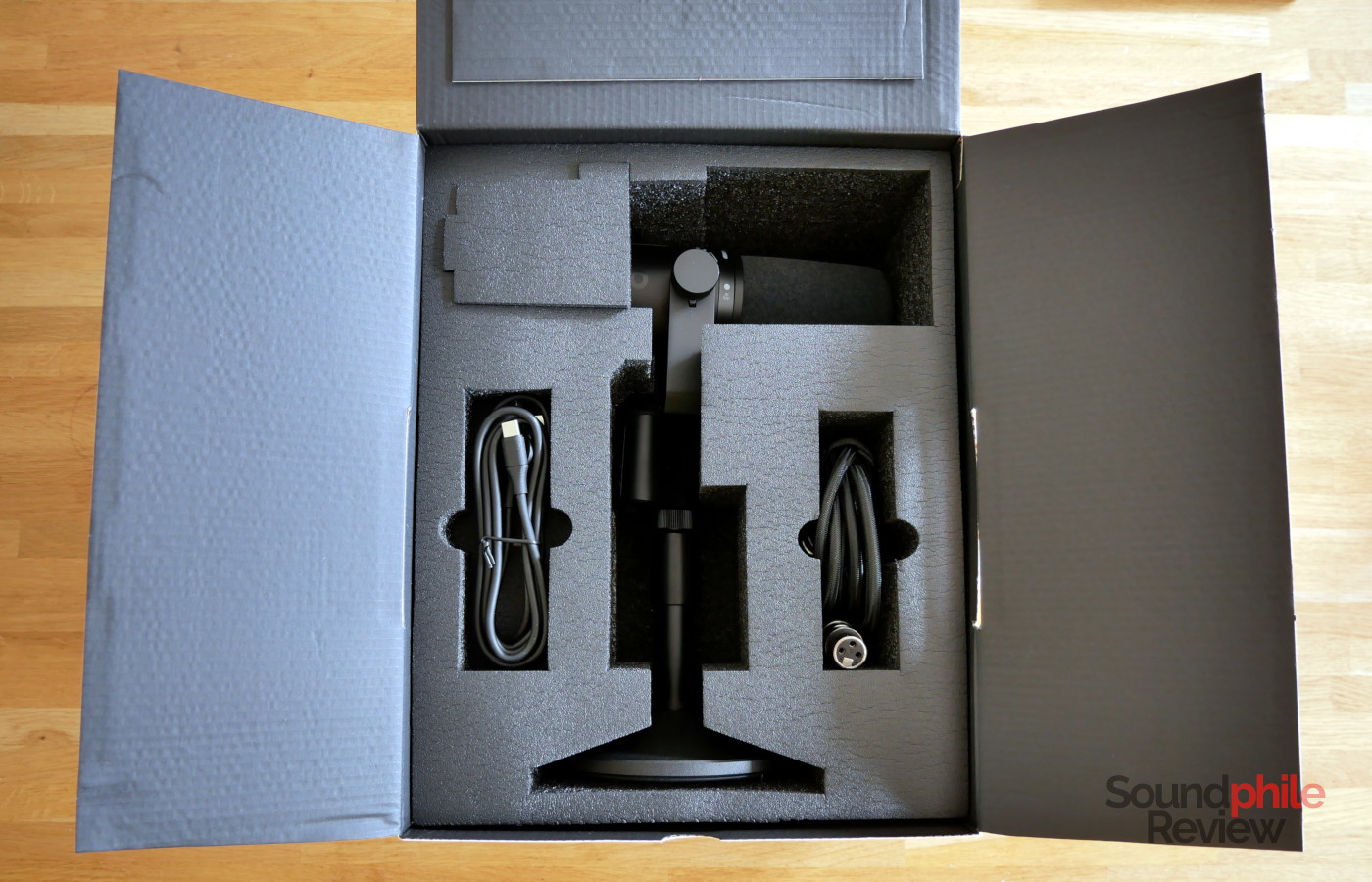
The Maono PD500W comes in a cardboard box with abundant foam padding which ensures safe arrival. There are various versions of the microphone: one with the device on its own, and one with a desktop stand, which is what I received; all other accessories are the same and include a USB-C receiver, a short male USB-C (with an adapter to USB-A) to female USB-C cable, a USB-C to USB-C (with adapter to USB-A) cable, an XLR cable and an extension to connect the microphone to boom arms.
Design & Build
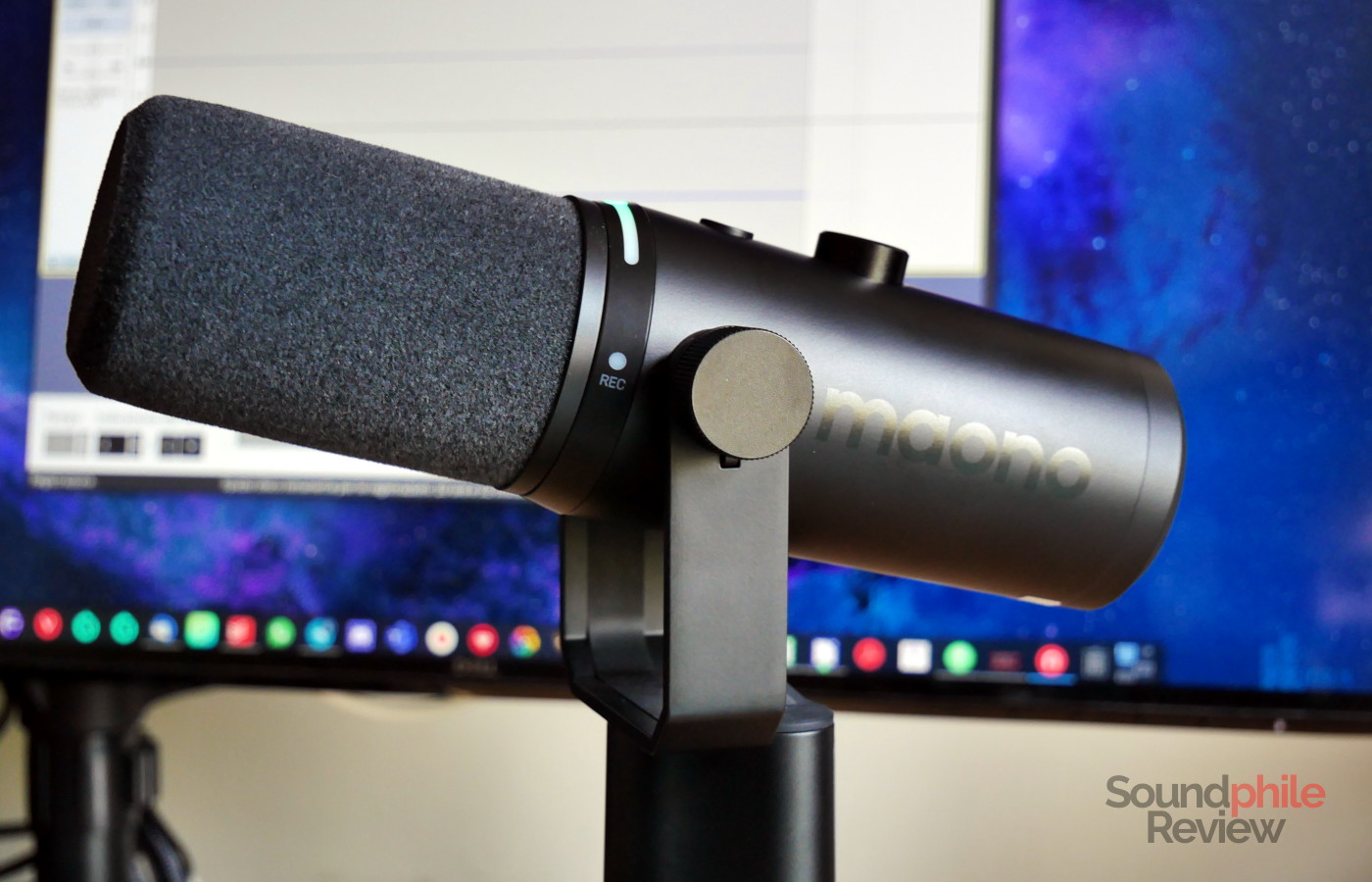
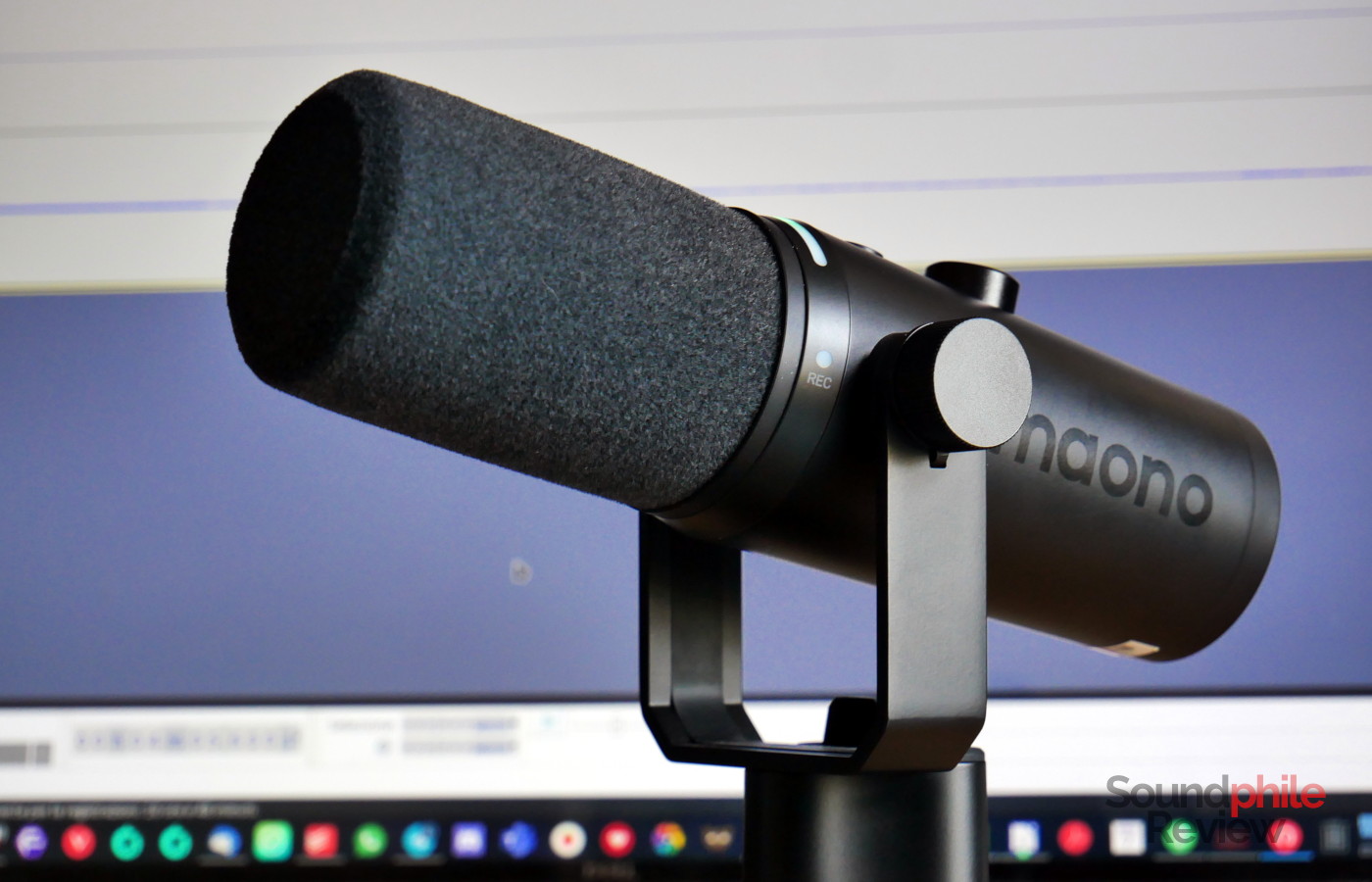
The Maono PD500W is a very sleek and streamlined microphone made entirely from metal. Compared to previous models by the company, it eschews the traditional shock-mount cage that goes all around the microphone in favour of a two-prong mount with screws on both sides. This is a design that’s more reminiscent of microphones like the Shure SM7B. That comparison includes where the connectors are placed: not at the back of the microphone, but on the mount itself. In the case of the PD500W, it is interesting to note that all wires are hidden away and that this makes th edesign very clean. It would look equally well in a professional studio as well as on a gamer’s desk. Maono went for minimalism and used a glossy black logo on the satin black finish of the microphone, which looks stylish and clean.
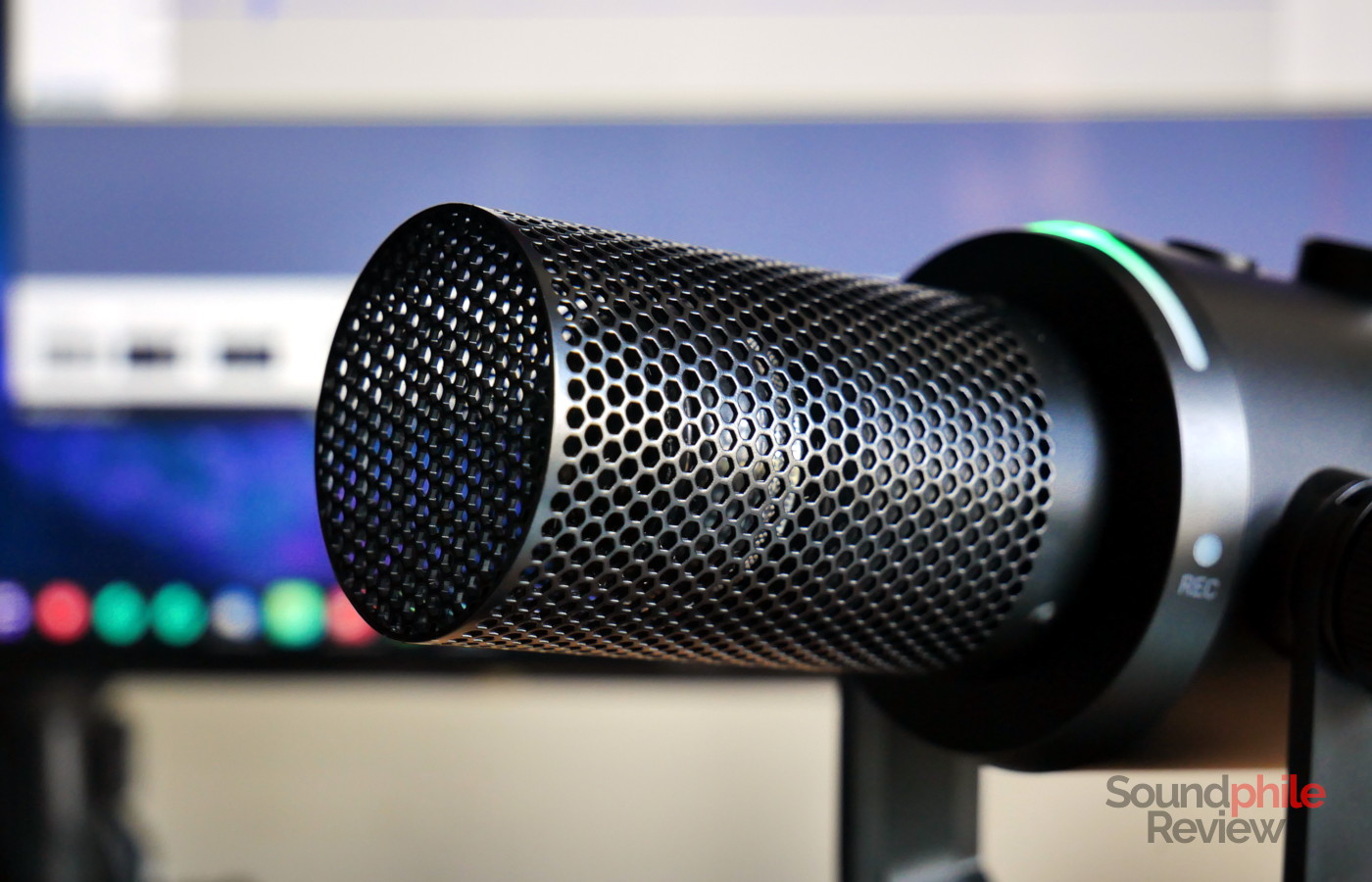
The dynamic capsule is protected by a metal cage, with a grey pop filter covering the entirety of the capsule. The filter is removable with a bit of patience; it has a plastic ring at the base that secures it very effectively to the microphone but which can make it somewhat difficult to remove the filter.
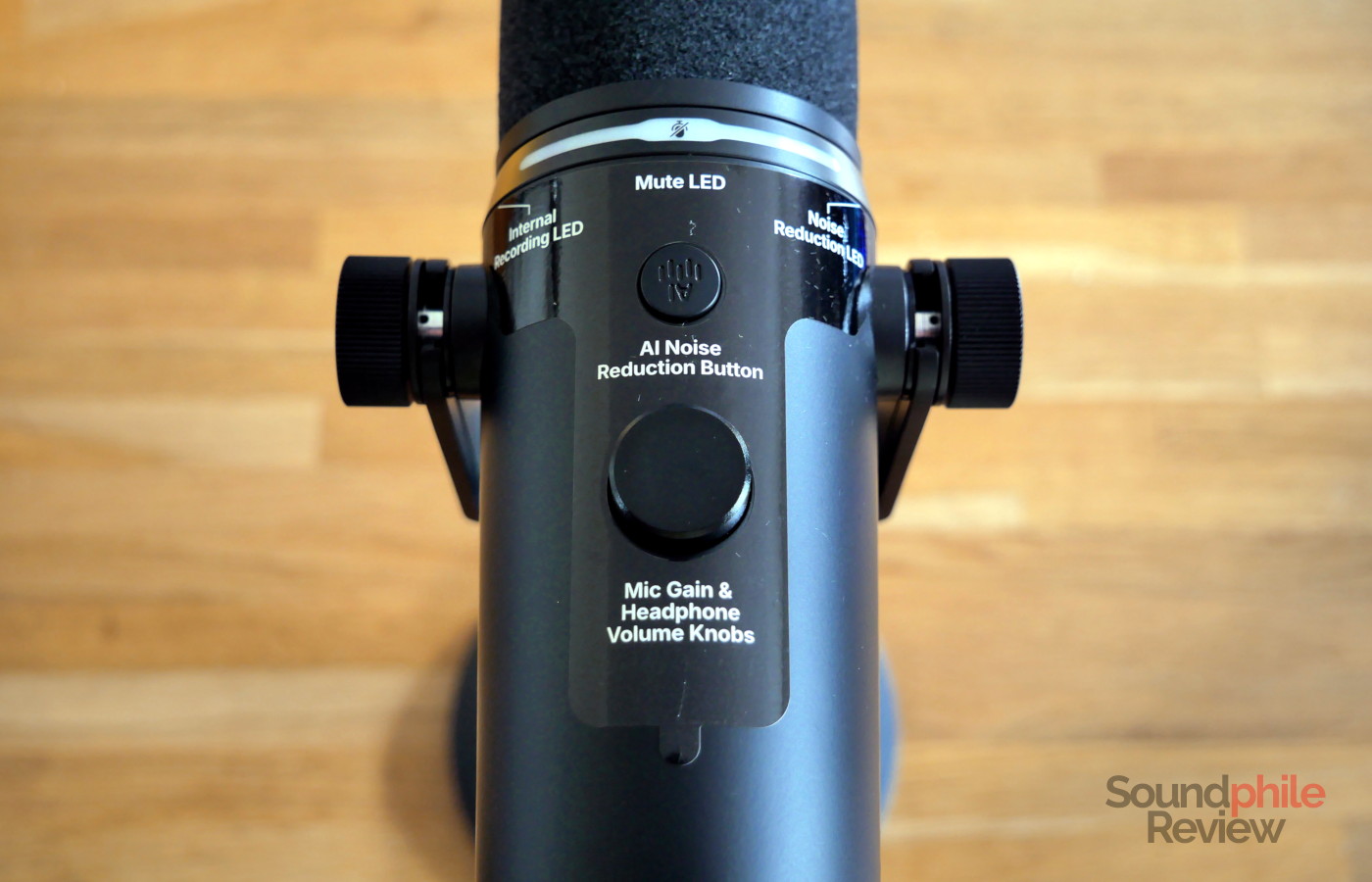
Whereas the PD200W was made so that it would hang below a boom arm (such as the RØDE PSA1+), the PD500W is meant to be used with the mount facing down or sideways. This is because the top hosts buttons and indicators: there is a volume knob to adjust the volume of both the microphone and the headphone output, as well as a button to adjust the AI-powered noise cancelling function, an LED strip that shows both the status of the microphone and the volume of what’s being captured, as well as a status LED for the AI ANC feature and a second one for the internal recording. The LED indicator is also touch sensitive and is used to mute and unmute the microphone.
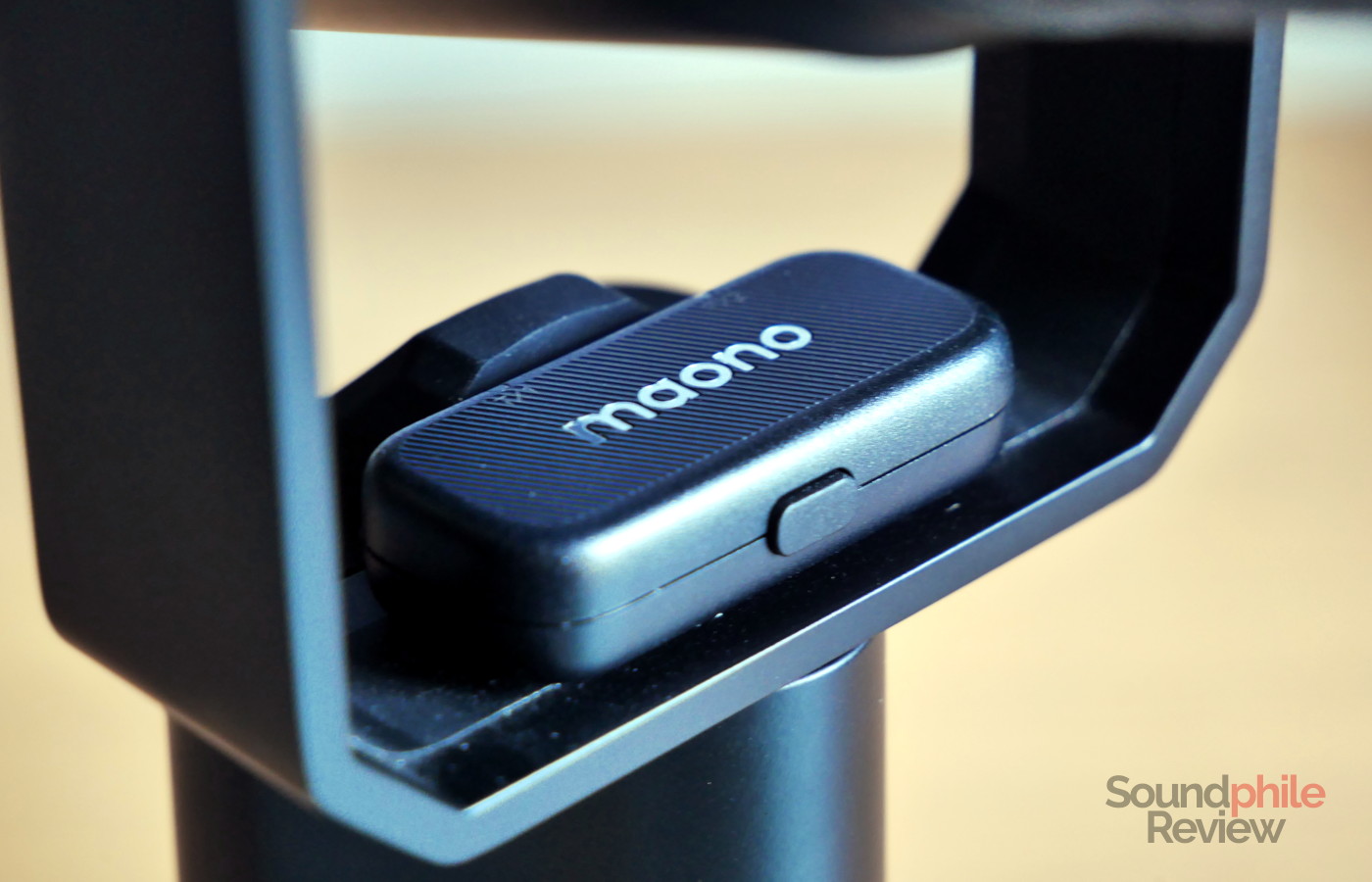
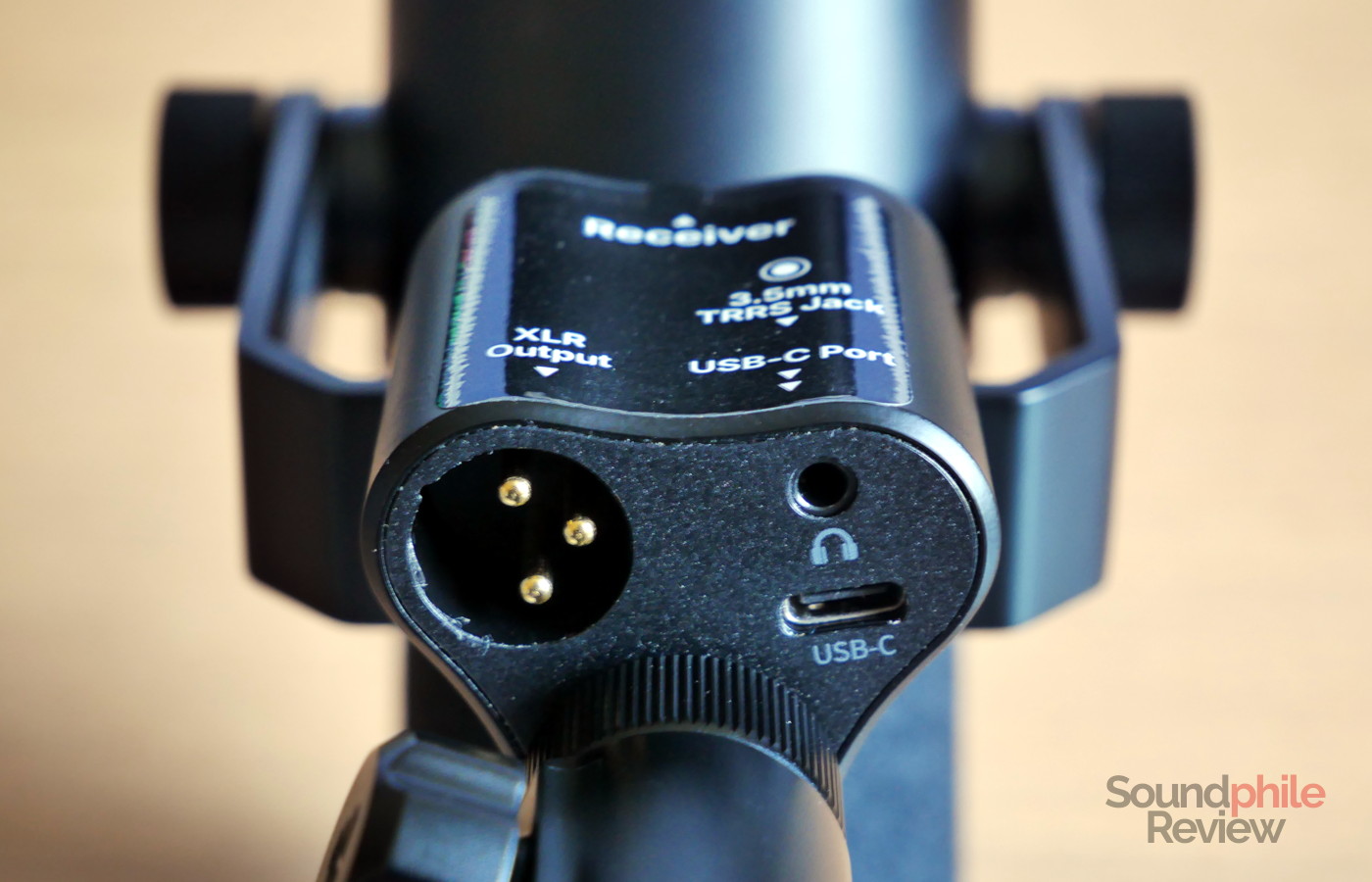
The mount is very ingeniously built: on top there is a rubbery insert where you can store the USB-C receiver, so that it’s always on hand and it doesn’t get lost. On the bottom there are three connectors: XLR, USB-C and a 3.5 mm jack for headphones. There is also a nut/ferrule which spins freely and allows you to connect the microphone to a stand or boom arm while keeping it still.
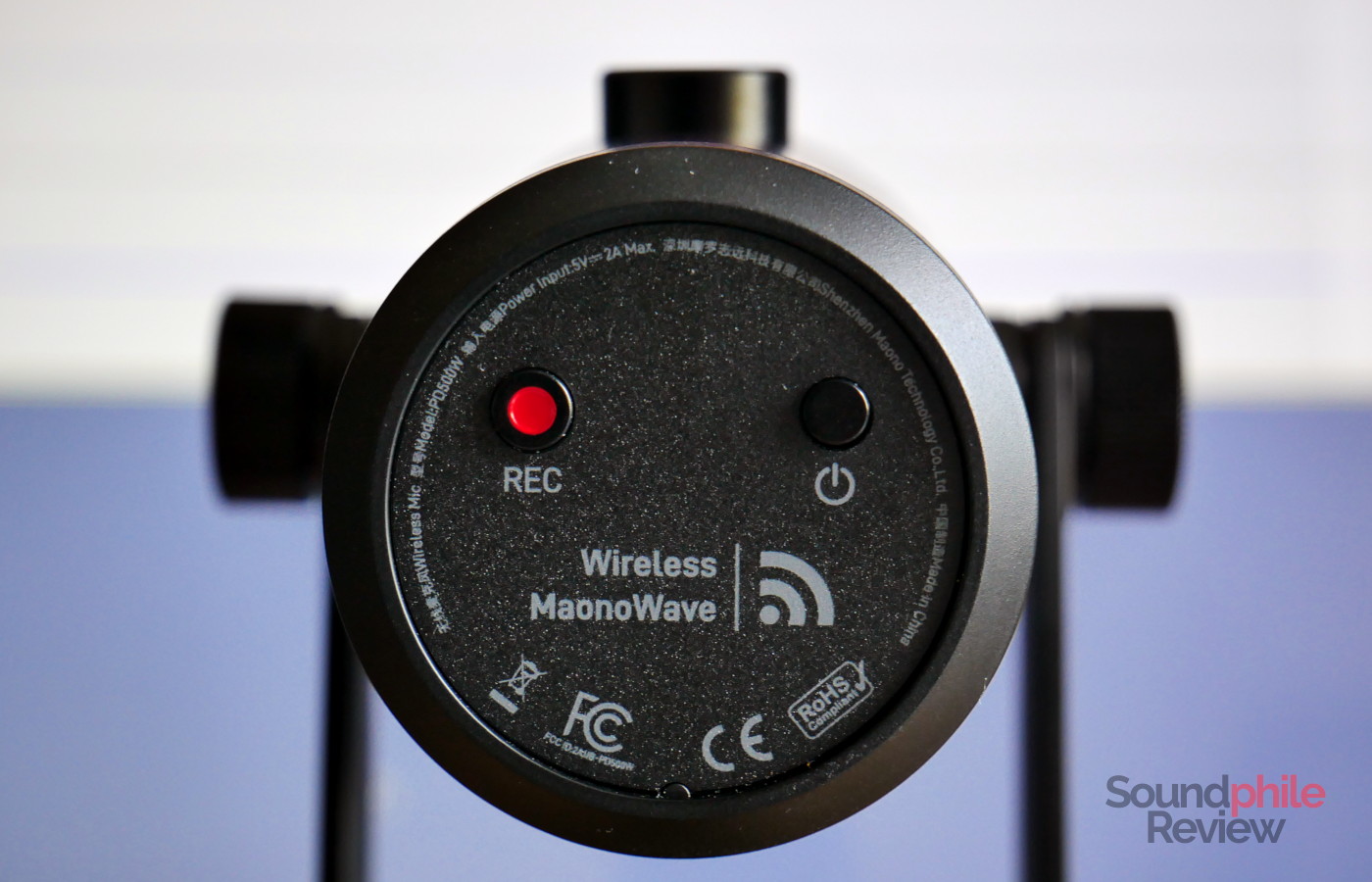
The power button, like the recording button, is on the microphone itself, on the back.
Specs & Features
There isn’t much public information in terms of the Maono PD500W’s specifications; the company does not disclose the size of the capsule, as an example; they told me via email it is 30 mm in diameter. The manual includes information regarding the cardioid pattern as well as the frequency response. The latter makes it clear that this is strictly a podcasting microphone that is best suited to recording voices and does not have the required flat response to record other things like instruments. There is a cliff below 100 Hz, as well as a bump between 2 kHz and 10 kHz.
The LED indicator on the top is very useful to check the status of the microphone. It blinks blue when trying to connect to a receiver, and then it turns green once it is connected. If you mute the microphone, it turns red. It shows the current sound level, so that you can immediately have a visual feedback on whether the input has too high a volume, as the sides turn orange.
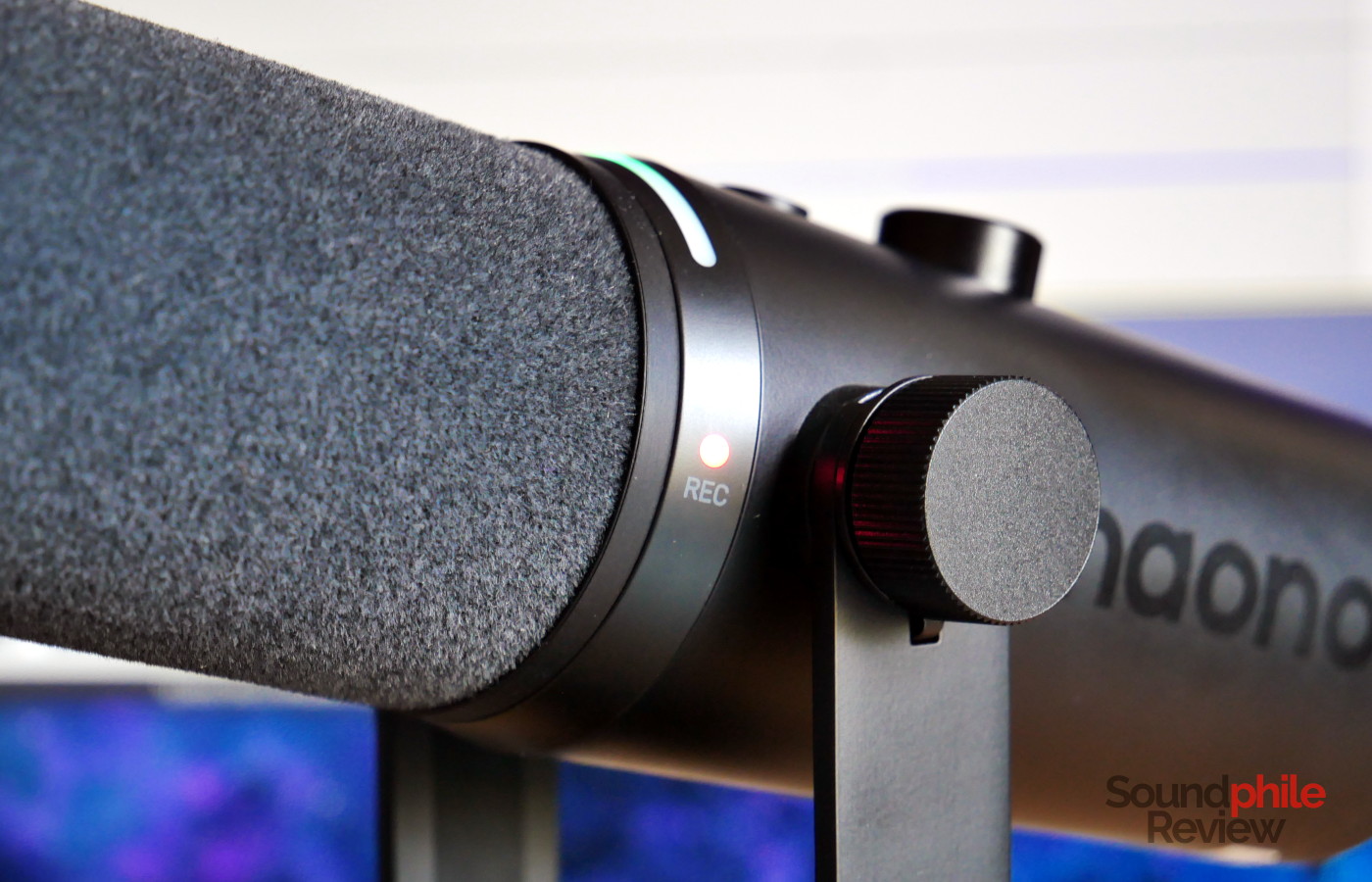
The Maono PD500W also has the ability to record audio using the onboard memory, which amounts to 32 GB, with a maximum bit depth of 32 bit and a fixed sampling rate of 48 kHz. This makes it possible to capture audio without connecting another device, which can be useful for interviews, as well as to have a backup recording in case something goes wrong on a connected device – something that happened to me more than I am willing to admit during my career as a journalist. The ability to record directly on the microphone removes a lot of possible issues, however there’s a small caveat: you will still need to remember to press the record button, which is something you’ll need to learn to include in your routine.
The receiver has a USB-C connector, so that you can connect it directly to phones, tablets and computers. It can connect to up to two microphones at the same time, with an LED for each; there is also a button to put the receiver in pairing mode and connect to a microphone. One thing I really appreciate is the LEDs on the receiver being used not just to indicate whether the microphone is connected or not, but also to indicate the status – e.g. if it’s muted (it becomes red) or if it’s running out of battery (it blinks red). This makes it really easy to tell whether the microphone is working correctly or not even without looking at the microphone itself, which can be a life-saver – you won’t accidentally run out of battery when recording or realise afterwards that it wasn’t connected at all.
The device has a 3,200 mAh battery which Maono says should provide up to 55 hours of internal recording. The actual battery life when using it as a desktop microphone is similar: I used the microphone all day, every day, for about a week before it eventually ran out of power. Very interestingly, this is with the AI noise cancelling feature enabled and pushed to the max. You can check the remaining charge by pressing the power button briefly, but unfortunately this only works when the microphone is turned off; one element that I think would improve the usability of the PD500W is to be able to check the charge when it is powered on and not connected to a phone or computer.
Maono PD500W |
| Microphone type | Dynamic |
| Polar pattern | Cardioid |
| Frequency response | 50 – 16,000 Hz |
| Connections | USB (24 bit, 48 kHz), XLR, wireless |
| Maximum SPL | 128 dB |
| SNR | 70 dB |
| Sensitivity | – 1 dBFS (USB) – 55 dBFS (XLR) |
The Maono PD500W offers three connectivity modes: USB, XLR and wireless. The company stresses how this microphone is meant for those who want a plug-and-play experience rather than having to deal with the setup of mixers, cables and so on. In effect, you just plug the receiver into whatever device and it does just work. I’ve tested it with multiple devices (Android phones and a few computers) and it requires zero setup; this applies to Linux devices, too, which is great. In XLR mode it can be connected to any audio interface of mixer, and it does not require phantom power as it is a dynamic microphone; it should be noted that it works when turned off, but you won’t be able to access advanced features like ANC.
The wireless connection is super stable and reliable; I have never experienced a single blip in it. Although Maono mentions that it can support distances up to 100 metres, this is strictly in line-of-sight conditions as the connection will drop when multiple walls are in the way.
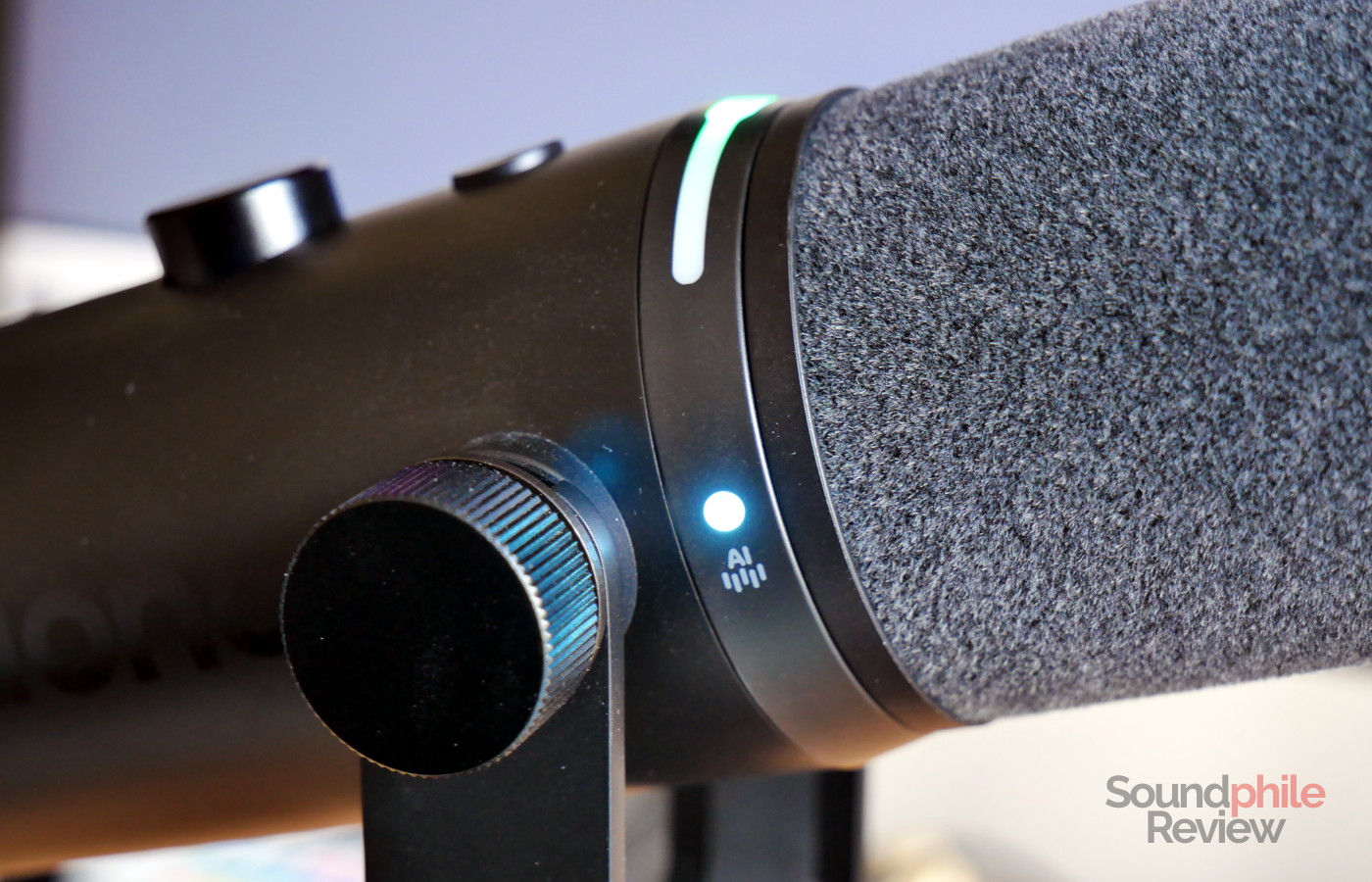
ANC has three different levels: slight, moderate, and aggressive. Maono says that the microphone uses AI (not the generative kind, but the machine learning one) to filter out unwanted noise. By pressing the AI ANC button on top of the microphone you can progressively increase the strength of the noise cancellation or disable it entirely.
Maono does not publish much information on the headphone output; interestingly, the only available specification is output impedance, which is set at 32 Ω and is therefore quite high. It will probably affect the response of headphones and earphones with low impedance.
Software
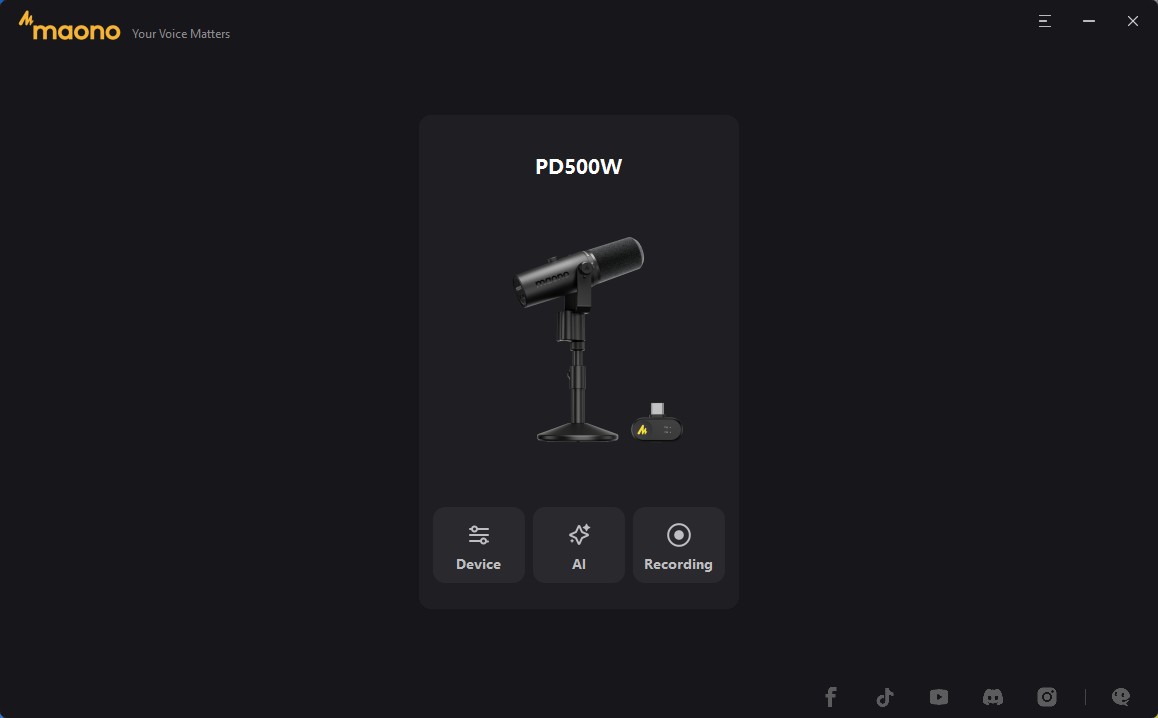
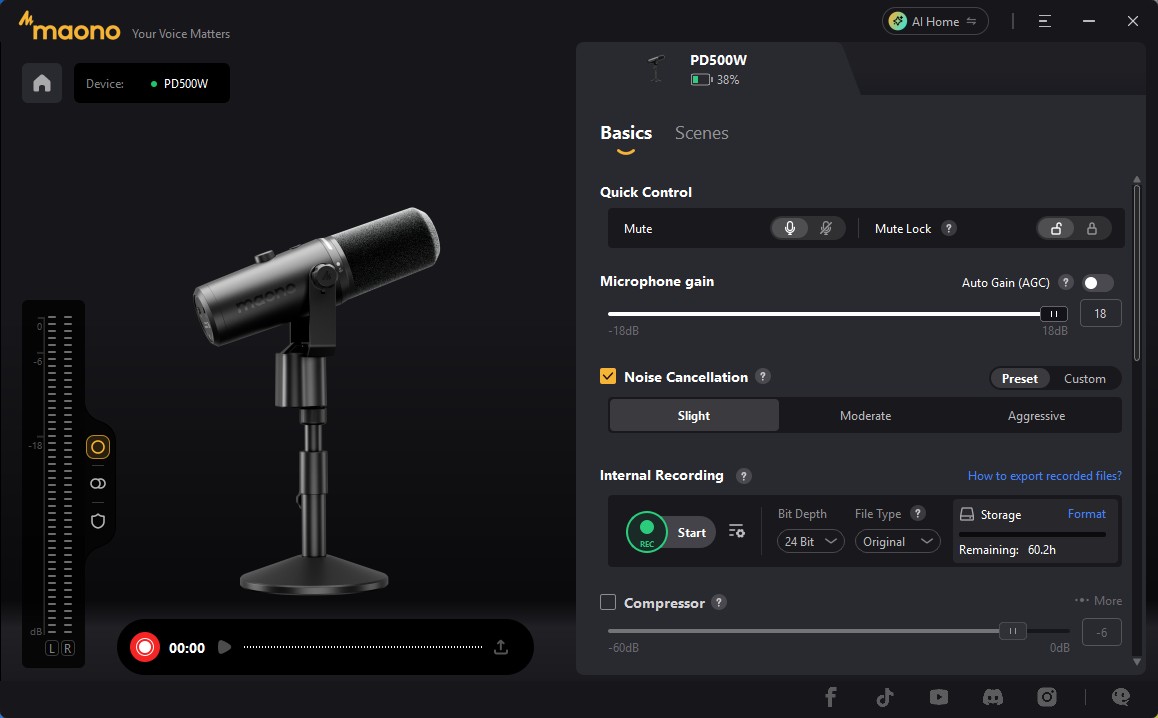
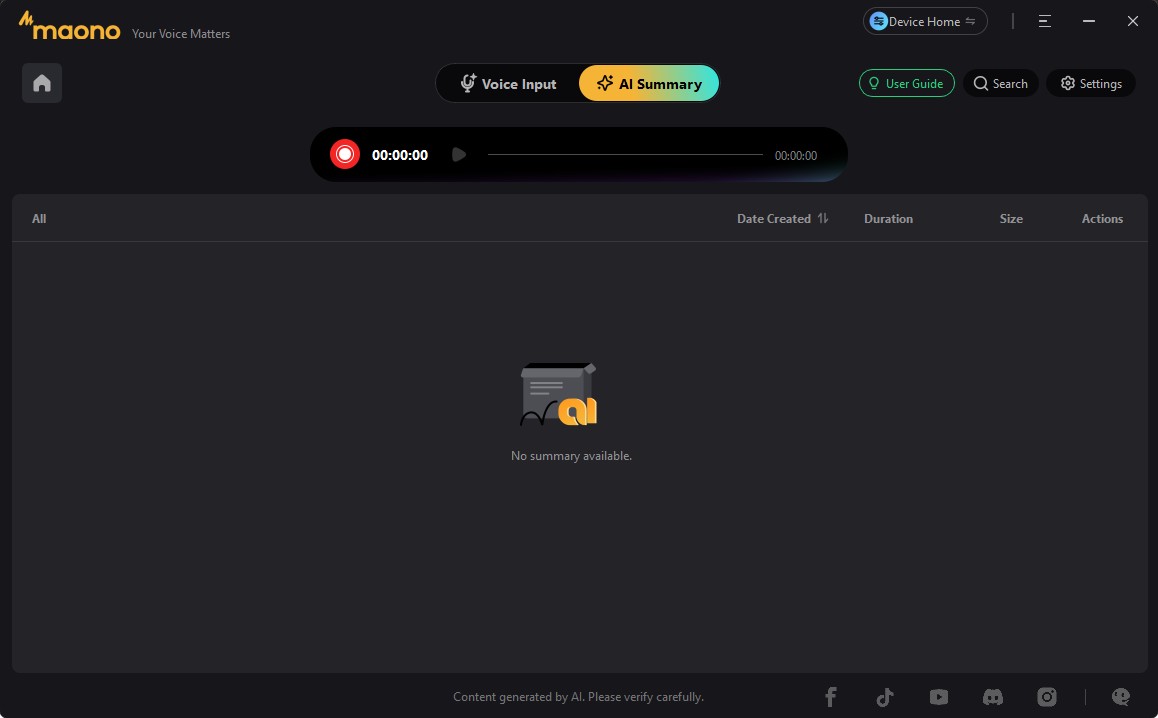
Maono provides a companion app to the PD500W called Maono Link. It is available for Windows, macOS, Android and iOS, though not for Linux. The application allows you to access a lot of functionality and settings. Among those, gain adjustment, auto-gain, noise cancellation (with the ability to create your own preset on top of the three already available), settings for internal recording (bit depth, and whether to apply processing or not to the saved file), compressor and limiter, de-esser and pop filter, headphone volume, LED indicator power and mic recognition on the receiver (which allows to use different colours for different microphones to more easily distinguish them). The application also allows you to record using a safety track that reduces the gain to -9 dB, in order to avoid clipping.
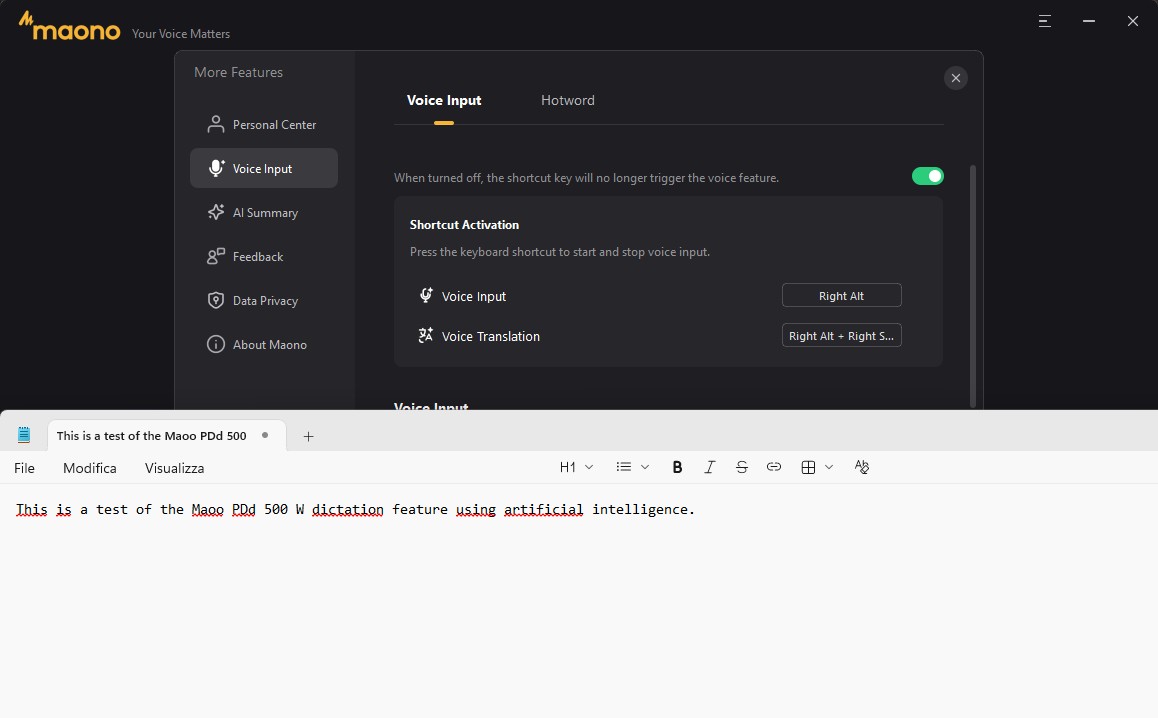
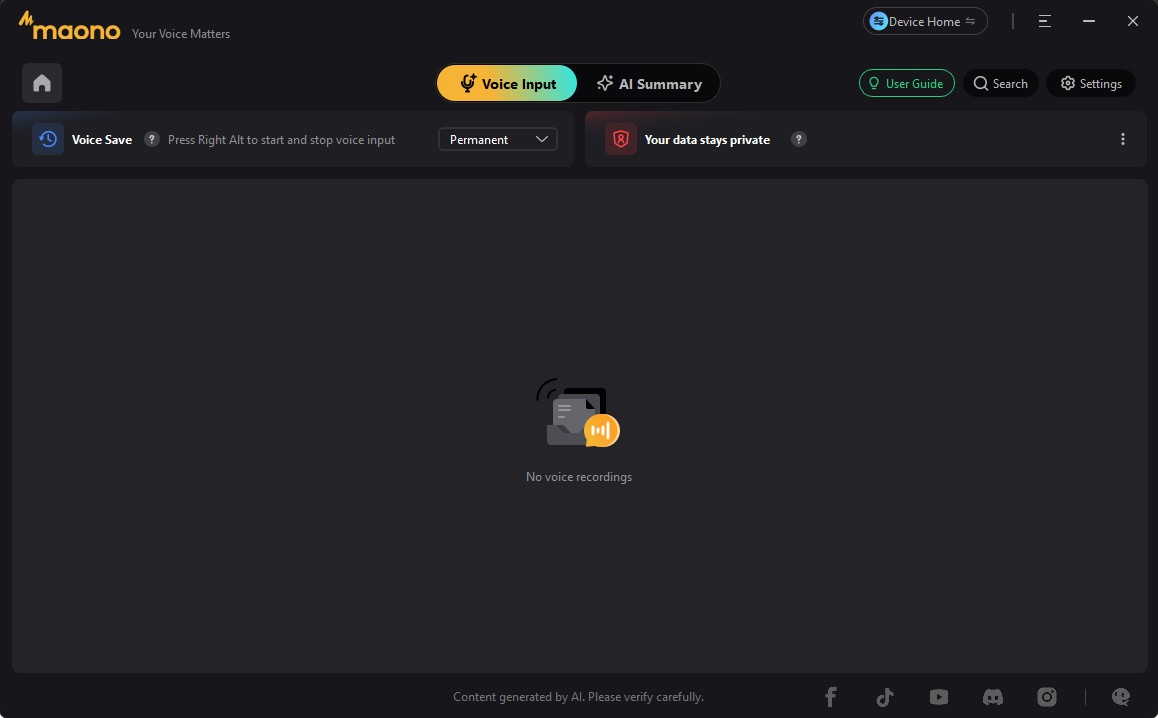
Through Maono Link you can also access AI features. These include automatic transcription (voice-to-text) which you can enable by simply pressing the right alt key (you can configure this to another key if you wish) and by pressing the “ok” button on the screen once you are done. This pastes the text in whatever text field you have selected. There is also a feature to manage specific words so that they are transcribed correctly, but this doesn’t seem to work with all accents: as an example, my English accent is mostly from South-East England with a touch of Italian, and the AI struggles to understand some words despite them being in the list – most notably, Maono’s own name (which I saw transcribed as “Moono” and “Marono”).
There is a transcription service which uses an online AI service to transcribe text, which is however limited to 300 minutes during the beta phase (no word on whether this will be limited further afterwards). There is also a summarisation and speaker diarisation feature which allows you to automatically obtain a summary of a recording, complete with speaker recognition.
Sound
The Maono PD500W offers overall excellent sound quality, producing clean and clear audio. Its cardioid pattern is such that it will pick up many sounds from around it and will only reduce ambient noise minimally. More than once, when I was using the microphone to manage calls, people told me that they could hear their echo, despite the speakers being behind the microphone and despite the ANC feature being enabled. Interestingly enough, when I did tests on my own I found that the ANC feature worked fantastically well, and the microphone was able to remove virtually all background noise or at least reduce it to the point it is not really audible in the mix.
As you can hear in the test recording above, the PD500W captures voices really cleanly and with great quality. Moving closer to the capsule gives voices a little bit of added depth, although this is not necessary at all.
As I was mentioning earlier, the ANC feature worked really well in my tests, to the point where you can’t hear the music in the recording above at all despite it being relatively loud. I also can’t detect any distortion like that which happened in previous models like the PD200W. It is a real leap in capabilities, and one that makes it significantly easier to capture recordings in noisy environments – something which podcasters, journalists and streamers will especially value and appreciate. Bear in mind that the test above was conducted with ANC set on “slight”; using the other two presets leads to further reduction.
Final Thoughts
The Maono PD500W represents a significant leap forward for the brand. It offers excellent sound quality paired with rich functionality and great convenience. Convenience is exactly the thing that sets the PD500W apart: you simply plug it in and it works, and the wireless connection means that you won’t have to deal with (sometimes complex) cable setups. Another extremely convenient feature is the ability to record audio to the internal memory, which gives you peace of mind as well as the ability to always record audio without the need to have a computer or phone with you. The presence of the XLR connector means that you can integrate the PD500W in existing setups that use XLR cables, too, further adding to the flexibility of the device. Lastly, the ANC feature works flawlessly and is a significant improvement over the previous generations.
Overall, I feel like the Maono PD500W is a great piece of technology at the right price for what it offers. When you consider all its features, the price of $459 seems well justified. Content creators and journalists will undoubtedly enjoy the many features of the microphone and appreciate its convenience, as well as life-saving additions like the internal recording. I’ve been there too many times – you record something only to discover later that it is unusable or that the recording didn’t actually start or ended too soon. You can’t put a price on fixing that. And that’s why I recommend the Maono PD500W heartily.