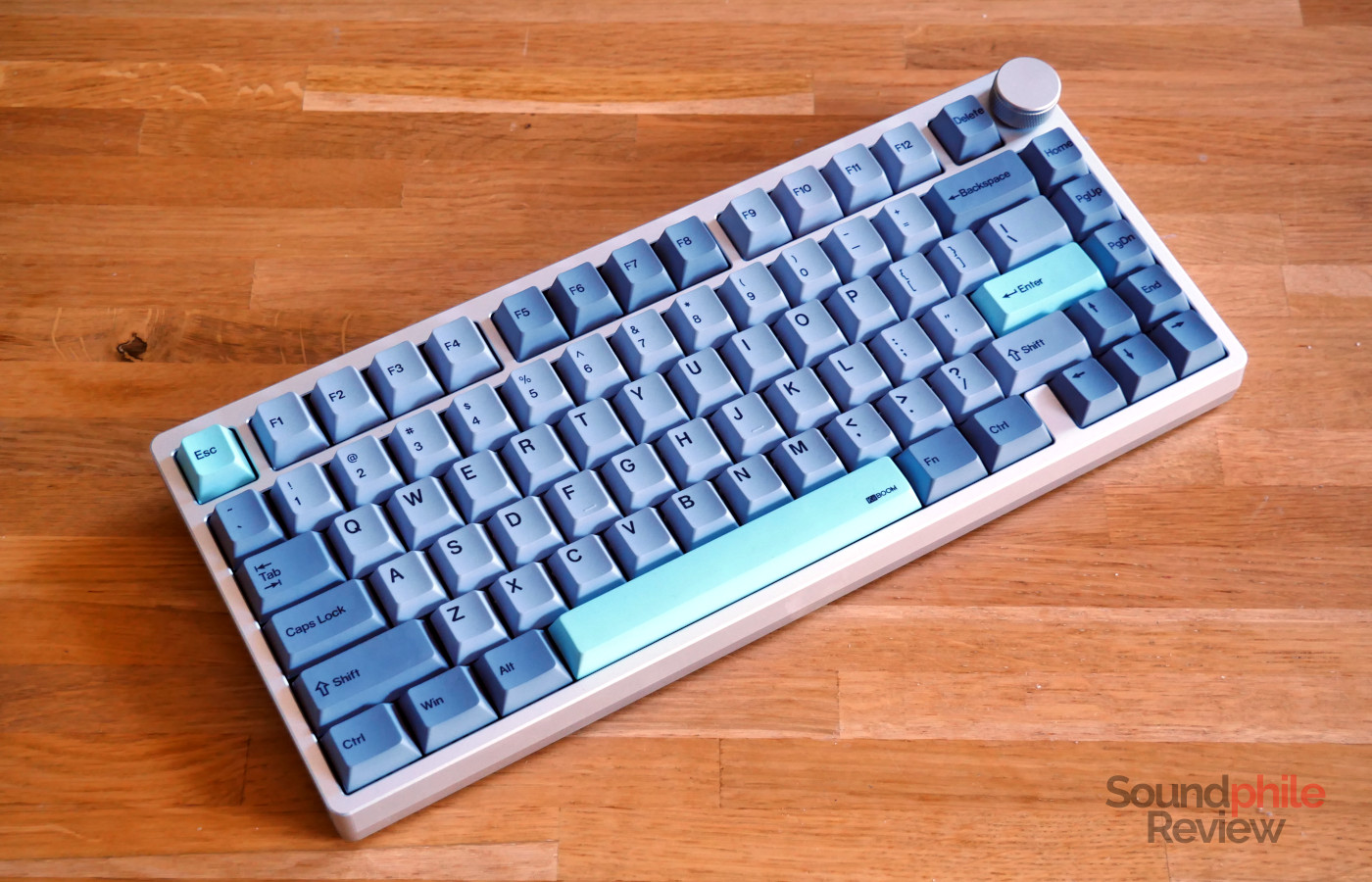
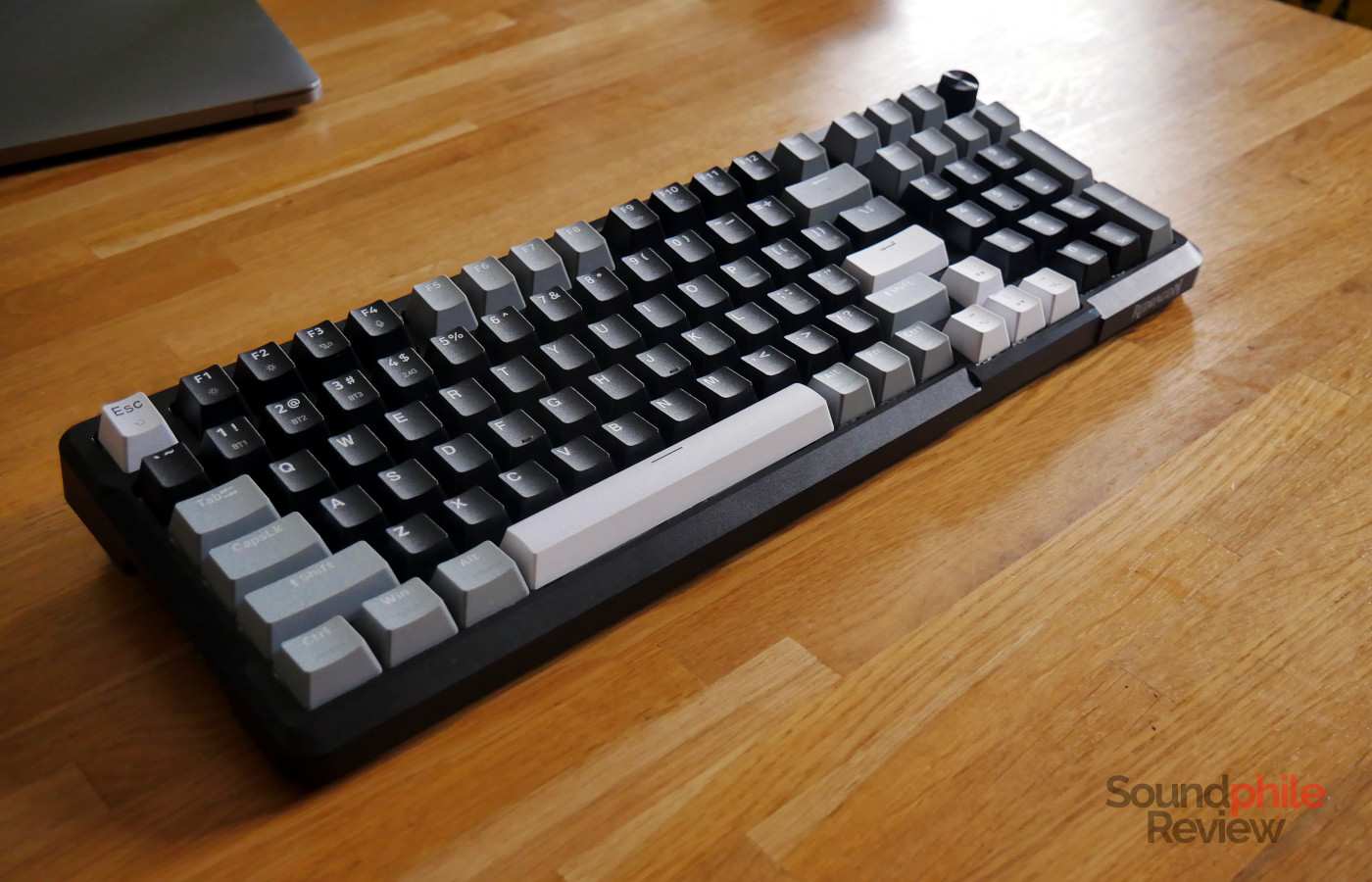
There are two ongoing trends right now: retro aesthetics and screens on keyboards. The Epomaker RT82 puts them together with an aesthetic inspired by the ’80s and ’90s coupled with a screen housed in a CRT TV-like prop. It’s not quite a useful addition, but it is certainly a fun one. Despite this retro-inspired look, the Epomaker RT82 is decidedly modern, with wireless connectivity and full RGB lighting.
Disclaimer: Epomaker provided me with a free unit for this review. The RT82 sells for $85.99. Additional information on their website.
Epomaker RT82 At A Glance
| Pros |
Cons |
| + Decent build quality
+ The screen is quite whimsical + Compatible with VIA |
– Battery issues
– The screen has limited functionality – Quite loud |
Rating: 6/10
Packaging & Accessories
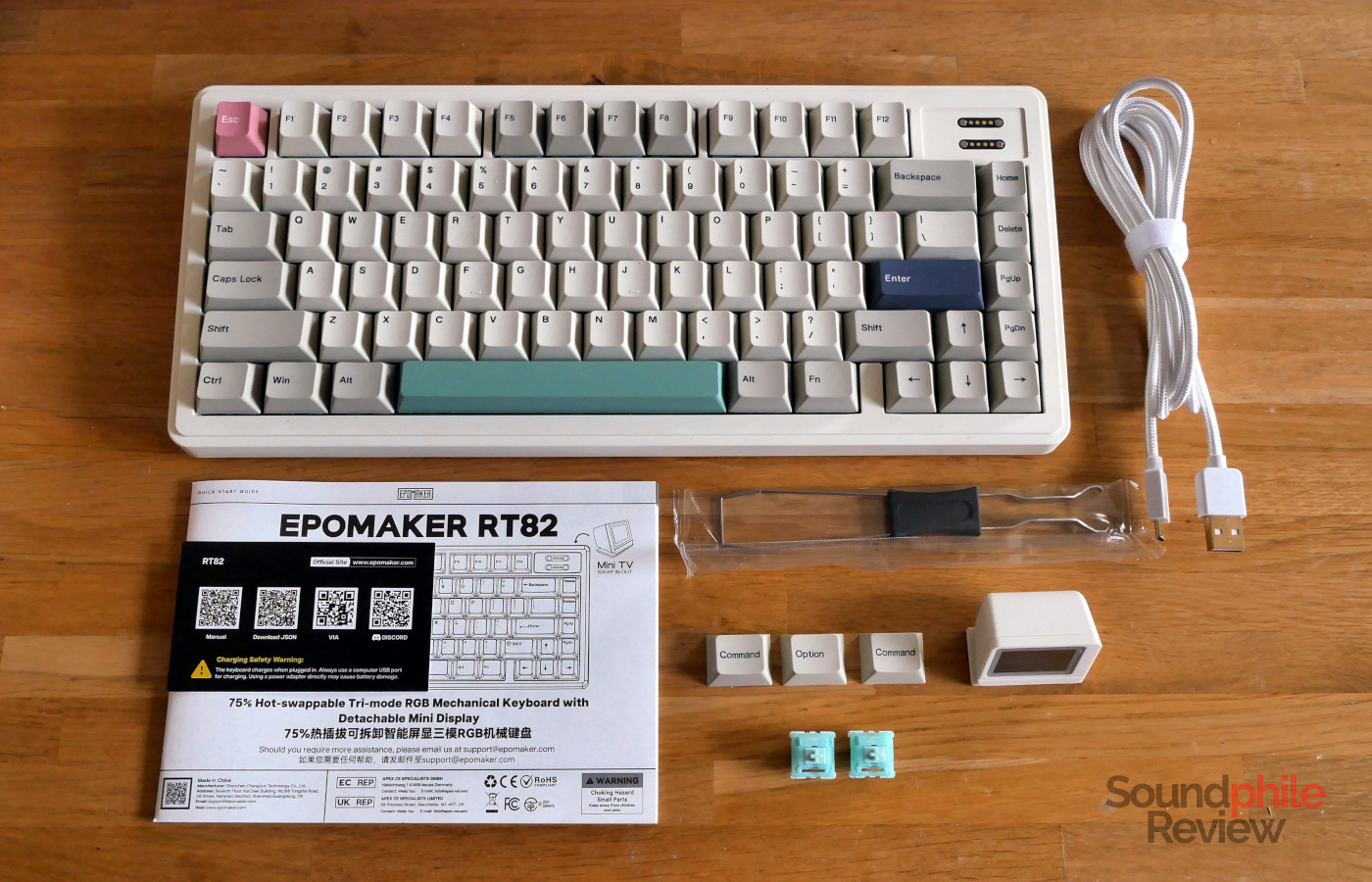
The Epomaker RT82 comes with a USB to USB-C cable, a USB-A dongle for wireless connection, a combined switch and keycap puller, three keycaps with macOS legends, two spare switches and a manual.
Design & Build
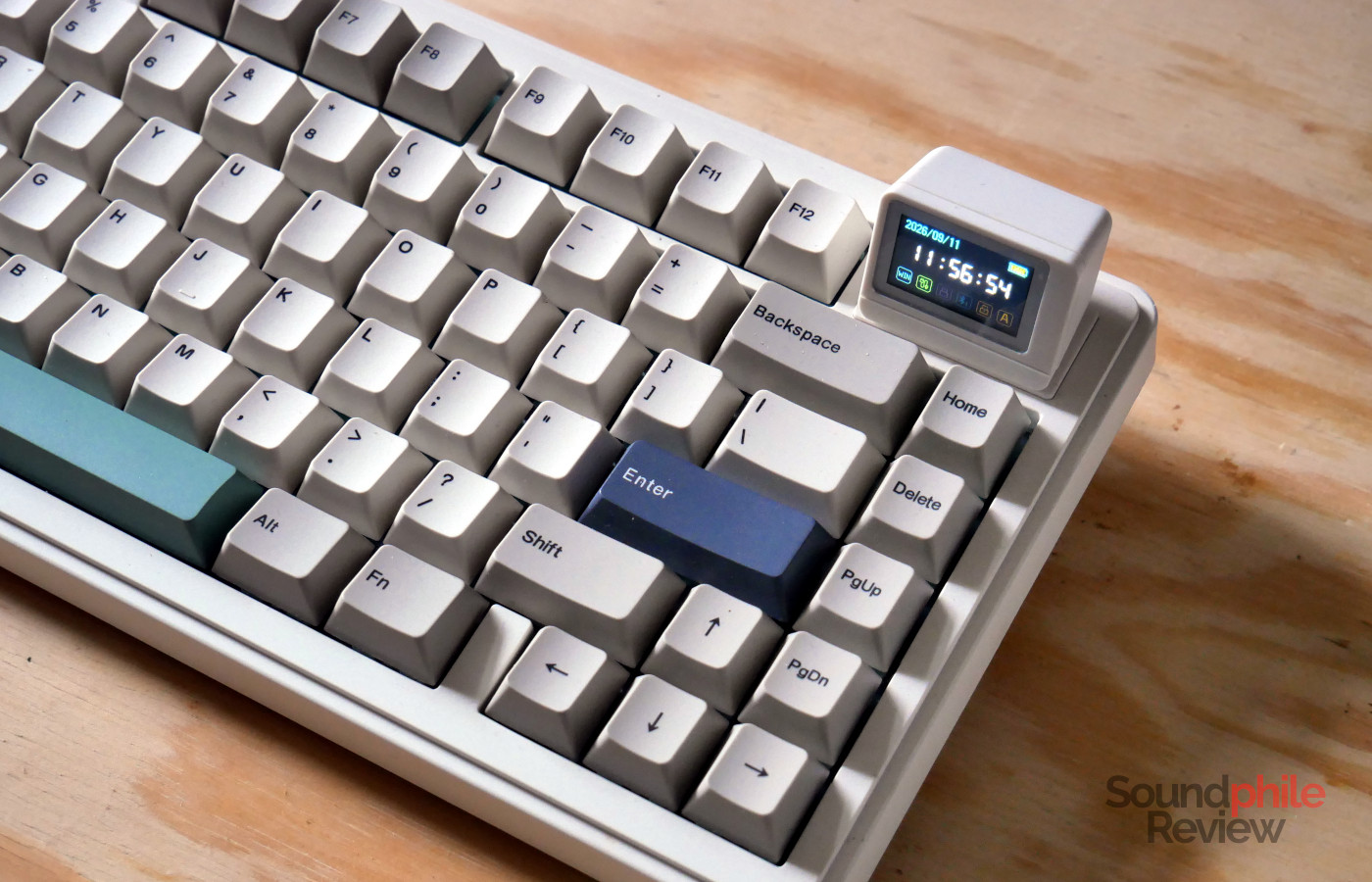
What immediately stands out about the Epomaker RT82 is that it is very retro-looking. It reminds me a lot of the keyboards my dad used to use in the late ’90s as it has that same white-ish beige that characterised computers and all related peripherals back then. This feeling of belonging to the ’90s is reinforced by the choice of keycap colourway, which is inspired by the Cherry G80-9009.
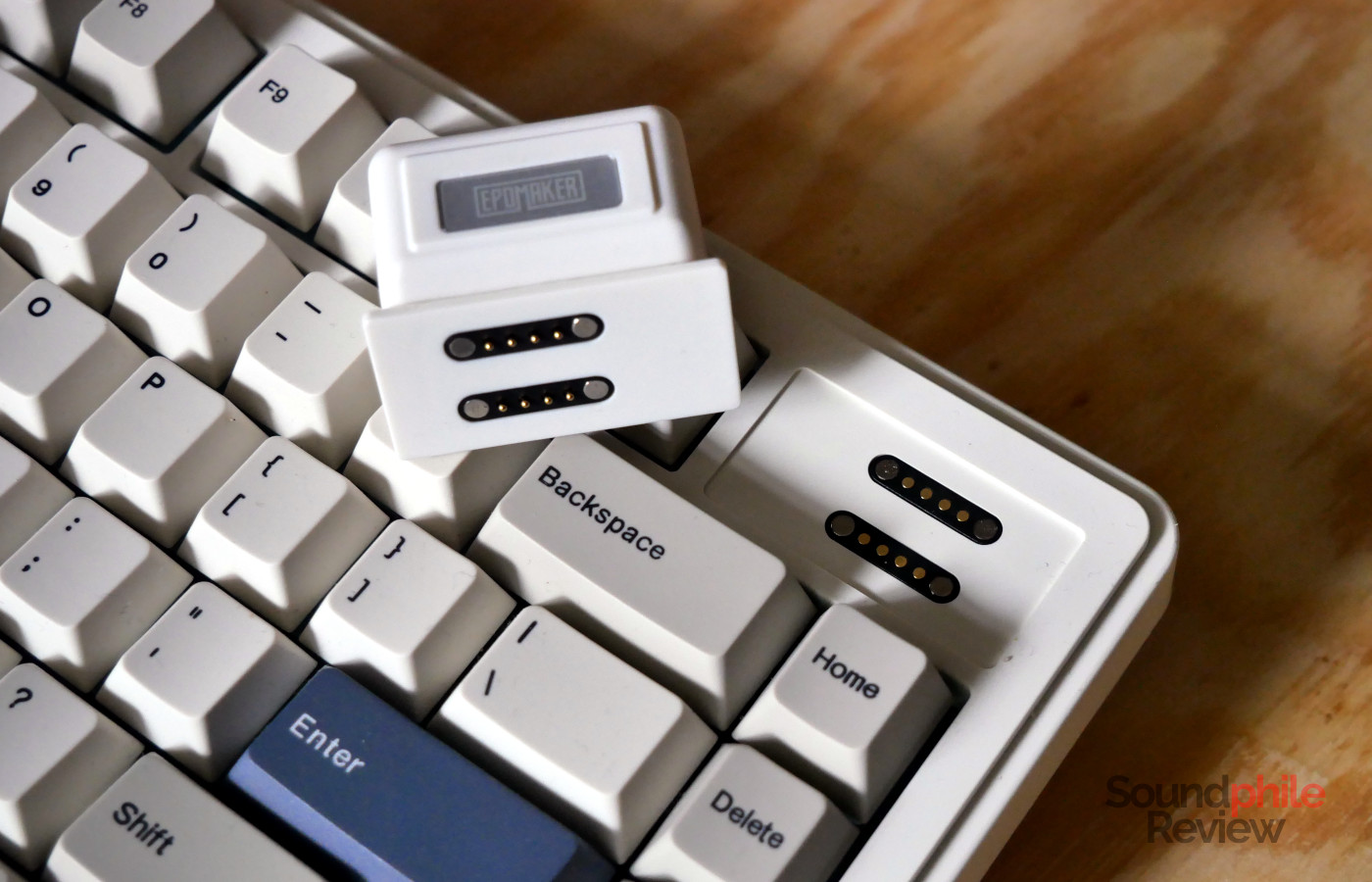
The one thing that distinguishes the RT82, and which further evokes the retro feeling, is certainly its small screen in the top right corner which looks like a CRT TV. It is both significant in its presence and unobtrusive, as it is about twice the height of a standard keycap. It can be removed easily as it is magnetically attached to the chassis; whether and how useful it is to detach it is up to question.
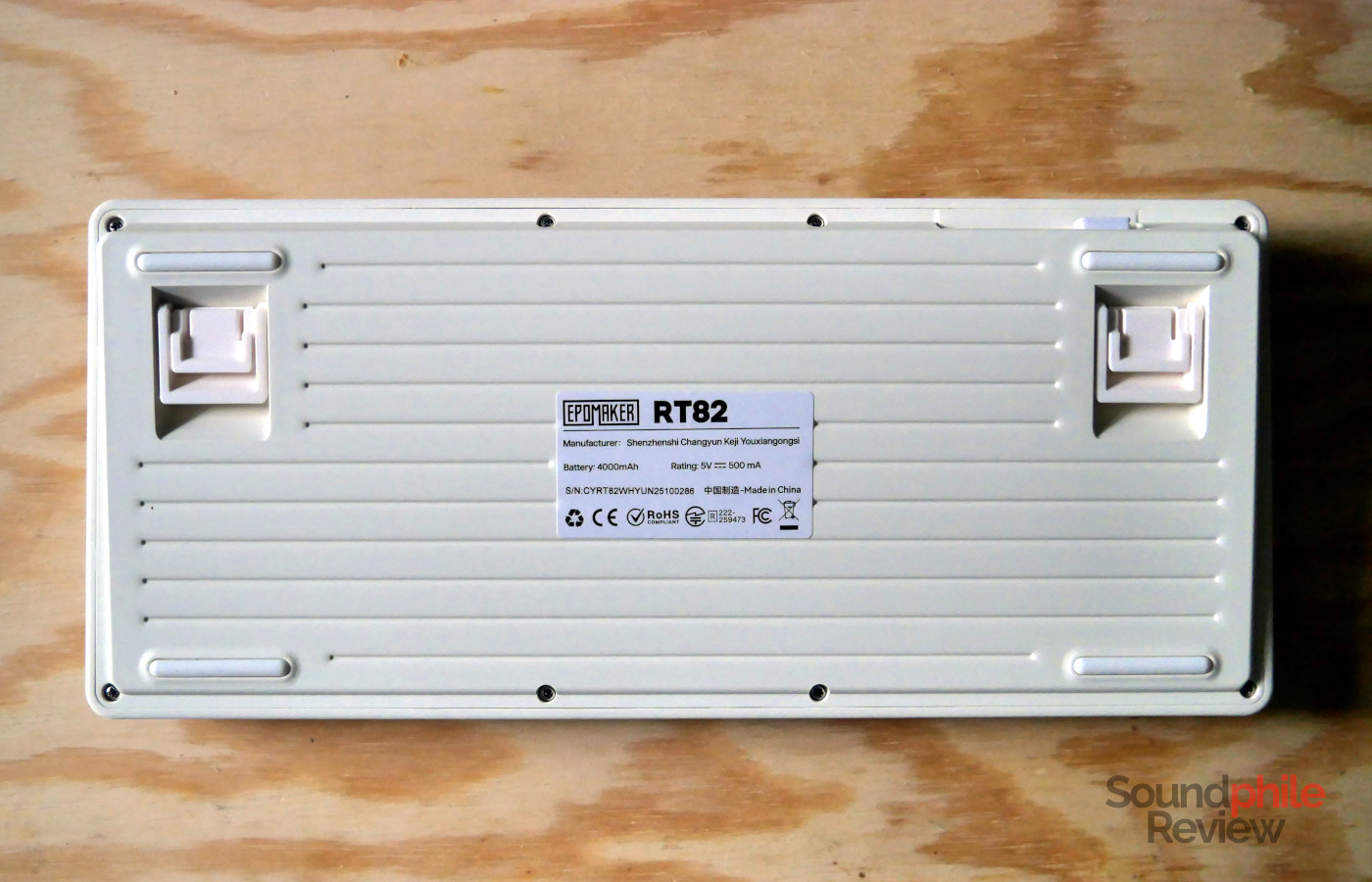
The chassis is entirely made of plastic of a white-beige colour (shall we call it “cream”?). There are two pieces, the top and the bottom, held together with screws. There’s about 1 cm of framing around the keyboard, with a small step on top creating a further visual frame. The bottom is peculiar in that it has horizontal grooves running throughout its length; there are also four rubber feet plus two extendable feet which allow you to adjust the height of the keyboard in two steps.
Overall, the keyboard appears to be solidly put together. It never creaks, even when purposefully deforming it by twisting it with both your hands.
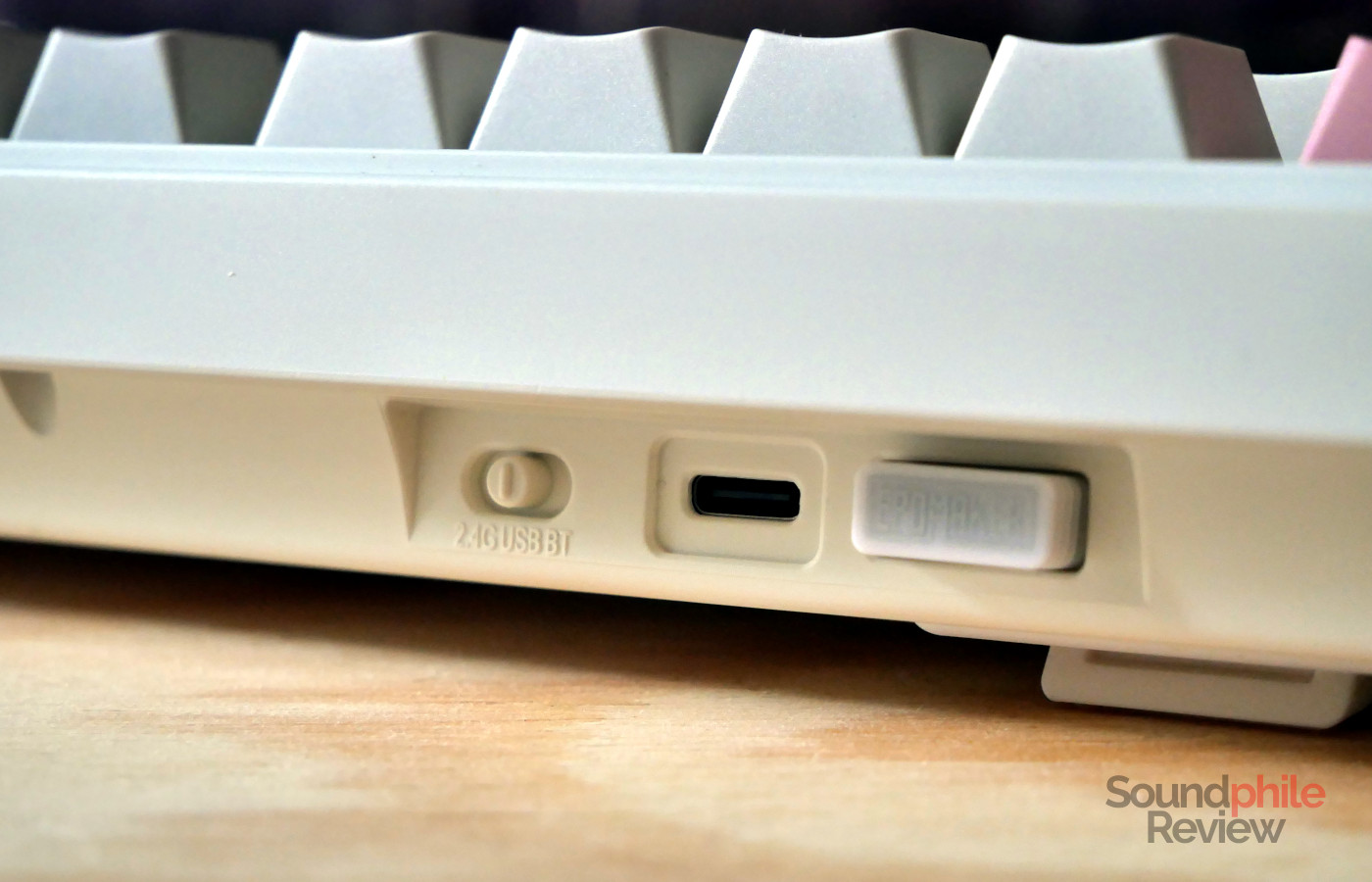
At the back, on the left hand side and hidden below the frame, we find a slot to put away the USB wireless dongle when not in use, as well as a USB-C port and a switch to select the connection (USB, wireless or Bluetooth).
The Epomaker RT82 only comes in ANSI layout. It comes with a right alt key which makes it possible to use it with most European languages. It uses a 75% layout with four keys to the right of the main keyboard area (home, delete, page up and page down), and it is therefore quite a compact keyboard, at 32.7 x 14.3 x 4 cm (height excludes the screen). Weight is reasonable, at .
The screen is quite small, at roughly 1 inch, but it is large enough to be easily legible. It also offers enough brightness to stay legible in bright light, although it won’t be in full sunlight, where only the time will be discernible.
All switches can be hot-swapped and the sockets support both 3- and 5-pin switches, which gives you flexibility in terms of what switches you can use. The Epomaker RT82 features a gasket mount, like most recent keyboards, which grants better typing comfort. The keyboard contains multiple layers to improve tactility and sound: below the plate there’s a latex layer, followed by a switch pad, a sound-proofing PET layer, the switch board, and then a layer of foam and, on the bottom, a layer of silicone.
The keyboard features South-facing LEDs to improve compatibility with Cherry-profile keycaps. The lighting appears quite prominently in-between the keycaps from the normal angle at which you type.
Functionality
The Epomaker RT82 offers the usual trifecta of connectivity options: USB, 2.4 GHz wireless and Bluetooth; the latter allows you to connect up to 3 devices.
The 2.4 GHz mode is very stable and I’ve never had connectivity issues when using it. The keyboard sleeps after being unused for a couple of minutes in order to save battery. However, this causes the first keypress not to register when you start typing if the keyboard is sleeping. Once you press a key, the keyboard wakes up almost instantly, but that first keypress is often lost.
Epomaker advertises latency of 3 ms in wired mode, 5 ms in wireless mode and 15 ms in Bluetooth mode; the polling rate is 1,000 Hz in wired and 2.4 GHz mode, and 125 Hz in Bluetooth mode.
The keyboard features N-key rollover, so you can press virtually all keys at the same time without missing any keypresses – which comes in quite handy if you’re an extremely fast typer or when you are gaming.
The Epomaker RT82 sports compatibility with VIA, although it is not officially supported. You therefore need to enable the designer mode and upload a JSON file in order to make any changes to the configuration. The keyboard is compatible with all operating systems, including Linux, although I have not been able to customise it using Linux.
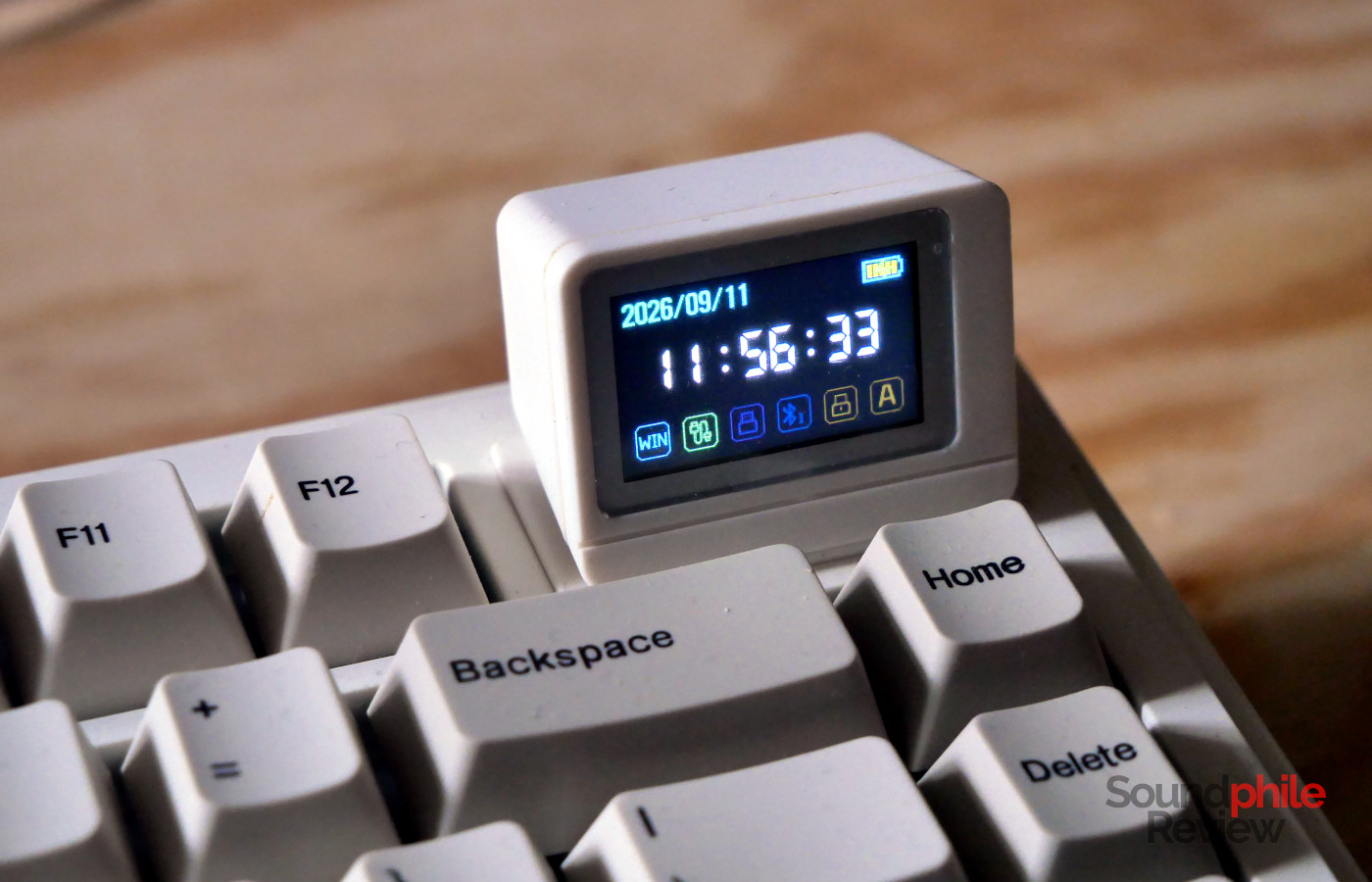
The mini-TV can be turned on and off, and it can be used to either display the status of the keyboard or a GIF. The status includes date and time, battery level, layout (you can switch between Windows and macOS), connectivity, and caps lock. It is a shame that you cannot use it to do anything actually useful, like displaying stats from your computer (e.g. CPU temperature); it is more of a novelty/gimmick that serves an aesthetical purpose than a genuinely useful addition. On top of this, the time gets quickly out of sync with the actual time and starts lagging behind; in about two weeks it runs a minute late, and in a month and a half it’s 3 minutes late; you have to re-sync it using a specific website to upload GIFs to the keyboard, which is a hassle.
There are 44 different lighting effects, which is very remarkable. Many of them are similar enough that it’s difficult to tell them apart, but that gives you the opportunity to get exactly the kind of effect you want.
Typing
Epomaker provides two switch options for the RT82: the Creamy Jade and the Sea Salt Silent v2; both are linear, with the latter being silent on top of that. The unit I received sports the Creamy Jade switches, which offer a 45 g actuation force and 50 g bottom-out force, with factory lubing that offers a very smooth typing experience. The switches are rated for 50 million keystrokes. There is very limited stem wobble, to the point it’s almost irrelevant.
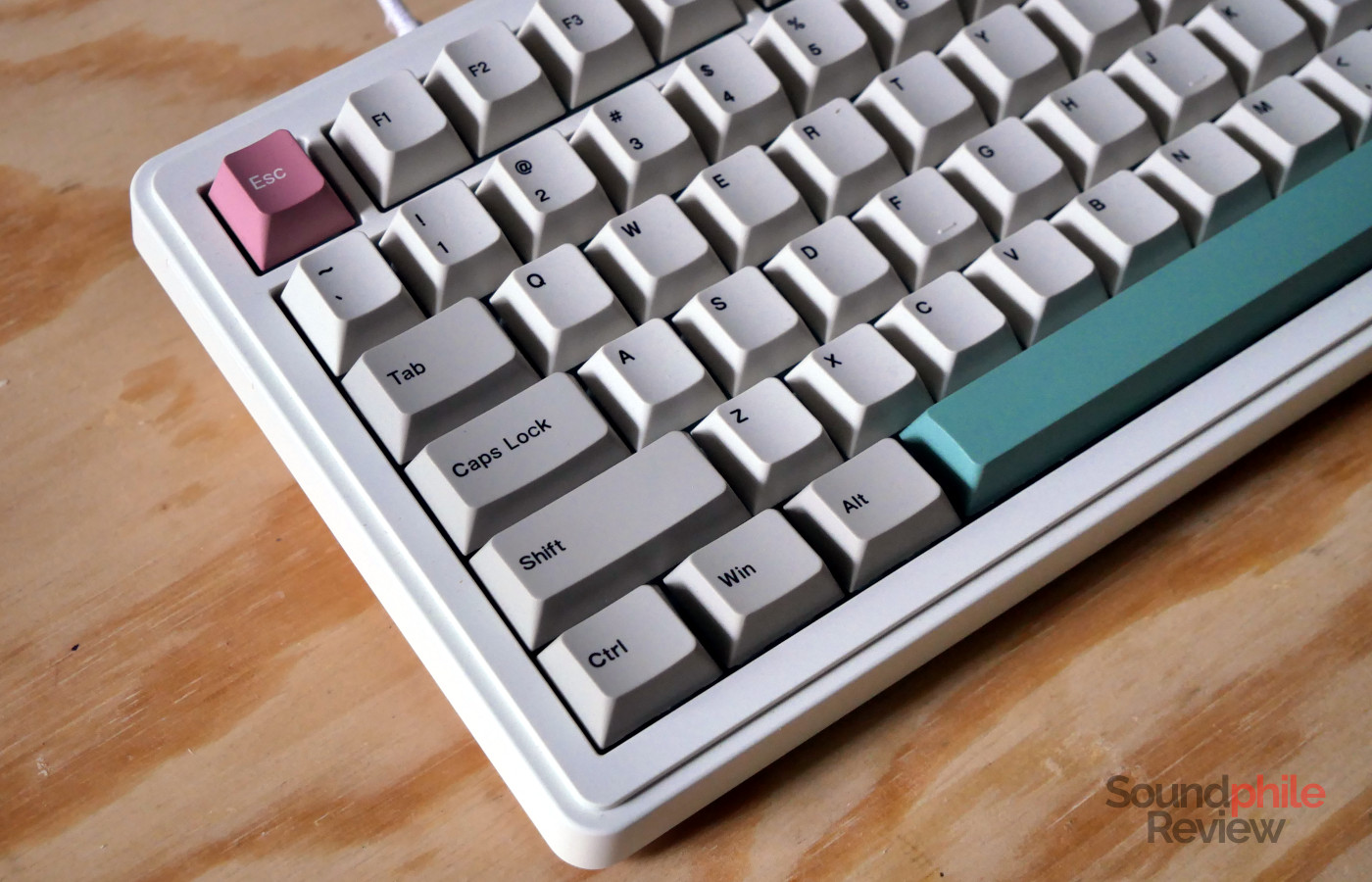
The Epomaker RT82 comes with Cherry profile keycaps with a Cherry 9009 colourway. These keycaps are made of PBT and are relatively smooth to the touch, with a nice silky and slightly grainy feeling to them. This makes typing really smooth and pleasant, as the keycaps offer a bit of grip.
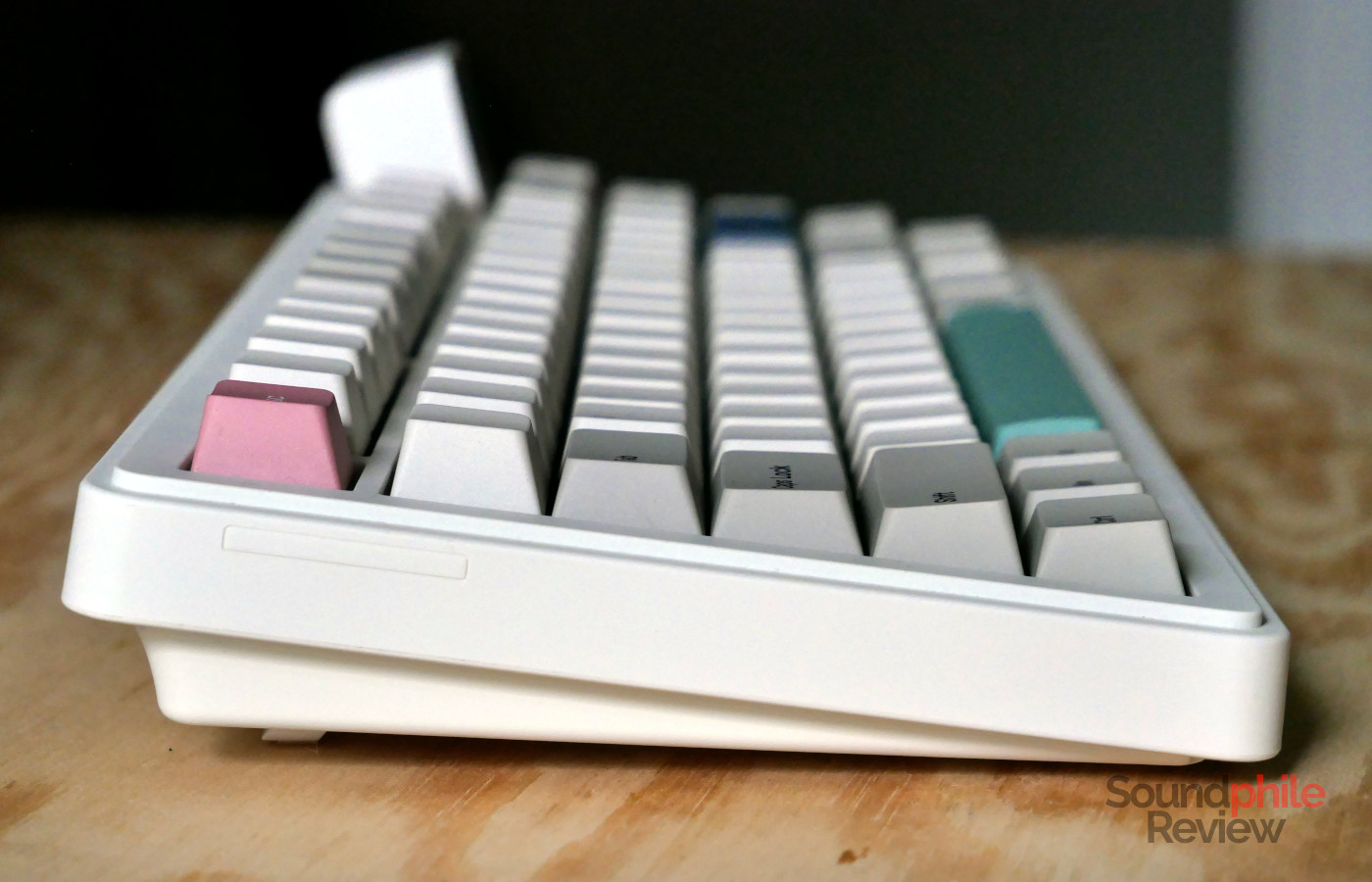
Contrary to the Epomaker TH87, the RT82 is not quite silent with the Creamy Jade switches. It is, in fact, relatively loud and definitely not suitable for any environment where there are other people (say, an office) as it is definitely audible in a silent environment. The switches are relatively lightweight and quite smooth so typing is very easy even at 100+ WPM. The activation point is beyond the middle, so you have to press they keys almost to the bottom for them to register; more often than not you will bottom out and this will be met with a satisfying, low-frequency “thud”.
Here is a recording of the keyboard using a Maono PD500W microphone:
The recording is unaltered and made with the microphone about 15 cm above the keyboard, pointing towards it, and set to maximum recording volume. As you can hear, the RT82 is quite loud, but it has a very nice, crispy sound.
Battery Life
I have used the Epomaker RT82 for a few months before publishing this review. Initially, the keyboard had great battery life, as I used the keyboard daily for a few hours with the RGB lighting on and still the battery lasted for about two weeks, which is a very good result. Right before publishing this review, however, battery life has significantly worsened. I found that the battery charges by about 50% in 15 minutes while barely draining the battery of my laptop, which would point towards a much lower effective capacity. It also discharges quite rapidly, as it lost ~50% over the course of a single day. This would indicate that Epomaker is using either old or low-quality batteries, as the performance has decreased significantly over the course of a few months.
Another thing to note is that, when the battery is half empty, the Fn key will start blinking red and all lighting effects will stop working until you plug the keyboard in again. The keyboard itself will keep on working as usual, so the impact of this is going to be minimal from a functional standpoint, but it is quite frustrating as you simply cannot disable the Fn blinking, even when you turn off all lighting effects.
Final Thoughts
Everything considered, the Epomaker RT82 is a nice keyboard that offers everything you need. It has broad connectivity options, a boatload of lighting effects, it’s well-built and it is (though this is subjective) good-looking too. The mini-TV is a fun addition that gives the keyboard a certain flair and heavily adds to the general retro aesthetic of the board, but it also does not really serve any useful purpose which is a missed opportunity.
The only real issue is the battery, which appears to degrade quite quickly. This could be an issue specific to my unit, but it seems to be a rather common issue with Epomaker keyboards and is a large issue for a product which is meant to be used wirelessly. This is the reason why I don’t feel confident recommending the RT82 despite it otherwise being a nice keyboard.