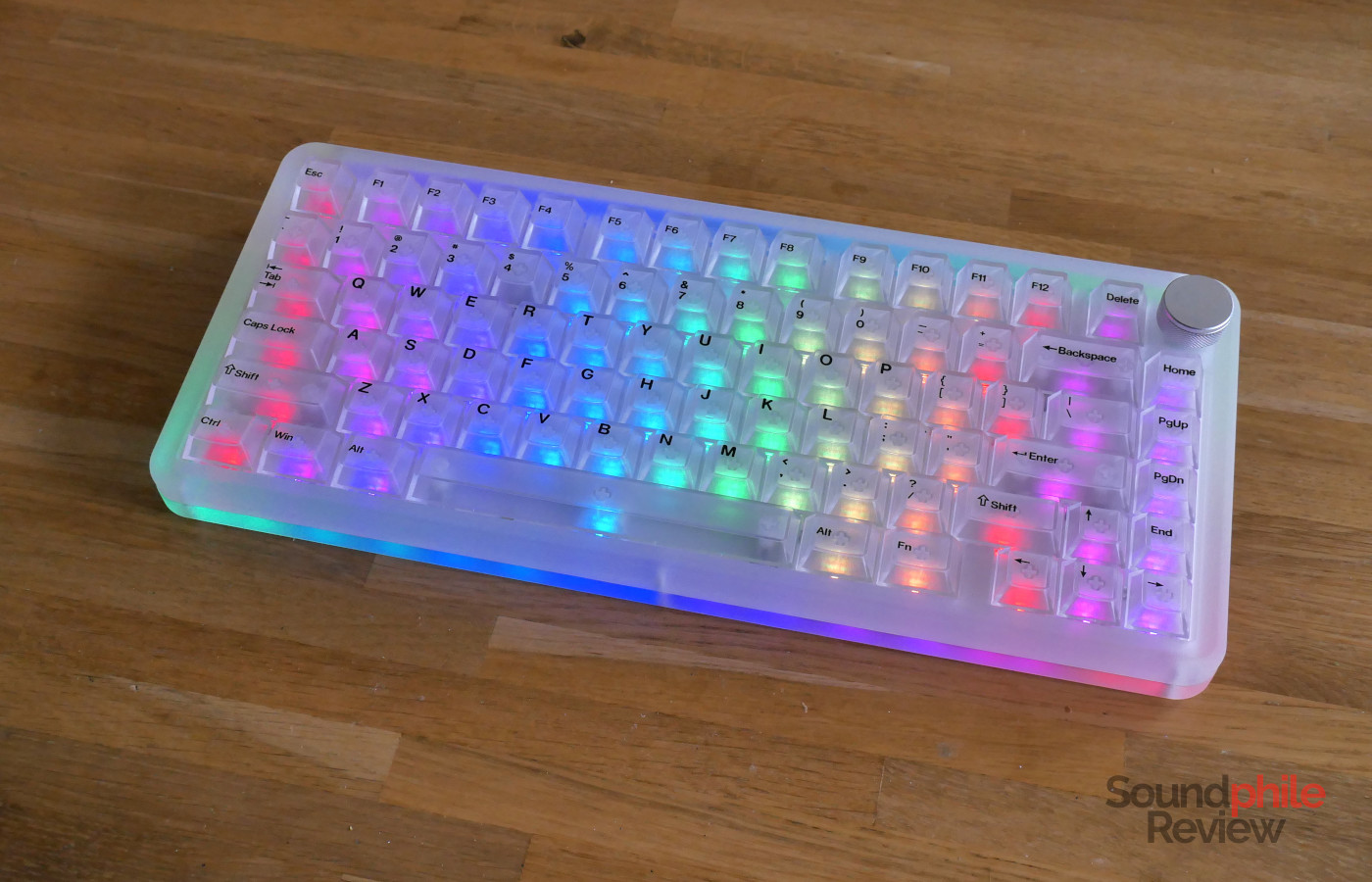
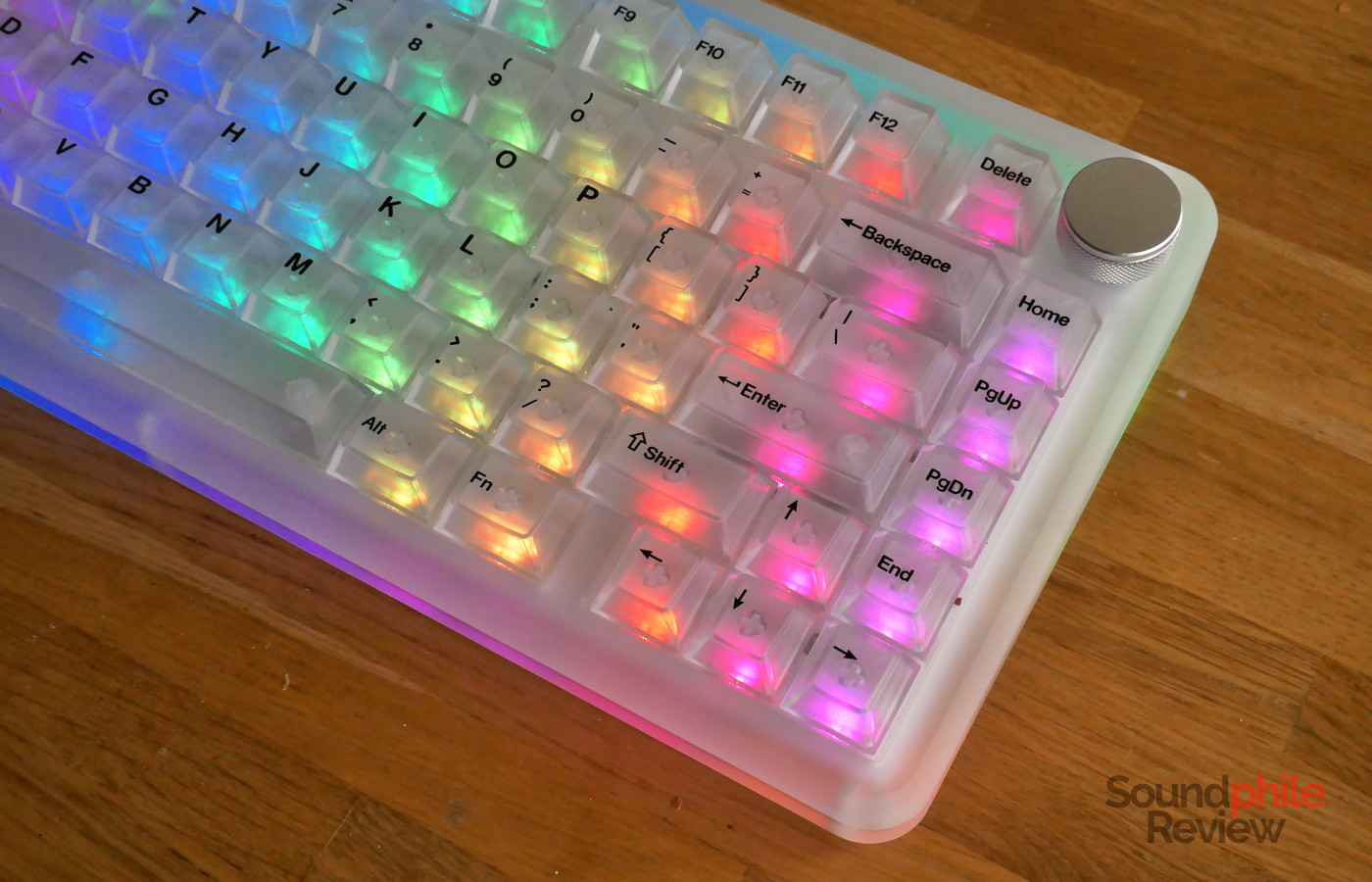
The KiiBom Phantom81 v4 is, as the name says, the fourth generation of the company’s transparent keyboards. Whereas previous models sported a crystal-clear construction, the Phantom81 v4 eschews it for a frosted glass finish that makes it distinctive while keeping things interesting. Every part, including the switches, is transparent, so that this is a feast for the eyes – especially if you enjoy RGB light effects.
Disclaimer: I received a free sample directly from KiiBoom. The Phantom81 v4 retails for $199.99. Additional information is available on KiiBoom’s website.
KiiBoom Phantom81 v4 At A Glance
| Pros |
Cons |
| + Excellent build quality
+ Great battery life + Very smooth typing experience |
– No QMK or VIA compatibility
– Quite loud |
Rating: 7.8/10
Packaging & Accessories
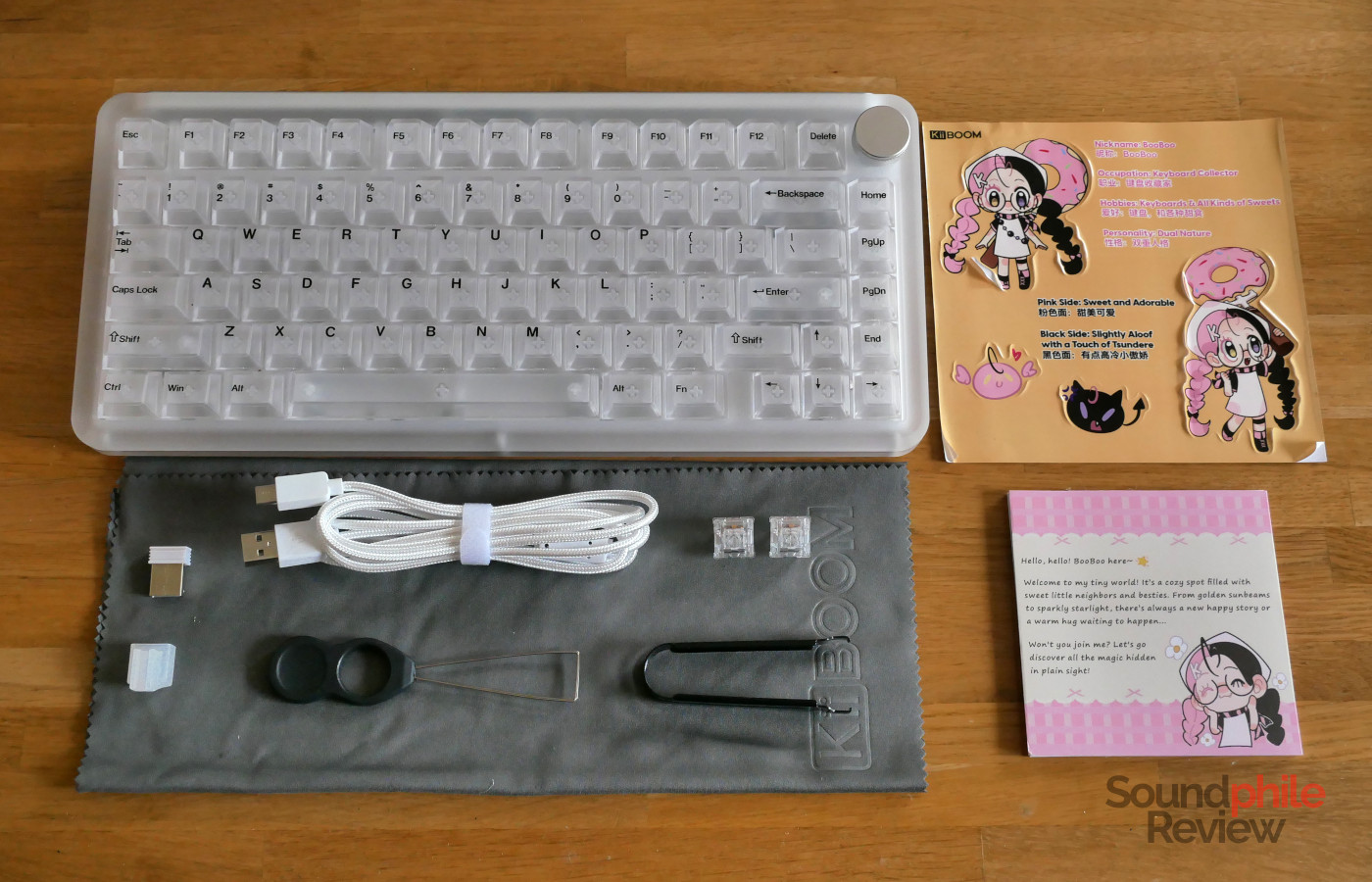
The KiiBoom Phantom81 v4 comes with a slew of accessories: there is a giant piece of microfibre cloth to clean the keyboard and protect it from dust when not in use, a USB to USB-C cable, a USB dongle with a plastic bit to secure it to the cable, a switch puller, a keycap puller, two spare switches, and a set of stickers featuring a chibi girl with pink and black hair.
Design & Build
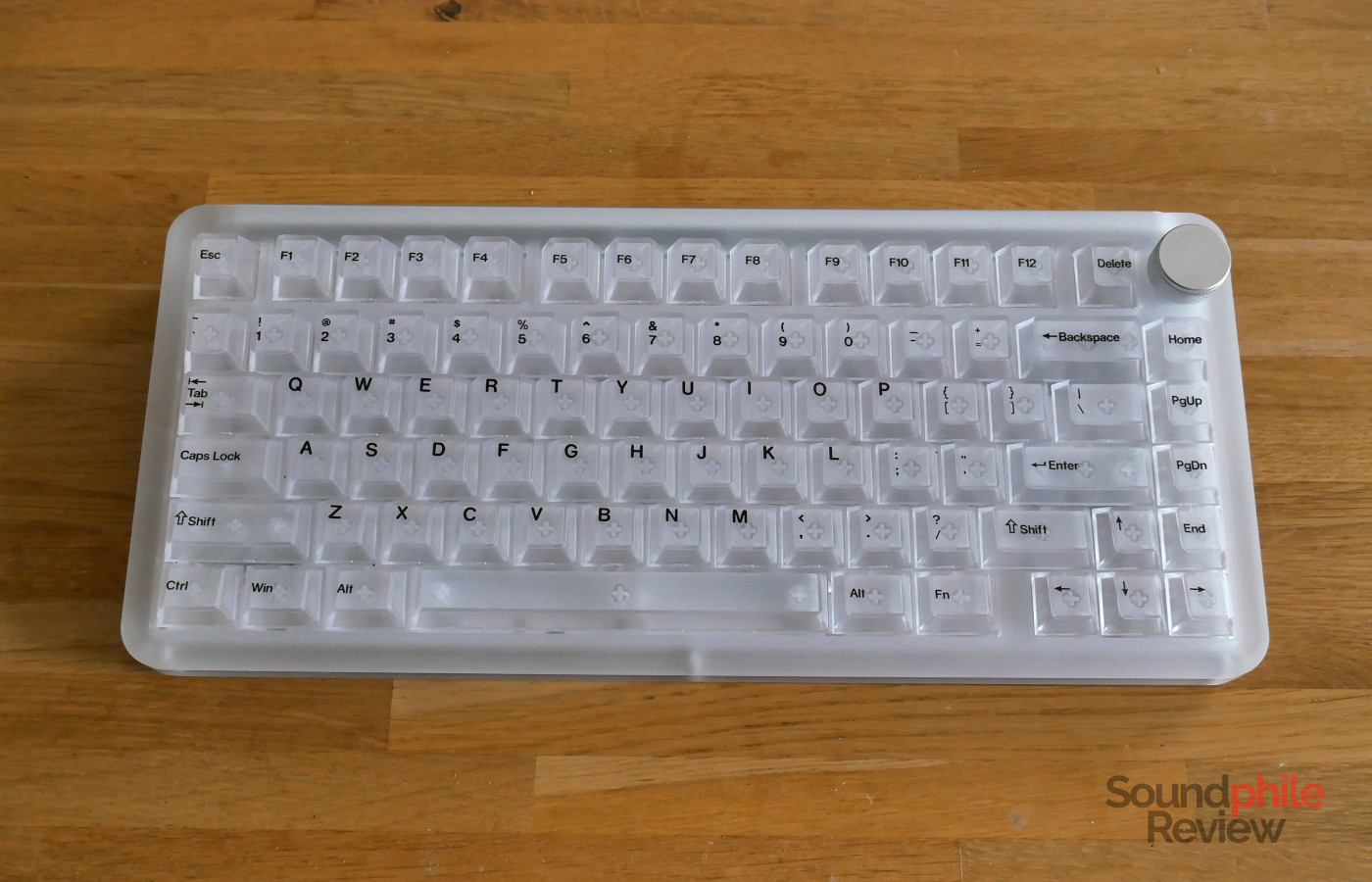
What makes the KiiBoom Phantom81 v4 special is the fact that it is entirely transparent – well, semi-transparent. Everything is made of transparent plastic with a frosted effect, which is quite unusual but is perfect for those who like RGB lighting. Thanks to that transparency, in fact, the Phantom81 v4’s RGB LEDs make it a kaleidoscopic, phantasmagoric (pun very much intended) light show. It’s definitely a statement piece on a desk. There are actually three colour options you can choose from: transparent, pink and black – all are actually semi-transparent, but pink and black add a hue to that and make the lighting more subdued.
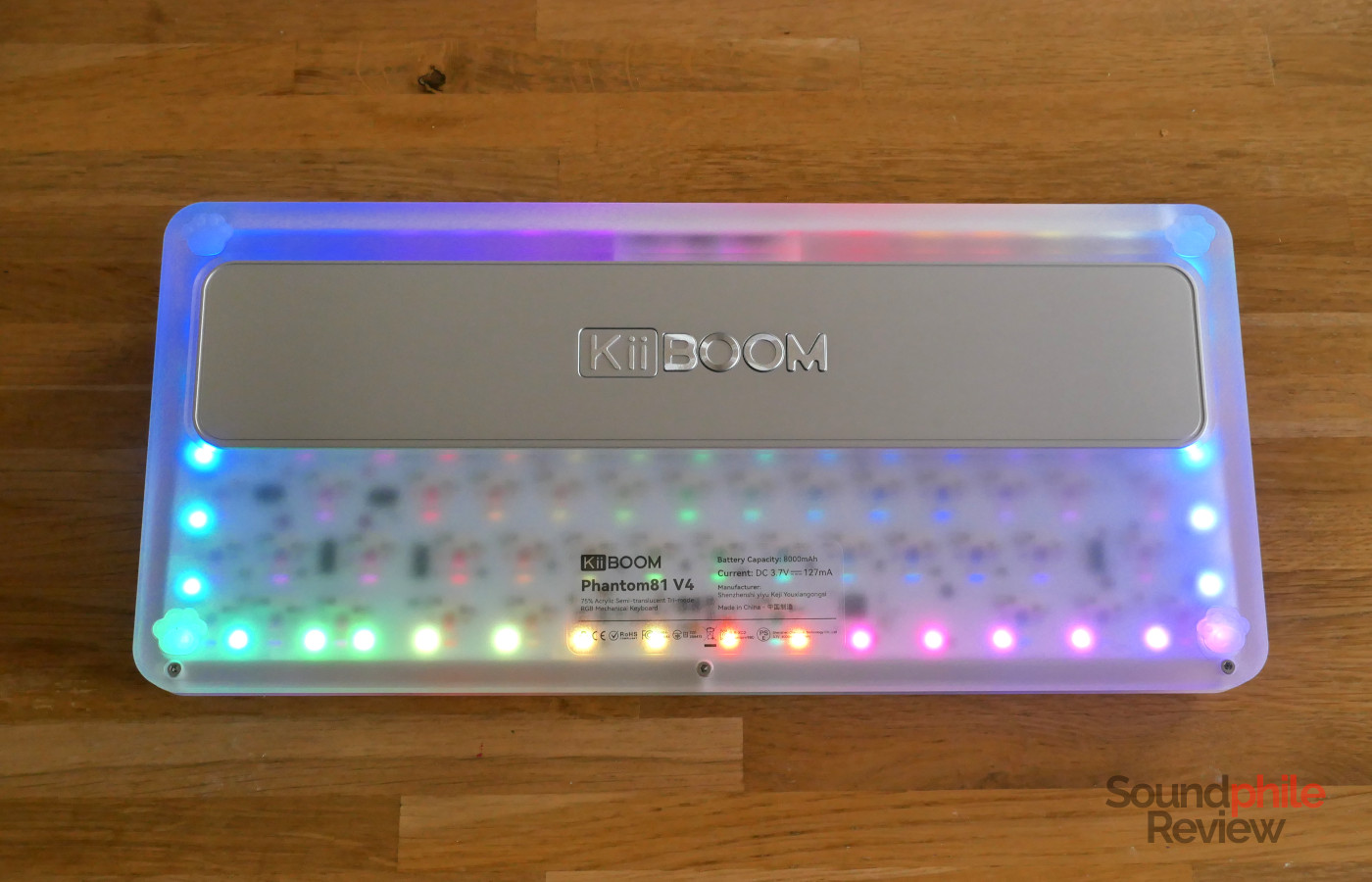
The chassis is made of two pieces, a top and a bottom, with a metal plate on the back as well as a metal weight on the bottom. Both plates have a satin finish that makes them look perfectly in line with the plastic’s frosted finish. The same applies to the large milled metal volume knob in the top right corner. There is a generous frame around the keys of about a centimetre. The feet on the bottom add a whimsical touch as they are quite literally feet – they look like cat paws.
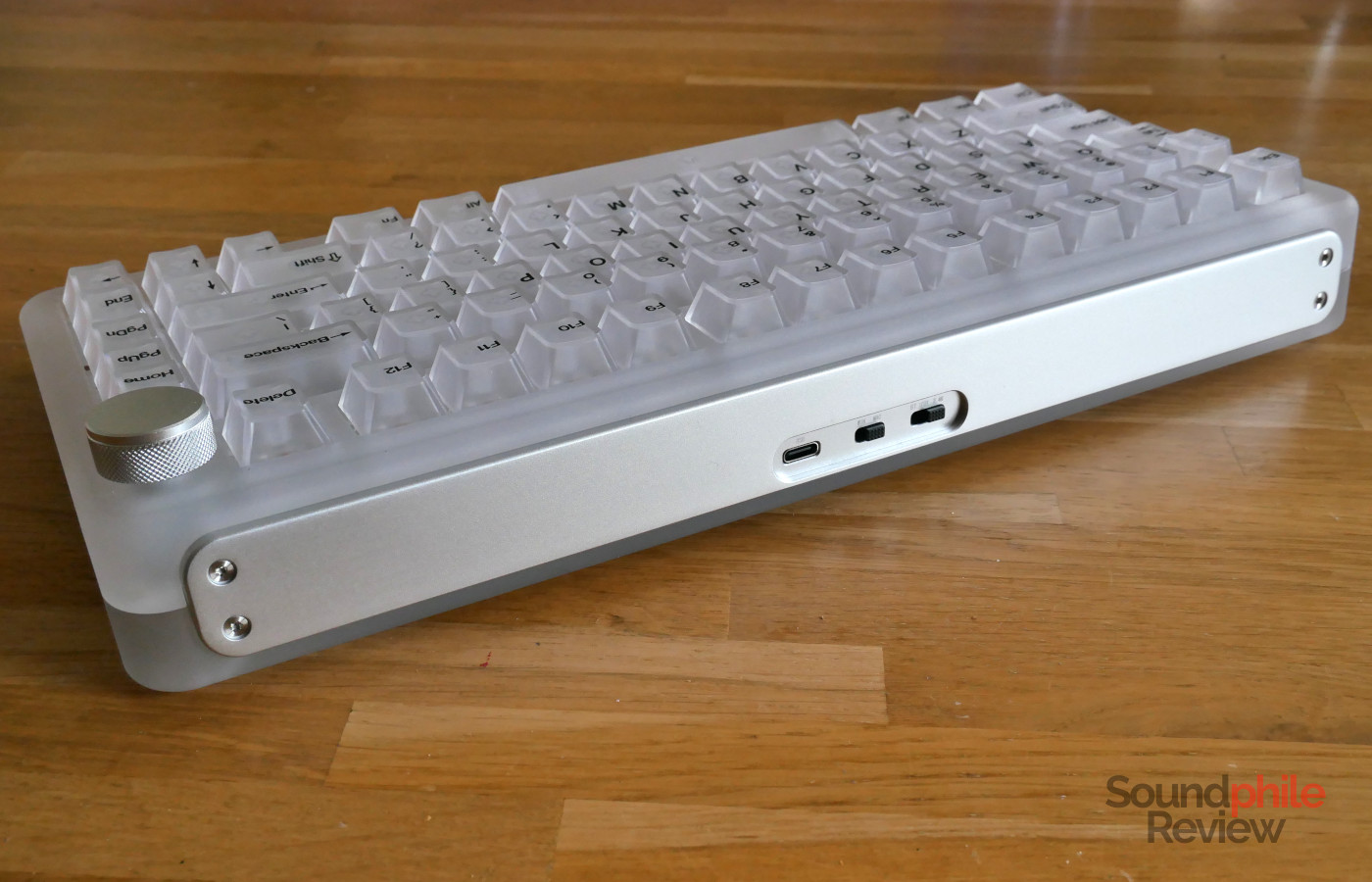
The metal plate at the back has a recess where you can find a selector to choose the connection, as well as a second selector for the layout (Windows or macOS) and a USB-C port. There is unfortunately no place to put the USB dongle for the wireless connection in.
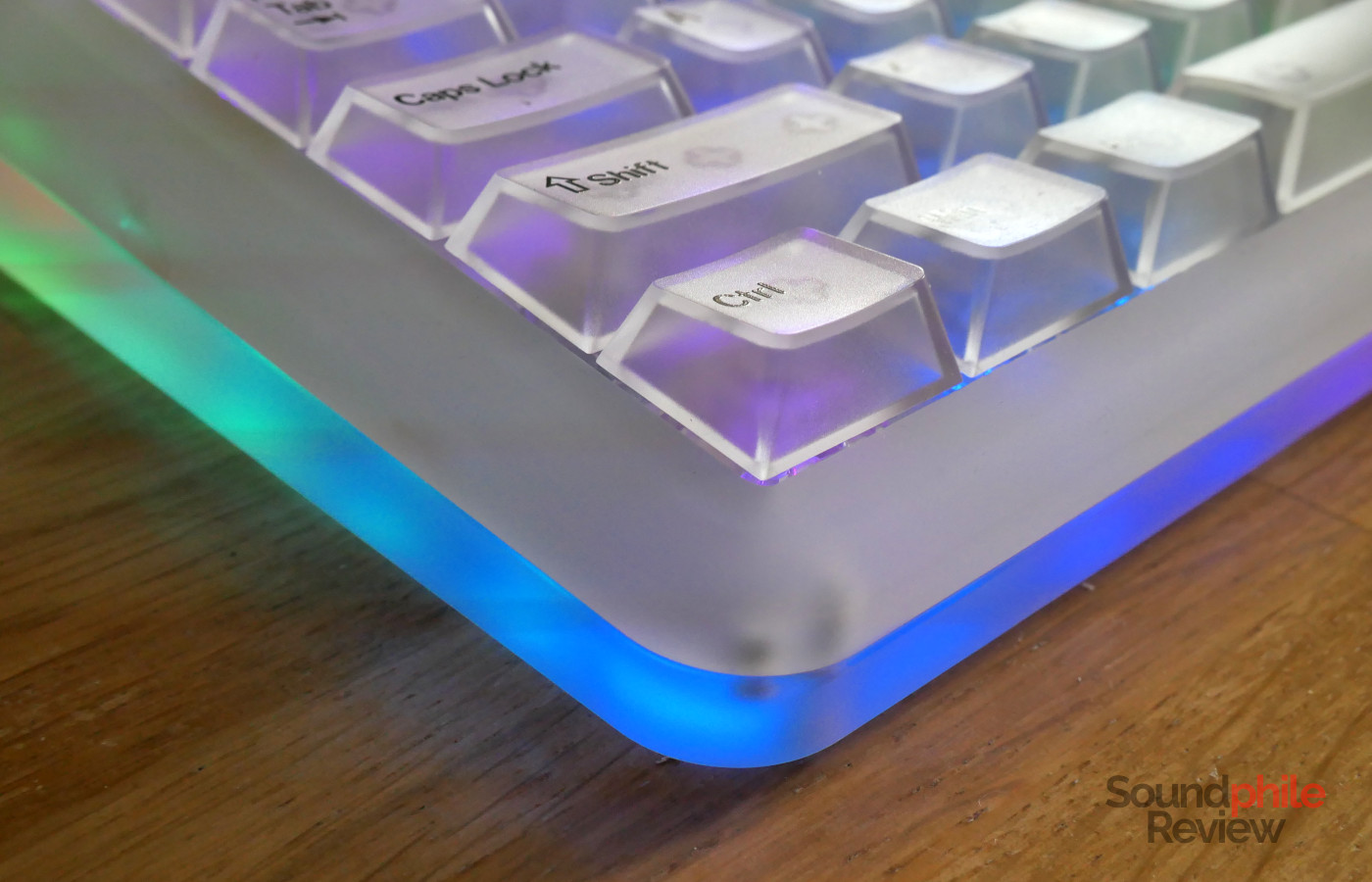
The bottom of the PCB has a series of LEDs on it that make it possible to have light coming out of the sides of the keyboard, adding to the effects that you can already use for the keys.
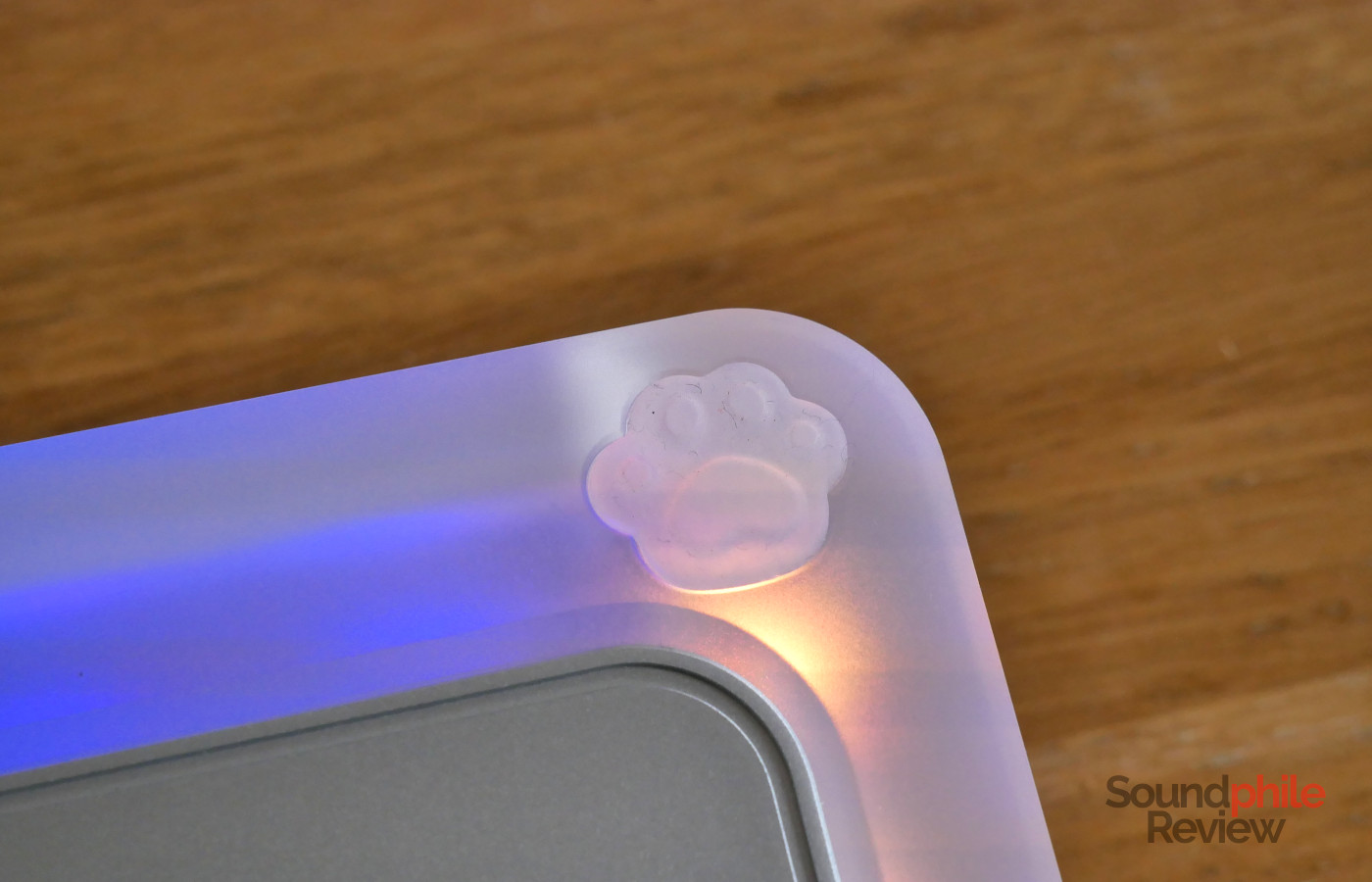
The keyboard is very solid and the plastic used is rigid so that no deformation of the chassis is possible. This speaks of both good quality of materials and good assembly, and the differentiator between this board and the cheaper ones. The weight of 1.5 kg is quite high and is similar to that of all-metal keyboards, and guarantees (together with the cat paws…) that the board won’t move on your desk.
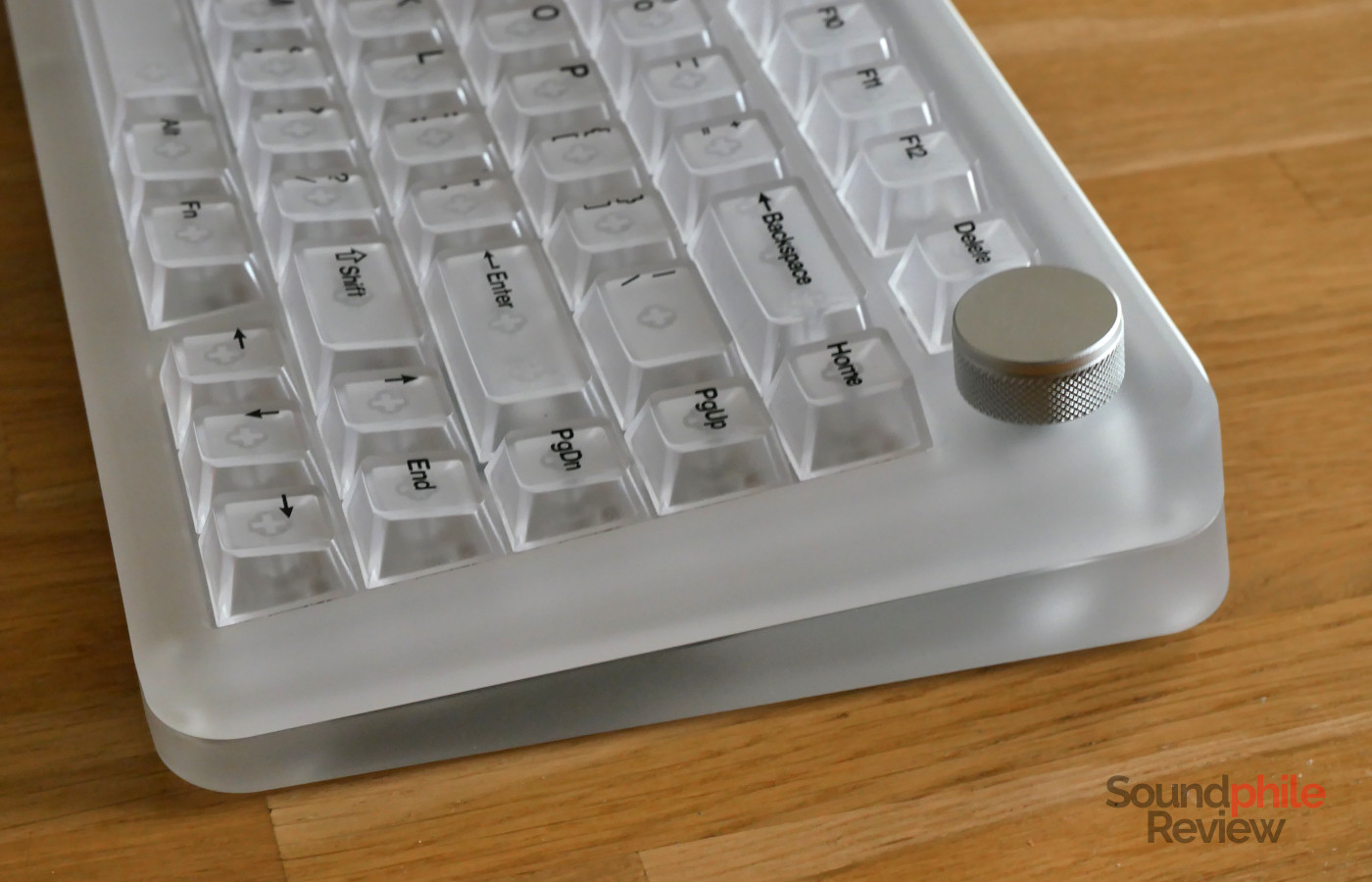
Just like all of KiiBoom’s other keyboards, the Phantom81 v4 only comes exclusively in the ANSI layout. As it is an 81% keyboard, it features the full F-key row as well as a full column of keys to the right of the “enter” key comprising home, page up, page down, and end keys. This is a welcome change compared to the previous generations, which only featured three keys and were missing the “end” key, which comes in very useful if you use the keyboard to type text.
The board supports switch hot-swapping and both 3- and 5-pin switches. The switches are mounted facing South for better compatibility with Cherry profile keycaps.
Functionality
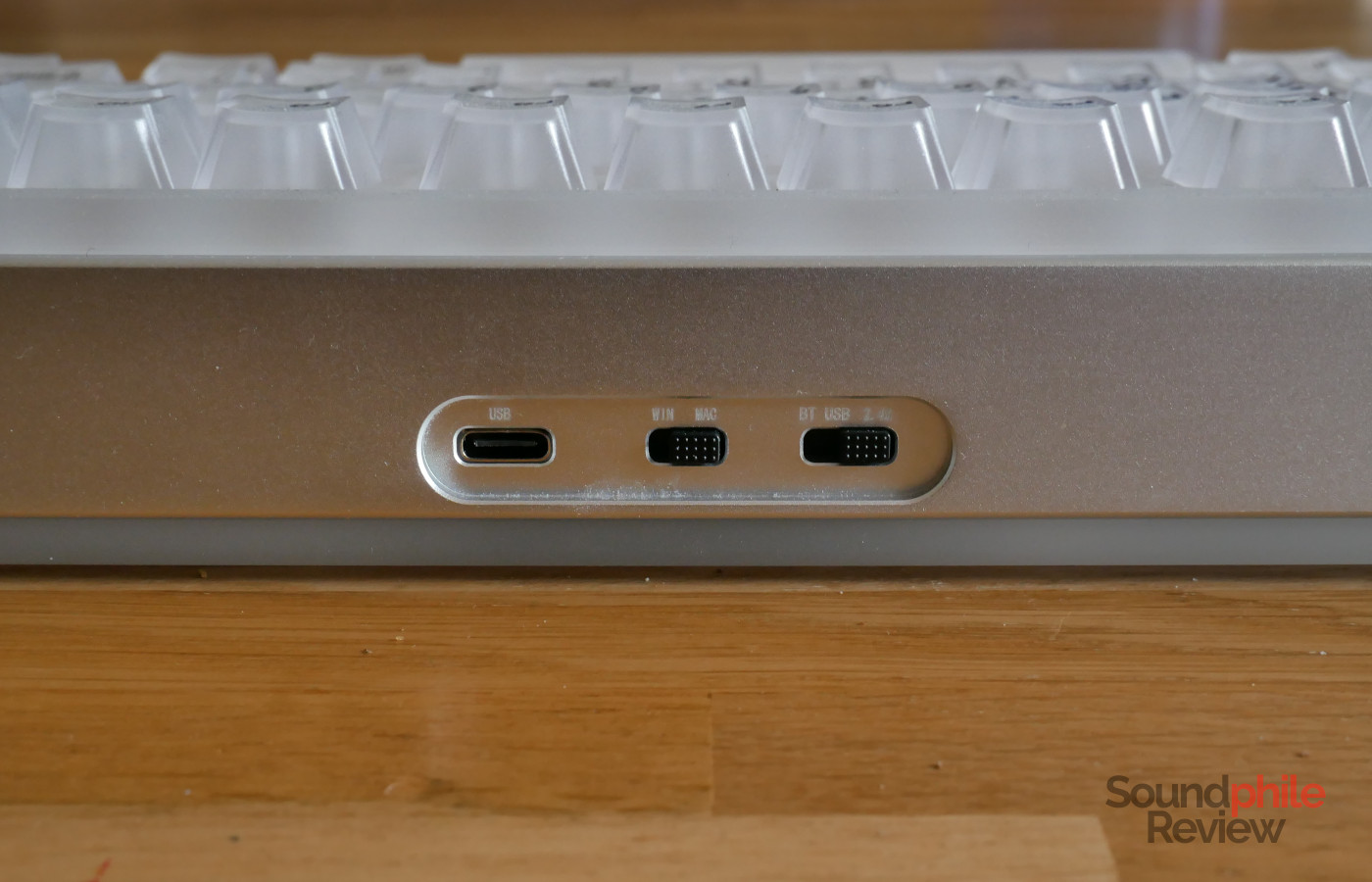
Just like most keyboards these days, the KiiBoom Phantom81 v4 supports connection through USB, 2.4 GHz wireless and Bluetooth. The latter allows connection to a maximum of 3 devices. Wired and 2.4 GHz modes support a polling rate of 1,000 Hz, whereas Bluetooth is limited to 125 kHz. KiiBoom does not publish specifications regarding latency.
The keyboard supports N-key rollover, meaning that it will always register all keypresses independently of how many keys you press.
The Phantom81 v4 supports 21 different light effects for the keys on top, plus four effects (always on, breath, neon and wave) for the sides.
Virtually all functionality can be accessed and controlled directly from the keyboard. There are some exceptions, however: using KiiBoom’s driver you can alter key mappings (including the Fn layer), create your own light effects and download more from KiiBoom’s community, as well as update the firmware of the keyboard. The driver is available for Windows and macOS, though not for Linux. There is, unfortunately, no compatibility with QMK nor VIA.
Typing
The KiiBoom Phantom81 v4 comes with a single choice for the switches: the KiiBoom Crystal Switch, a linear model which offers 3.6 mm of travel, an actuation force of 55 g and a bottom-out force of 60 g. Despite these figures, these switches feel only slightly heavier than switches comparable to Cherry MX Red – though the latter have a higher bottom-out force and therefore feel slightly heavier. The fact that there is a difference of just 5 g between actuation force and bottoming out means that you will bottom out the switches nearly every time, and you won’t really be able to do what I call “hover typing” – i.e. pressing the keys only halfway through so that they register but don’t bottom out. The switches offer so little stem wobble that it’s practically absent – in fact, it’s the smallest stem wobble I’ve seen in stock keycaps to date. Travel is very smooth thanks to the factory lubing, which can definitely be felt.
The stock keycaps employ the Cherry profile and are entirely transparent, with legends printed on them (rather than being double-shot).
The KiiBoom Phantom81 v4 is relatively loud and has a relatively high-pitched sound, which is compatible with the plastic used for its construction and especially for the keycaps. It’s not as deep and “thocky” as the Epomaker TH87, nor as silent; it offers a relatively sharp and clear sound.
Here is a recording taken using a Maono PD500W:
The recording was made while the keyboard was about 20 cm away from the keyboard. As you can hear, the Phantom81 v4 is quite loud and “clacky”; due to this, it is not an ideal keyboard to use in an environment where other people are, such as an office.
Battery Life
The Phantom81 v4 features a total battery capacity of 8,000 mAh, as it employs two 4,000 mAh batteries. This is enough to power it with LEDs turned on for almost a couple of weeks (considering 8 hours of usage a day), which is quite significant.
Final Thoughts
The KiiBoom Phantom81 v4 is a simple keyboard that puts two things front and centre: aesthetics and the typing experience. Its use of semi-transparency is quite interesting and works really well overall – much better, in my opinion, than the crystal clear transparency that KiiBoom used in the past. The typing experience is quite good as the switches are very smooth and solidly built. It’s a pleasure to type on it, although it has to be said that it is quite loud, too. Battery life is excellent and allows you to use the keyboard for weeks without interruptions, even with RGB LEDs shining on.
What the Phantom81 v4 lacks is compatibility with QMK or VIA, which would make it a lot more flexible – and wouldn’t leave you dependent on the availability of software that will inevitably become unavailable or obsolete, or both.
Overall, then, the KiiBoom Phantom81 v4 is an option to consider if software support is not of paramount importance and, vice-versa, build quality is. The Phantom81 v4 is built exceptionally well, as in KiiBoom’s tradition, and this alone might be worth the expense.