UGREEN has taken the NAS world by storm and, in a very short time, it has imposed itself as one of the major contenders in the space. The UGREEN NASync DXP2800 GT is a 2-bay NAS which is meant to offer high performance and high reliability and is especially suited as a media server to host your music and video collection, thanks to its powerful hardware and flexible and intuitive software.
Disclaimer: UGREEN kindly provided a unit, complete with two 2 TB Western Digital hard drives. The NASync DXP2800 GT retails for $429.99. Additional information on the official website.
TL;DR: recap
| Pros |
Cons |
| + Sturdy and elegant design
+ High performance + OS is incredibly easy to use + Can be connected directly to a screen + 10 Gbps connection |
– NVMe drive installation is a bit fiddly
– AMD transcoding performance inferior to competitors – Few apps in the App Center |
Rating: 9/10
Packaging & Accessories
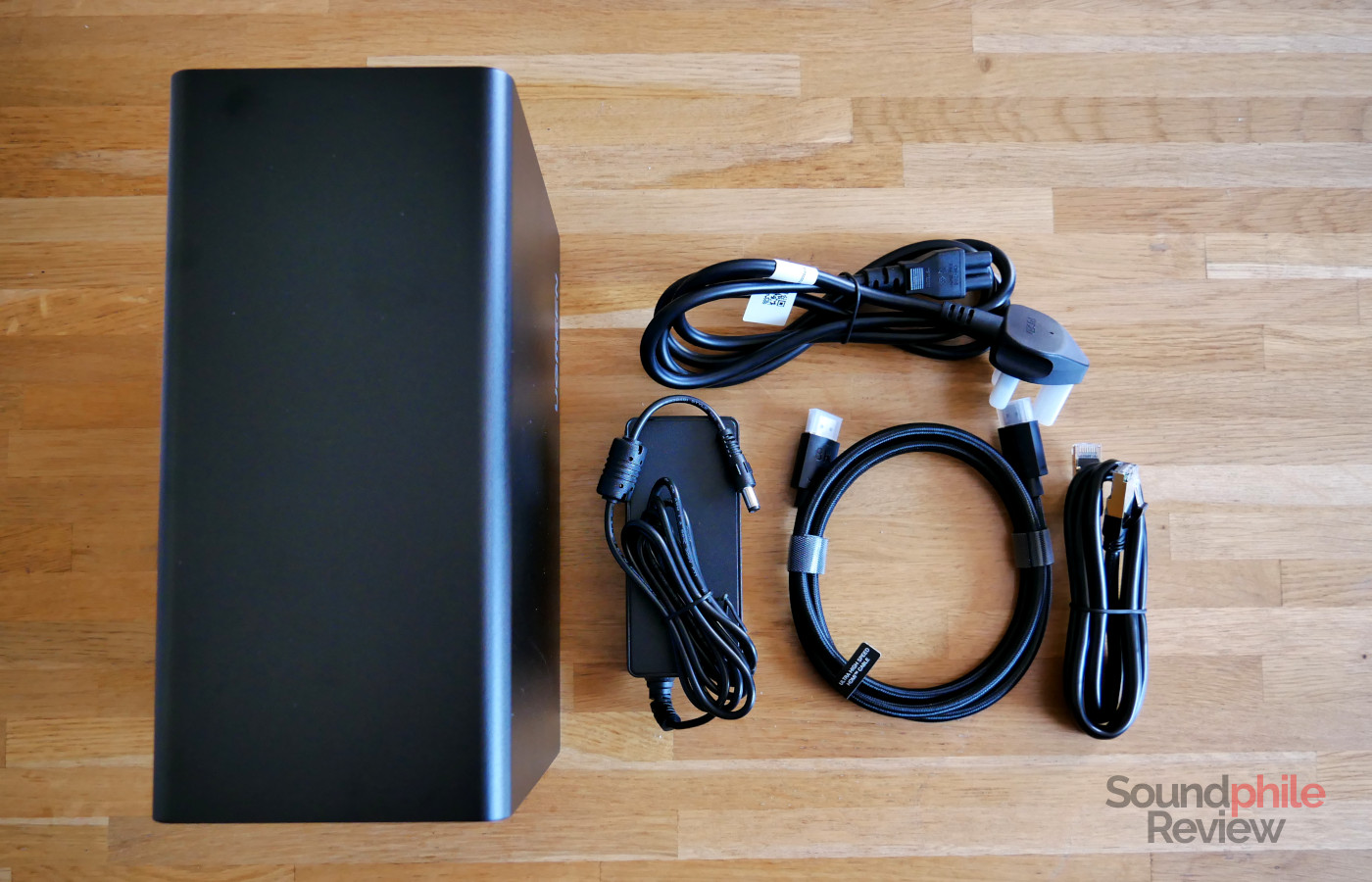
The UGREEN NASync DXP2800 GT comes with a rather complete set of accessories which includes the external 72 W PSU, a Cat 7 Ethernet cable, an HDMI cable compatible with the HDMI 2.1 specifications (which, interestingly, isn’t mentioned in the official accessory list), a screwdriver and a set of screws to secure the hard drives to the trays, two U.2 SSD heatsinks, two silicone thermal pads for NVMe drives, two hard drive tray keys, a manual and a warranty card.
UGREEN NASync DXP2800 GT Hardware
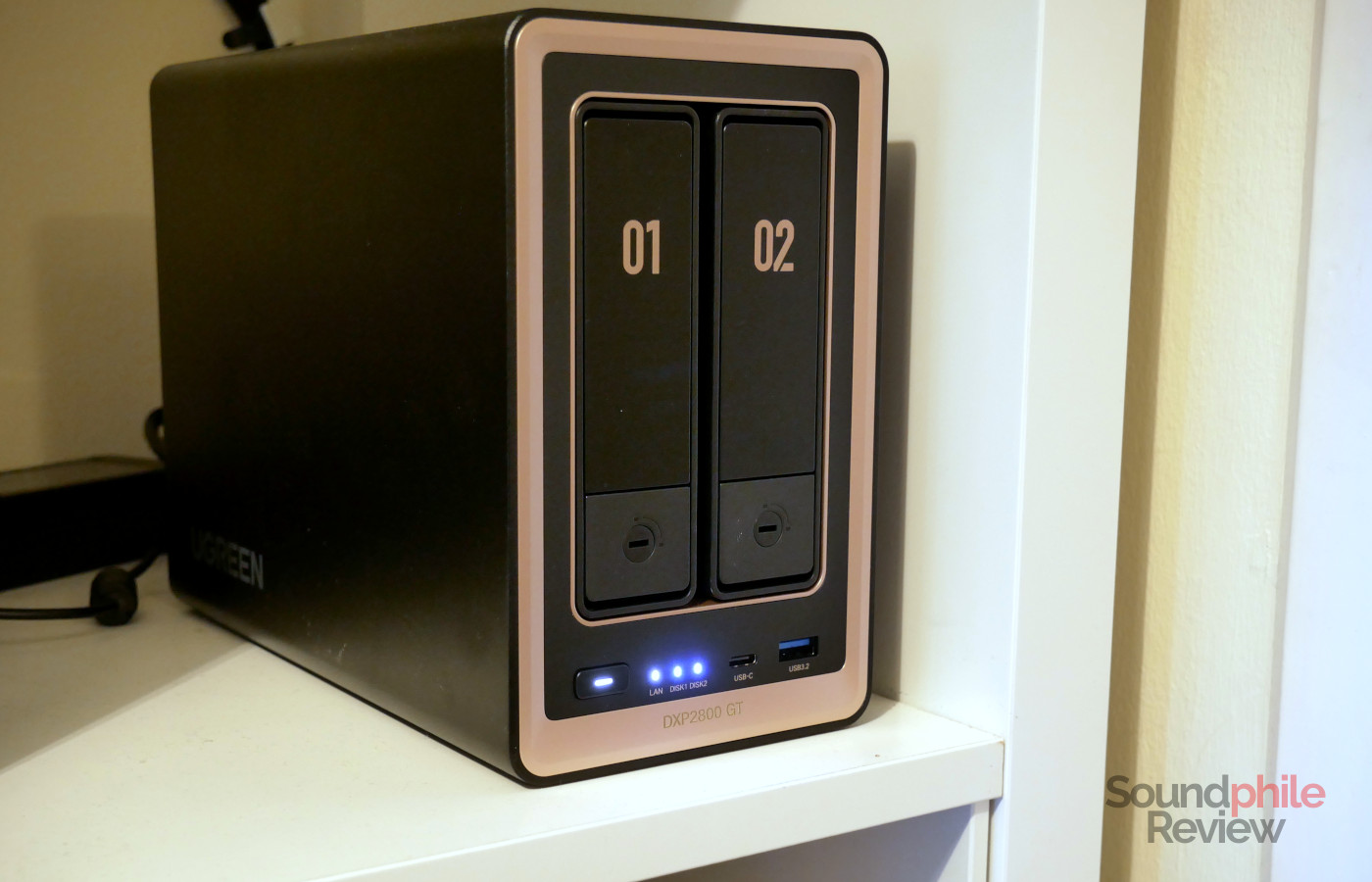
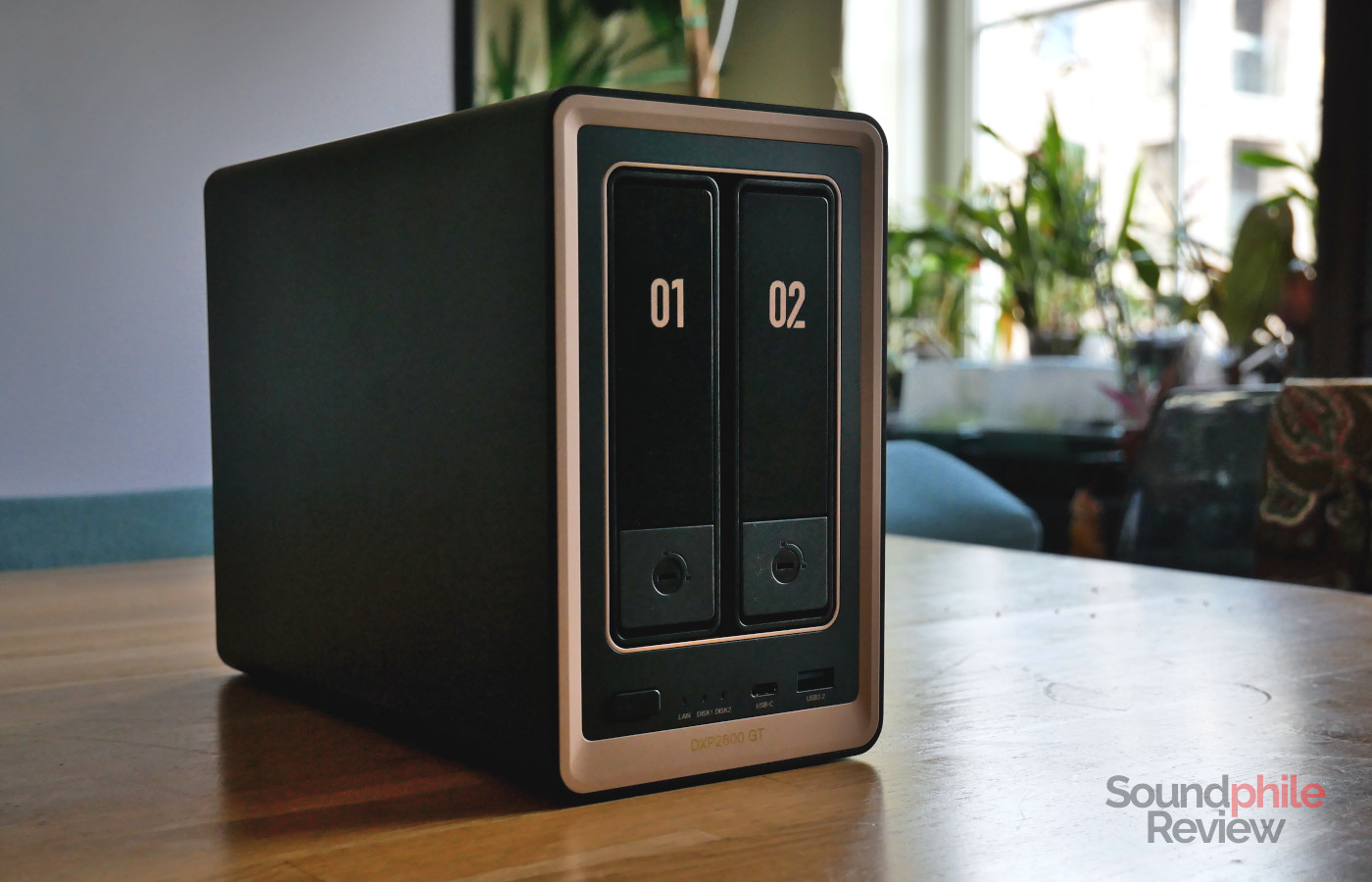
The UGREEN NASync DXP2800 GT is a 2-bay NAS with an all-metal chassis that’s made of a single piece covering all sides except for the front and back. It has a distinctive look thanks to the combination of black metal surfaces and bronze accents, made of plastic. This makes the NASync DXP2800 GT look very elegant and understated, so that it can fit in virtually any environment.
The front hosts two 3.5″ bays, as well as the power button, three status LEDs (LAN and disk activity), a 10 Gbps USB-C port and a USB 3.1 port (10 Gbps). At 23.2 × 10.9 × 17.8 cm, the NASync DXP2800 GT is taller than most NAS devices out there, but it’s also very narrow.
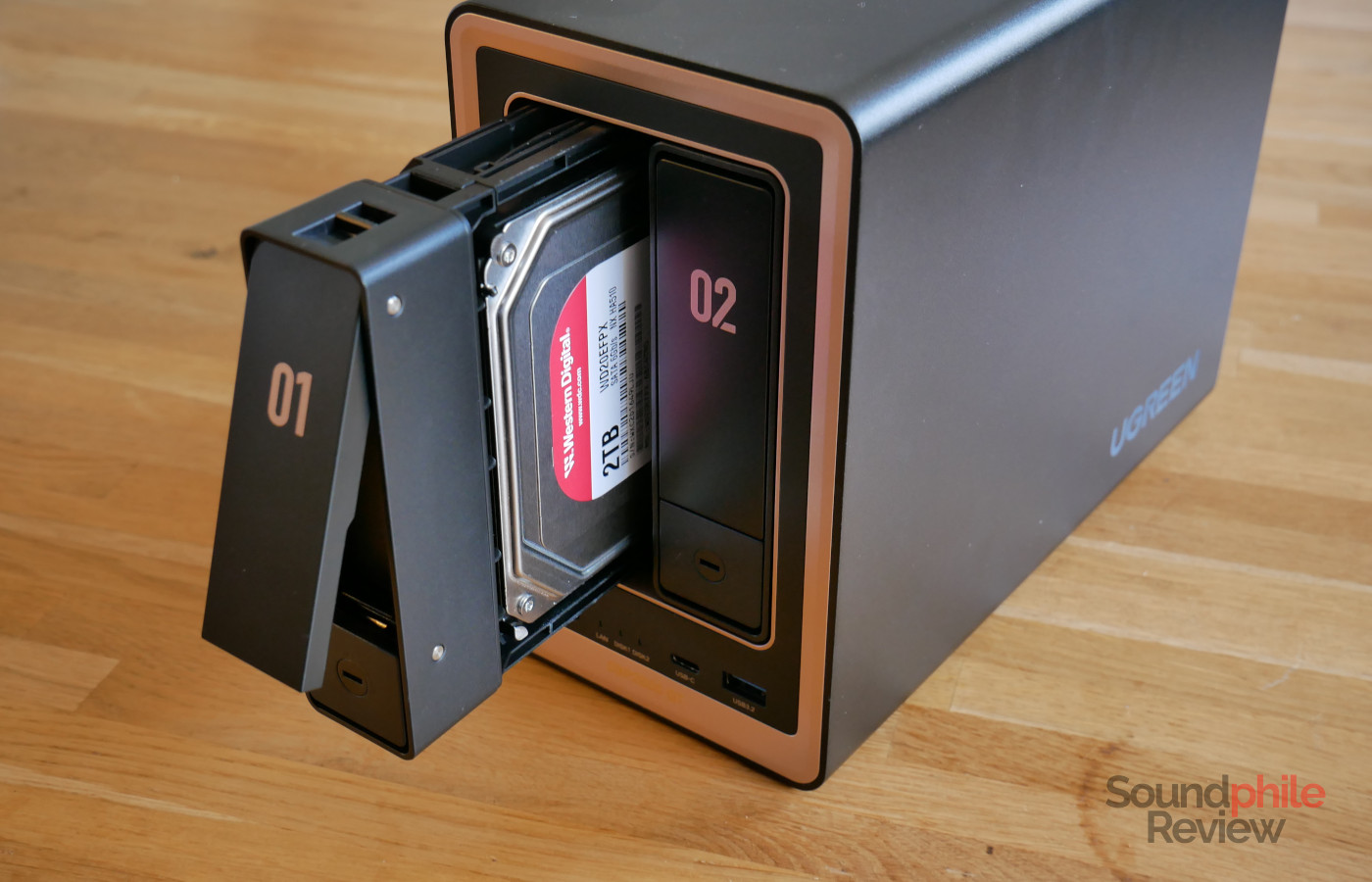
The two drive bays on the front can be accessed by pressing the lower section, which makes the top one spring out so that you can use it as a handle to remove the tray. You can lock the trays in place thanks to the special keys provided in the box. The trays are made of plastic and require no tools to secure 3.5″ hard drives; in case you want to use 2.5″ drives, however, you will need to use the provided screws to secure them. The trays slide in and out very smoothly and require very little force to move.
The UGREEN NASync DXP2800 GT is equipped with an AMD Ryzen Embedded R2514, a CPU sporting 4 cores and 8 threads and operating at 2.1 GHz (with a single-core turbo boost to 3.7 GHz) while having a TDP of 15 W; while being somewhat old (it launched in 2022) and relying on an older architecture (Zen+), it is still a valid processor with more than adequate performance. It integrates a Vega 8 GPU with a frequency of 1.2 GHz and a maximum of 2 GB of shared memory (so it will be taken out of the system RAM); the GPU can be used for both attaching a display to the NAS (with the integrated HDMI port) as well as decoding video via hardware. The NASync DXP2800 GT comes with 8 GB of DDR4 RAM on a single SODIMM module, though there are two slots which can take up to 64 GB in total (2 x 32 GB); the CPU officially supports memory operating at 2,666 MHz, but it works with higher-frequency modules as well (the company’s official compatibility list mentions 3,200 MHz modules). The NAS also has a 64 GB eMMC module which is used to host the operating system, as well as two M.2 slots for NVMe SSDs which supports PCIe 3.0 x2 connections (therefore with a bandwidth of ~1,800 MB/s). The two hard drive bays employ U.2 connectors, meaning that they can take SATA and U.2 drives, although you cannot mix them.
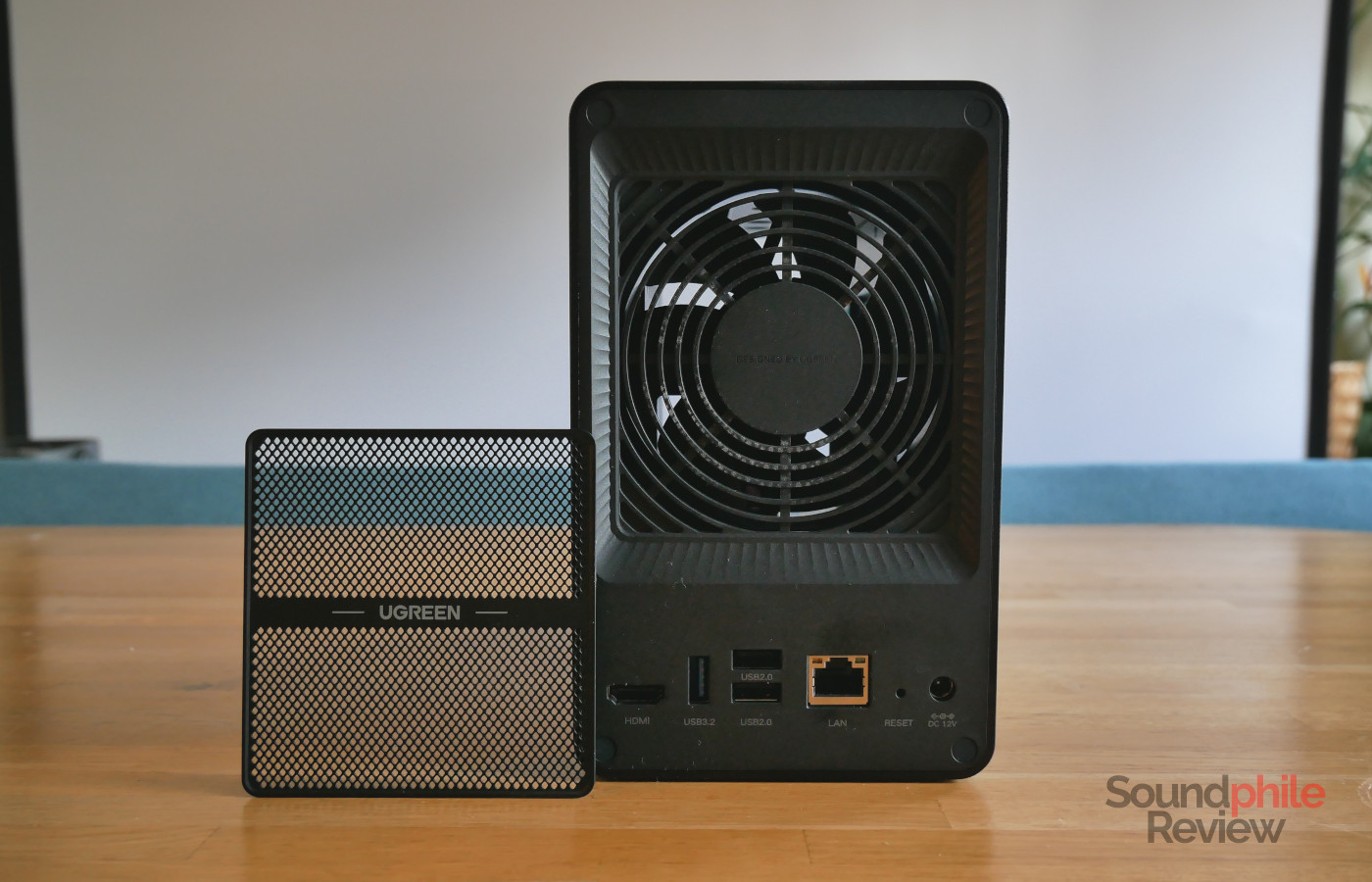
The back hosts an HDMI port capable of 4K output, a USB 3.1 port (10 Gbps), two USB 2.0 ports, a 10 Gbps Ethernet port, a reset button and a barrel connector for power. The back also hosts a small fan (90 mm) with a removable magnetic filter. The fan is almost inaudible against the background noise in a quiet home.
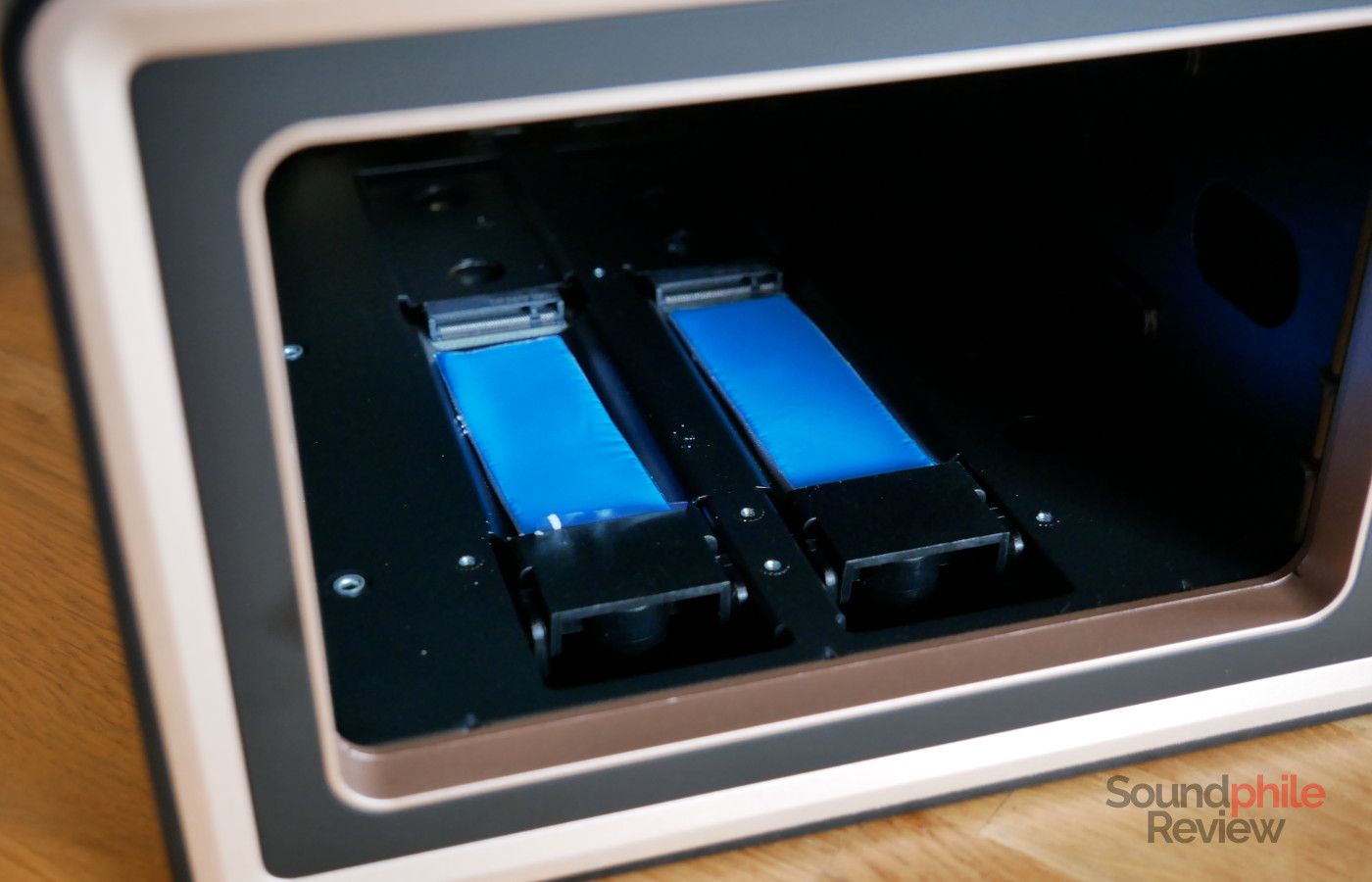
In order to access the M.2 slots to install the NVMe drives you need to remove both hard drive trays and look to the left hand side, as the slots are positioned there. This makes it relatively easy to access them. The slots only support M.2 2280 drives. The RAM slots are accessible by removing the lid on the bottom, held in place by two screws.
The overall build quality of the UGREEN NASync DXP2800 GT is excellent, as all part are manufactured to a very high standard. The one component which normally gives away build quality are the trays, which look resistant and slide in and out smoothly, indicating that the NAS is well built.
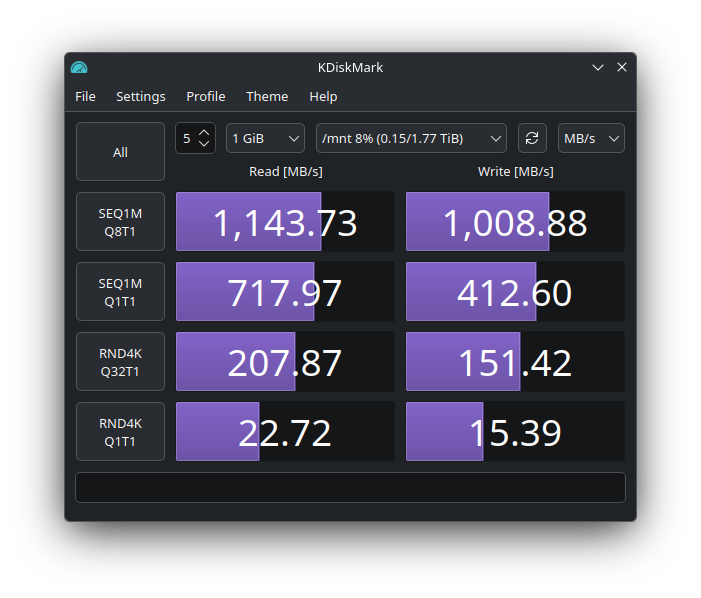
In terms of performance, the NASync DXP2800 GT is a solid NAS that can do much more than just serve files over the network, and it has no issues doing transcoding of high-resolution video content. The network performance is excellent, as it fully saturates the 10 Gbps bandwidth when both reading (1,143.73 MB/s) and writing (1,008.88 MB/s), even in my test case with two 2 TB Western Digital WD Red Pro mechanical drives.
UGREEN NASync DXP2800 GT Software
Like virtually all modern NAS devices, the DXP2800 GT has an operating system based on Linux, UGOS Pro, which you can access from any Web browser. The Web interface resembles a desktop operating system and allows you to access settings as well as applications to access or expand the NAS’s functionality. On top of this, UGREEN also provides an application for both Android and iOS, called UGREEN NAS, to access the functionality from your smartphone or tablet as well in a more native fashion. One important thing to note is that the UGREEN NAS application allows you to access virtually all the functionality of the NAS from your mobile device: from here you can manage users, create new shared folders, tweak power management, update the firmware and more. This is quite game-changing, as it allows you to manage the NAS without needing a computer at all.
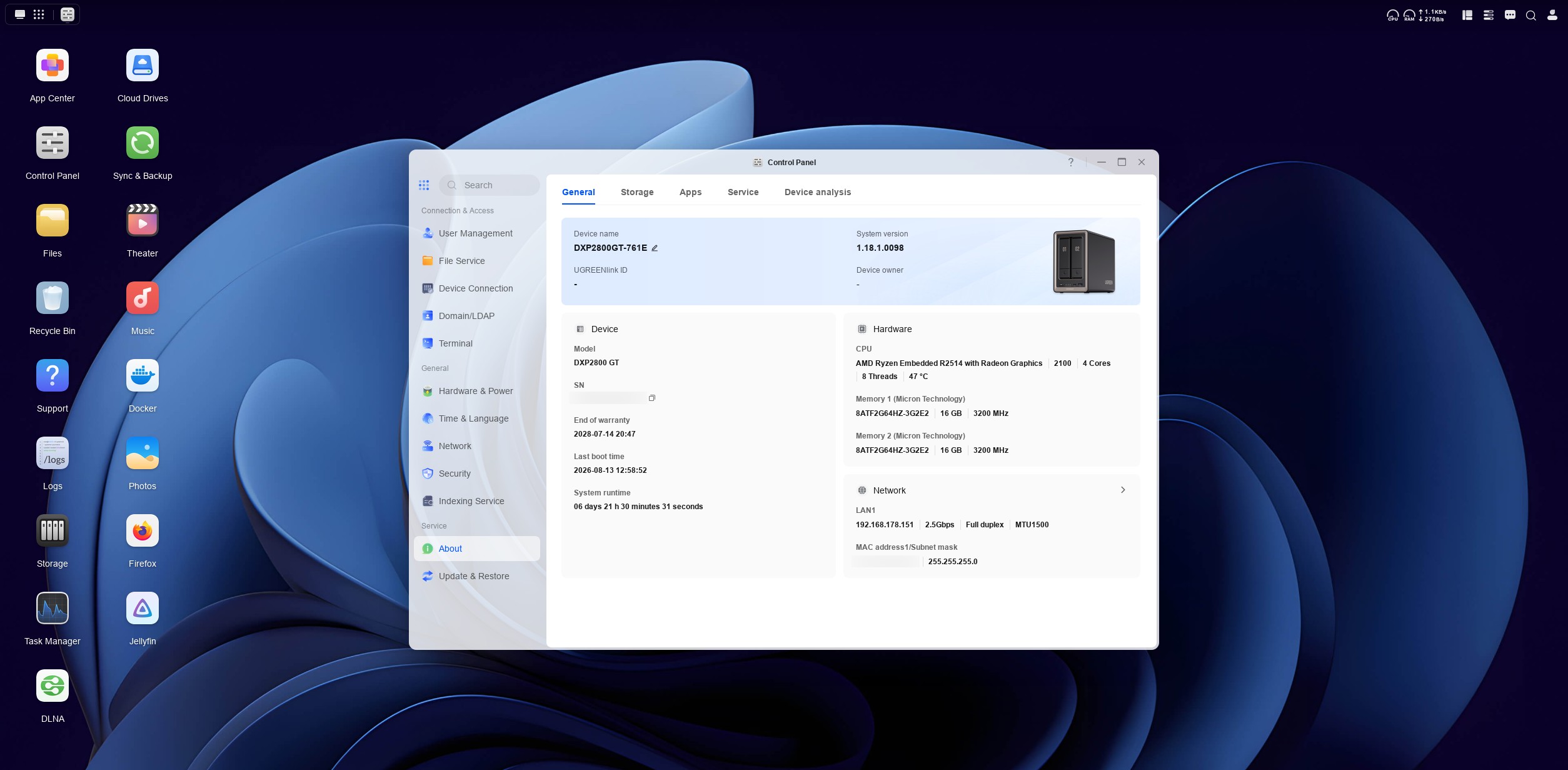
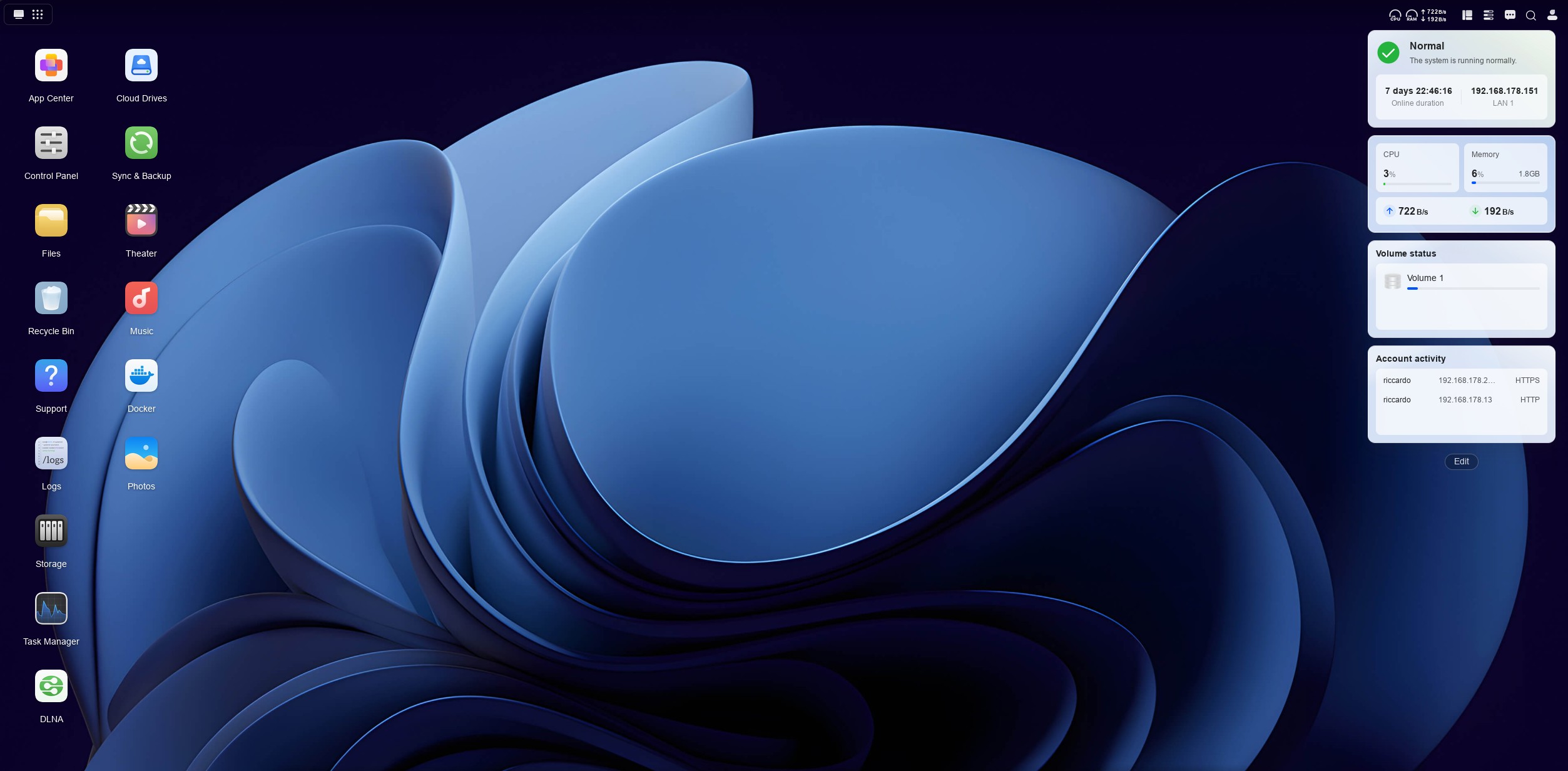
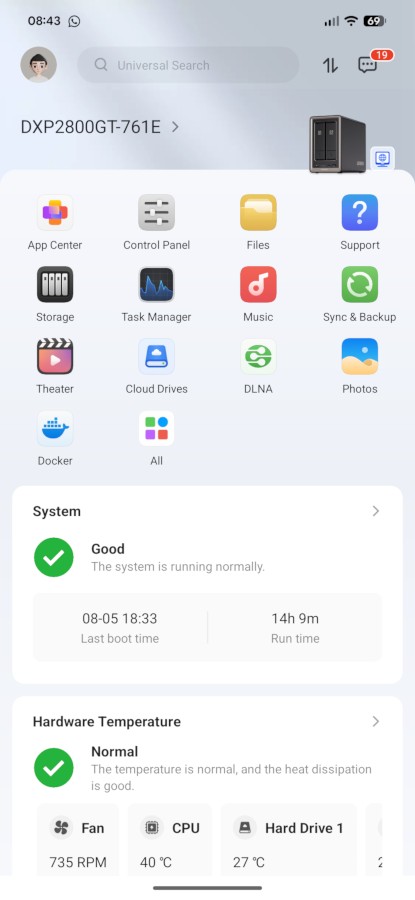
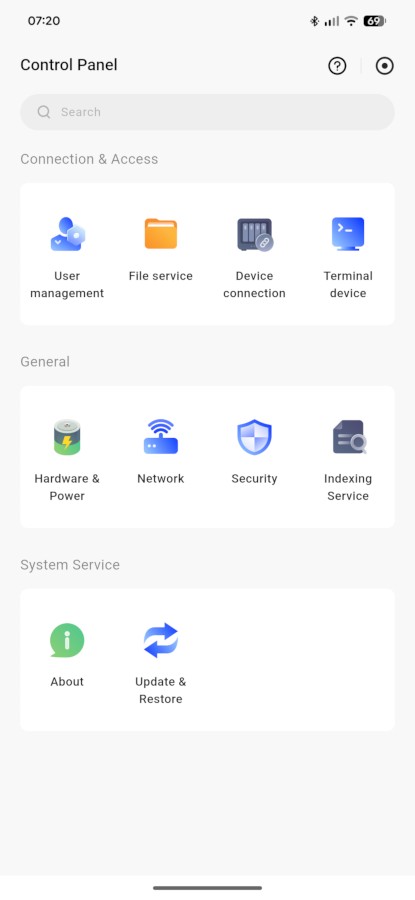
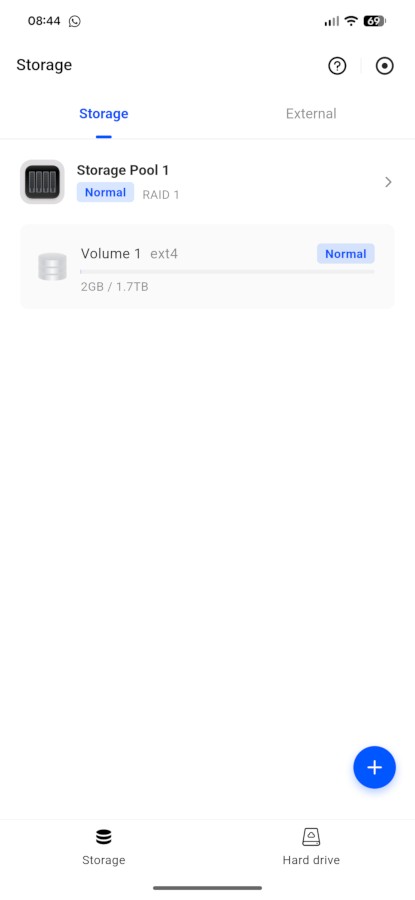
The Web-based interface can be accessed on first boot by typing the address find.ugnas.com and selecting your NAS. Following this, you just need to follow the steps, which require you to set up a user account, create a volume (for the nerds out there, it uses ext4 or Btrfs) is really easy to use as it makes all applications and settings available from both the “desktop” and a “start menu”. By default the NAS only comes with applications that allow you to manage the basic functionality; further apps are available through the App Center to allow you to, among other things, sync files with cloud storage services, automatically back up your phone and other devices, manage surveillance cameras, manage office documents, and even run the OpenClaw AI agent locally.
Now, since this is a blog about audio-video stuff, I’ll focus on the AV capabilities of the NAS. There are two main applications made by UGREEN: Music and Theater, which allow you to access audio and video files directly within the applications themselves. As an example, Theater allows you to watch videos stored on your NAS from your computer. The applications allow you to manage your media library quite effectively, directly from the NAS.
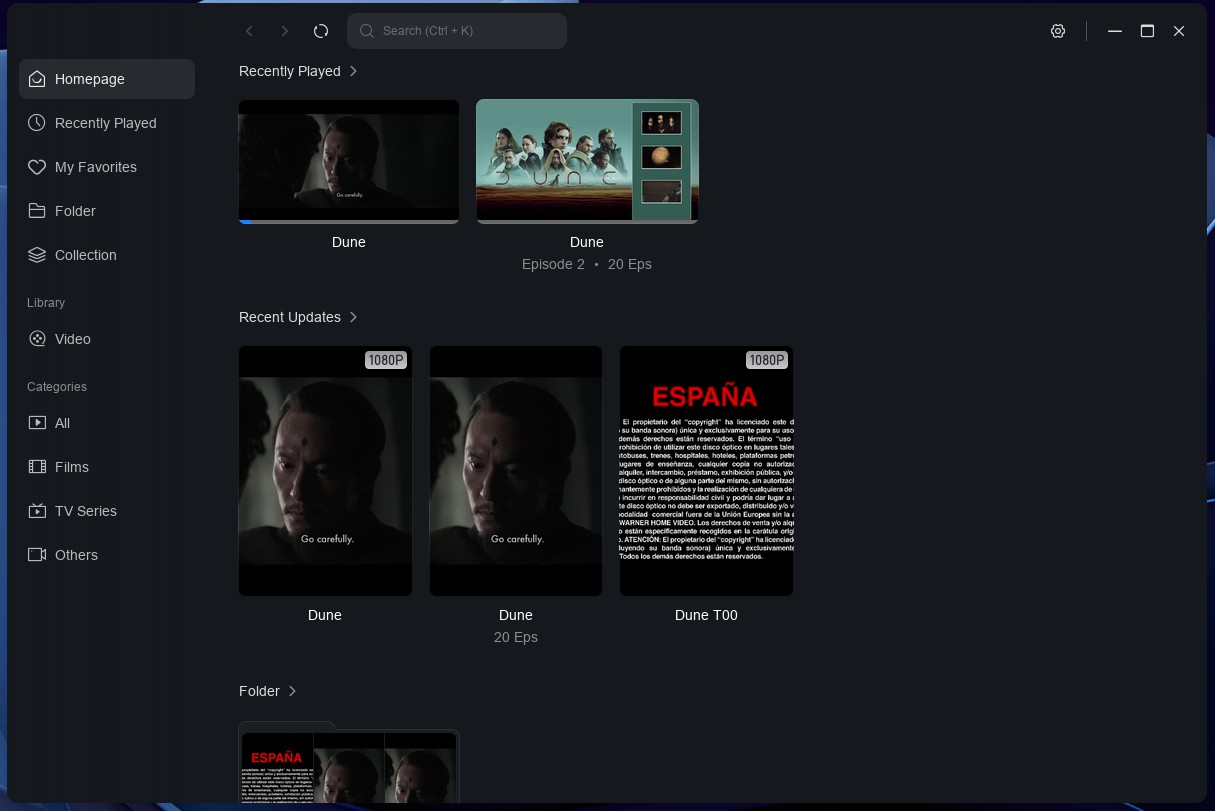
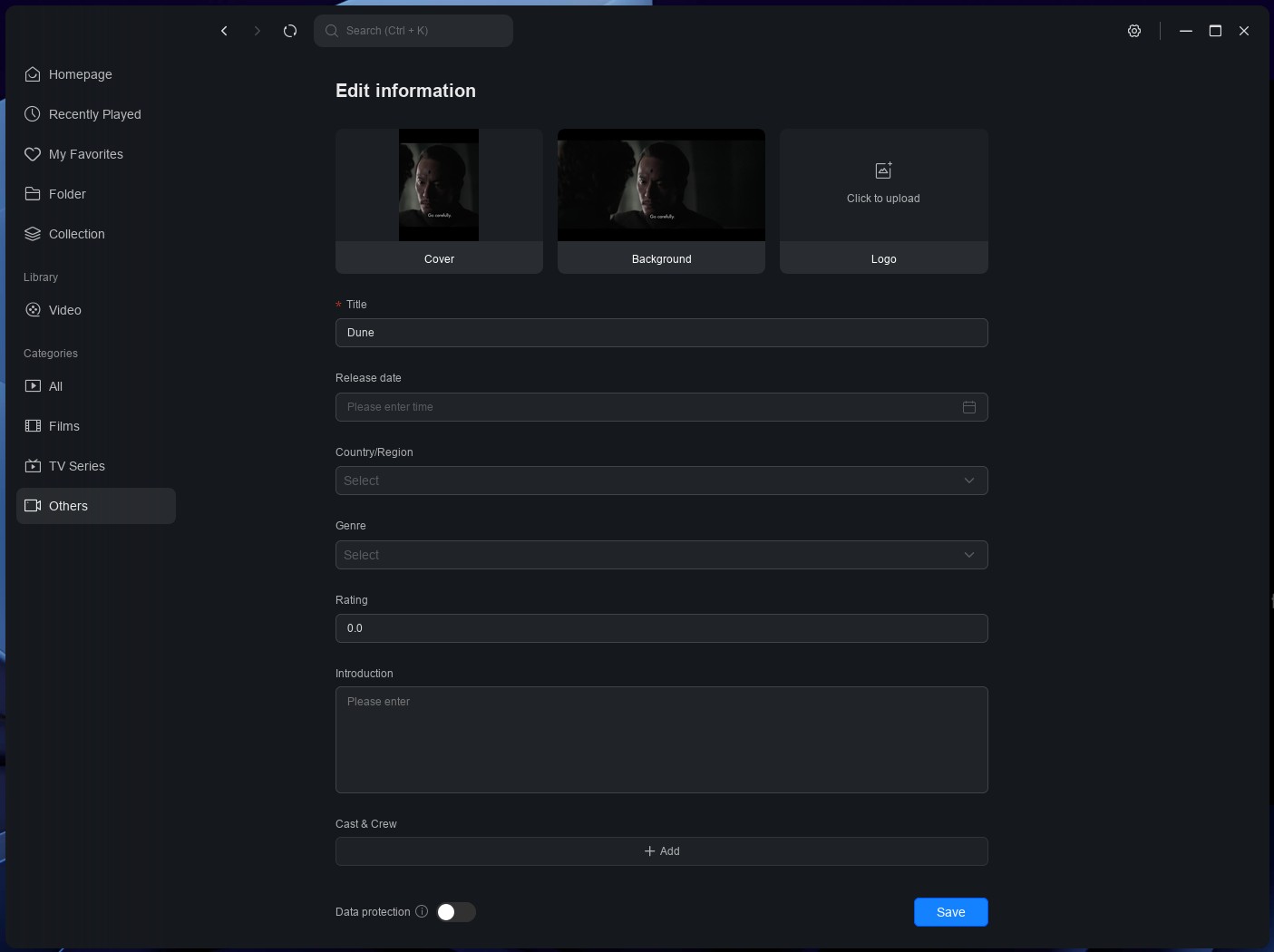
The Theater app makes it easy to manage your movie and series collection with an intuitive interface that automatically groups together series episodes, as an example. It allows you to edit information on the files directly from the UI, where you can specify title, year, country, genre, rating, description, and cast and characters directly from within its interface. It also pulls information from The Movie Database (TMDB), if you supply it with an API key, so that all information is automatically updated. You can also manage series and seasons by specifying which files belong to which series, which is quite convenient.
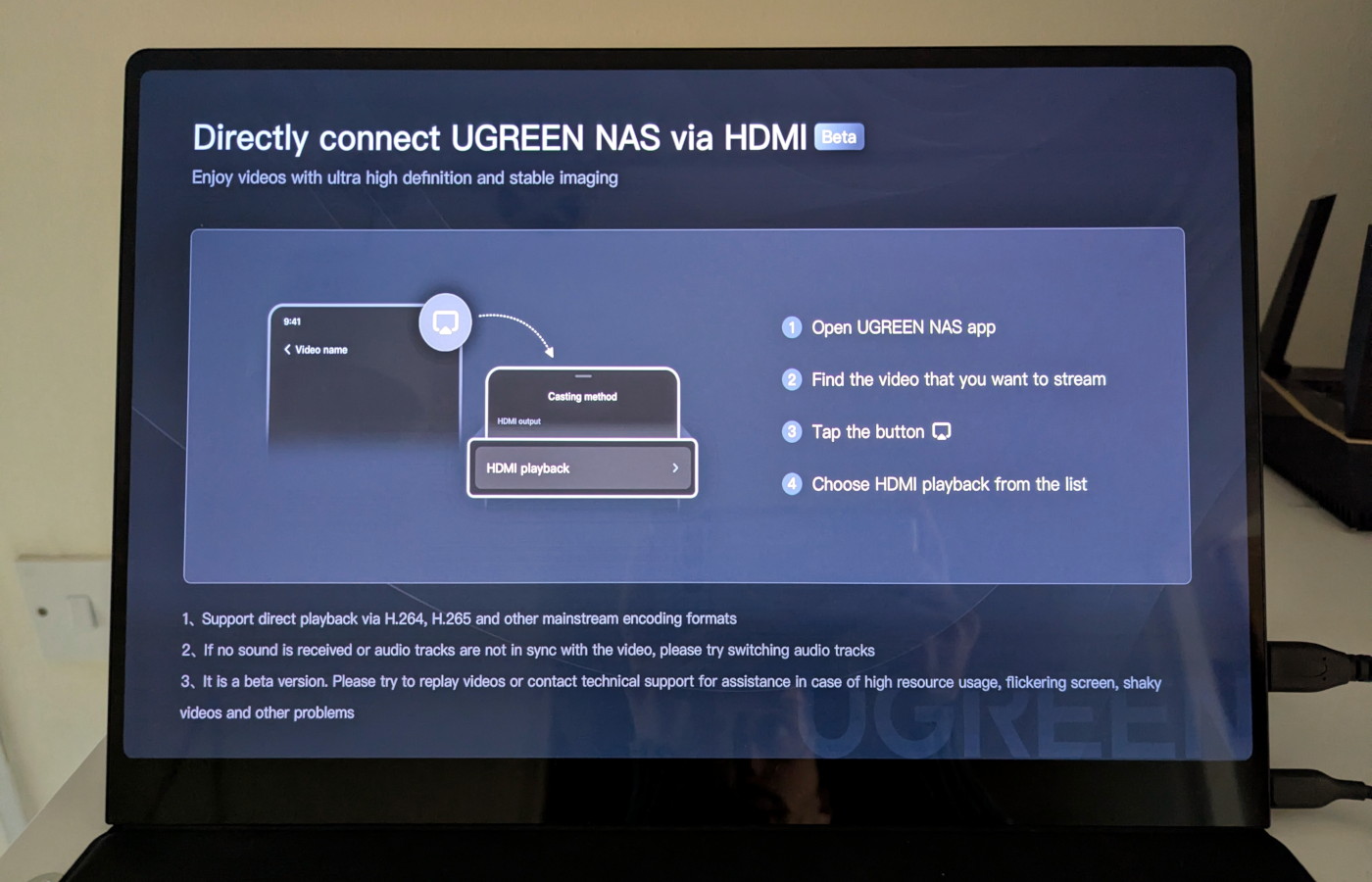

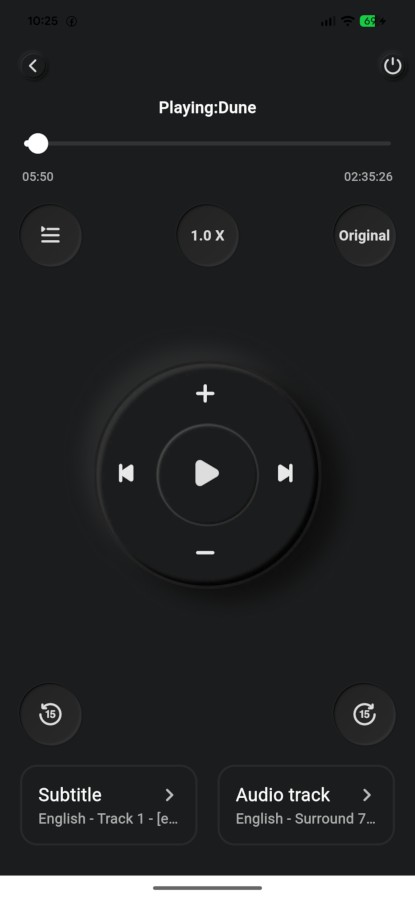
The Theater app is also the only way to use the HDMI port on the NAS: the player interface on the mobile app sports a button that you can use to either play the file on a DLNA-enabled connected device, like a projector or TV, or to play it directly from the NAS using the HDMI port (though the latter option is labelled as beta; it supports h.264, h.264 “and other mainstream encoding formats”, as the UI says) on any HDMI-equipped display, like the UPERFECT UColor O2 portable screen you see in the pictures above. The player UI then turns into a remote where you can play, pause, adjust the volume, select audio and subtitles, as well as adjust picture ratio and even playback speed. A small bug is the choice of subtitles, which always defaults to Chinese when that’s available.
Transcoding performance is perfectly fine when the DXP2800 GT manages a single stream, but it can show its limits if you are trying to stream from multiple devices at once; this is due to AMD’s weaker encoding and decoding performance compared to rivals Intel and NVIDIA.
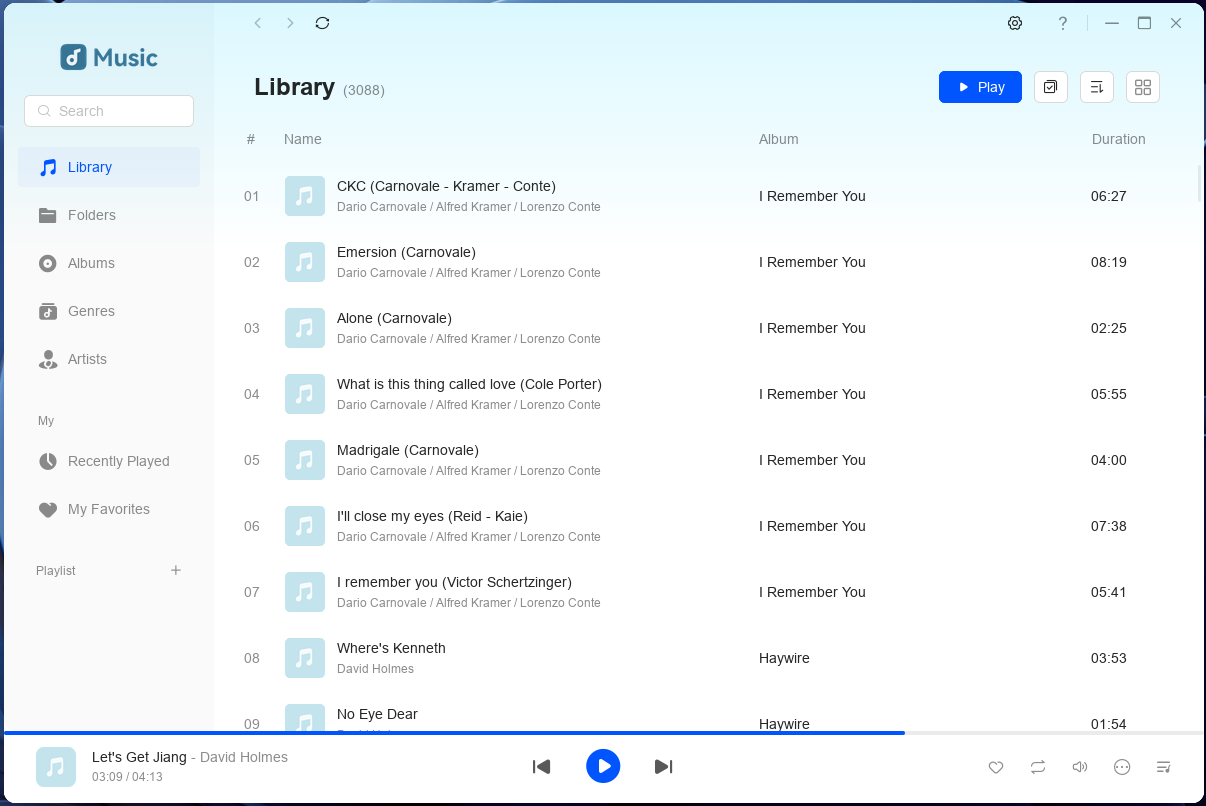
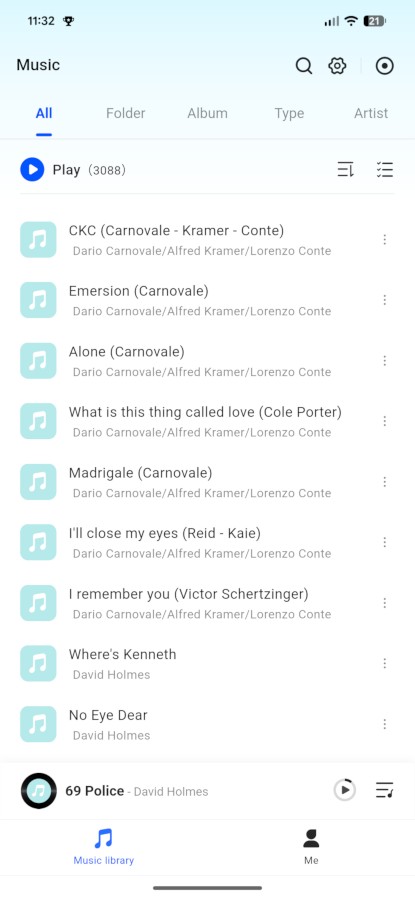
The Music app similarly allows you to play music, as well as to browse and manage your library; you can edit individual file information (title, artist, album, genre, year, disc number and track number) as well as create playlists. One thing to note with the Music application is that it does not register with the phone’s media system (at least on Android); this entails that you can’t control playback from the notification shade.
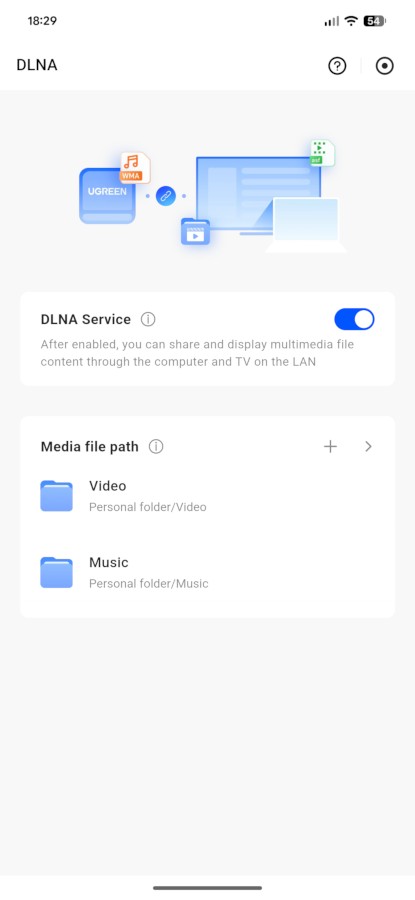 Music only allows for local playback, and Theater only allows for playback on another device by using its own interface. Sharing your media over the network, so that you can access it from other devices, requires an additional (though easy) passage. It simply requires installing the DLNA application (which you can do from both the Web interface and the mobile application; a screenshot of the mobile interface is to the right), opening it, and then selecting the folders containing the media you want to share. That’s it. There are no complex operations, no fiddling with obscure settings, no need to manually configure software. UGREEN has created one of the genuinely easiest ways to share media over the local network I’ve seen on NAS devices, not least because it allows granular control of what you share.
The App Center allows you to access other applications as well. The only one in the media category is Jellyfin, an open-source media server. In order to install it, you first need to install Docker; once that is done, you can install Jellyfin. It should be noted that this isn’t the same Docker image that you normally download, but one that UGREEN has customised specifically for UGOS Pro. As such, it trails the official images by several versions (at the time of writing this review, the UGREEN version is stuck at 10.10.3, which is nearly two years old and sixteen releases behind the official version). Given how Docker is available, however, you can use the official version relatively easily: this requires using the “Project” feature (which is UGREEN’s name for Docker Compose); the learning curve is not too steep, but it does require some trial and error. The instructions to install Jellyfin using Docker Compose are available in the official documentation.
As the NAS uses an x86 CPU and a BIOS that’s not locked down, you can easily install another operating system if you so wish; all the components are supported out-of-the-box by recent Linux distributions including NAS-focused ones like OpenMediaVault, TrueNAS and Unraid.
Sound
What would a review be without a bit of tongue-in-cheek humour? I’m not going to discuss any supposed influence of the NAS on music sound as that would be utterly ridiculous – bits are bits, wherever you store them. What matters, however, is how noisy the NASync DXP2800 GT is. And the answer is “not a lot”. The fan is relatively quiet in normal operating mode. It does, however, get relatively loud when pushed to 100%. One thing to note is that, contrary to virtually all NAS devices I have seen over the years, the DXP2800 GT takes in air from behind and blows it towards the front; this is something to be aware of if you want to place the device inside a cabinet, although it does not strictly affect its noise.
That said, the UGREEN NASync DXP2800 GT is quiet enough that you can keep it next to your television (or to your speakers) without issues. The only caveat to that is that hard drives can be noisy and that depends entirely on the specific model you choose.
Final Thoughts
The UGREEN NASync DXP2800 GT is a fantastic NAS with a lot to like on both the hardware and the software front. It is a well-balanced device that is positioned well in the market, with a price that feels fair for what’s on offer. From the perspective of hardware, the NASync DXP2800 GT offers very good specs and a great level of expandability. It is very uncommon to find U.2 drives support at this price point and, although those drives are very expensive in the current storage market climate, it is nice to have that option. The 10 Gbps connectivity makes the device future-proof, and the performance of the device is such that it saturates the available bandwidth even with mechanical drives. On top of this, it sports excellent build quality and a premium design.
From a software perspective, the NASync DXP2800 GT offers an easy-to-use, intuitive operating system with solid foundations. While there aren’t many applications, what is there works really well and gives you virtually all you need. Still, if you would like to further expand the functionality of the NAS, you can use Docker to easily install and run new applications with a near-endless catalogue. The ecosystem isn’t as mature as that of competitors like Synology DSM or QNAP QTS, but it is maturing at breakneck speed.
All in all, the NASync DXP2800 GT stands out for being a very balanced device. At slightly more than $400 (or £400), it is a NAS that competes effectively with the alternatives currently on the market and stands out for its combination of high performance, fantastic build quality, and reliable software. As it is relatively silent, it makes for a great multimedia NAS that you can use to host your collection and enjoy it over your local network.