When I first started being interested in keyboards, about 15 years ago, it was rare to find something that wasn’t a full-size. There is now such a wide variety of formats and layouts that it’s impossible to list them all. But some have stood the test of time, and the TKL layout is one of those. The Epomaker TH87 doesn’t try to reinvent the wheel, but rather it goes with a tried-and-true TKL layout which offers full functionality in a compact chassis. It offers a super-silent and smooth typing experience, so it’s ideal for office work – and beyond. Let’s see how it fares.
Disclaimer: Epomaker kindly provided a free unit to allow me to test it. The TH87 retails for $75.99 in the ANSI layout and $116.99 in the ISO-UK and ISO-DE layouts. Additional information on the official website.
TL;DR: recap
| Pros |
Cons |
| + Good build quality
+ Great battery life + Almost perfectly silent + Very smooth typing experience |
– The ISO version is 50% more expensive than the ANSI |
Rating: 7.5/10
Packaging & Accessories
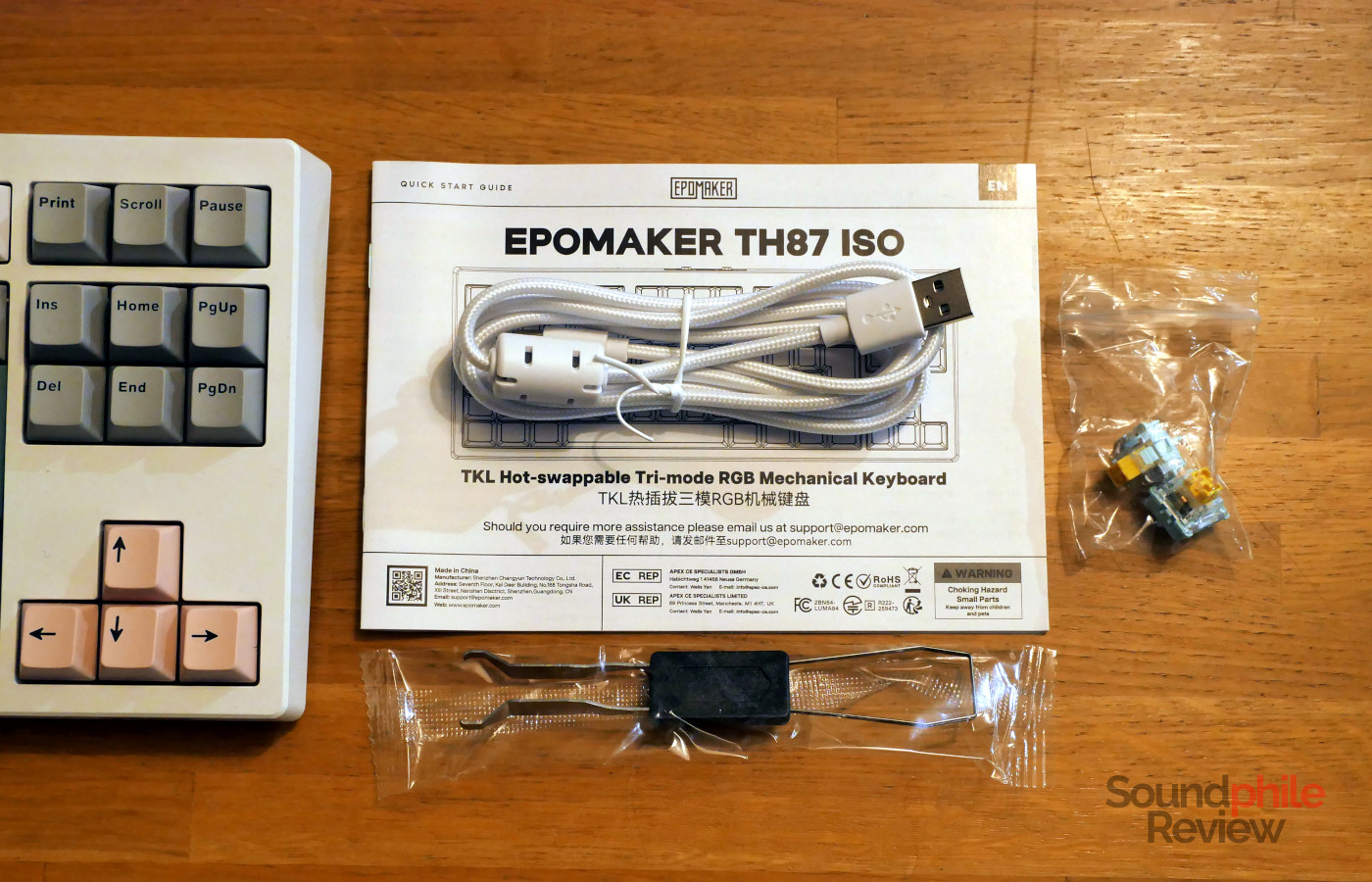
Packaging is quite simple and to the point, as with all other Epomaker keyboards I have had a chance to try. The box includes the keyboard itself, a USB to USB-C cable, a combo puller for keycaps and switches, three spare switches, a few keycaps and a manual.
Design & Build
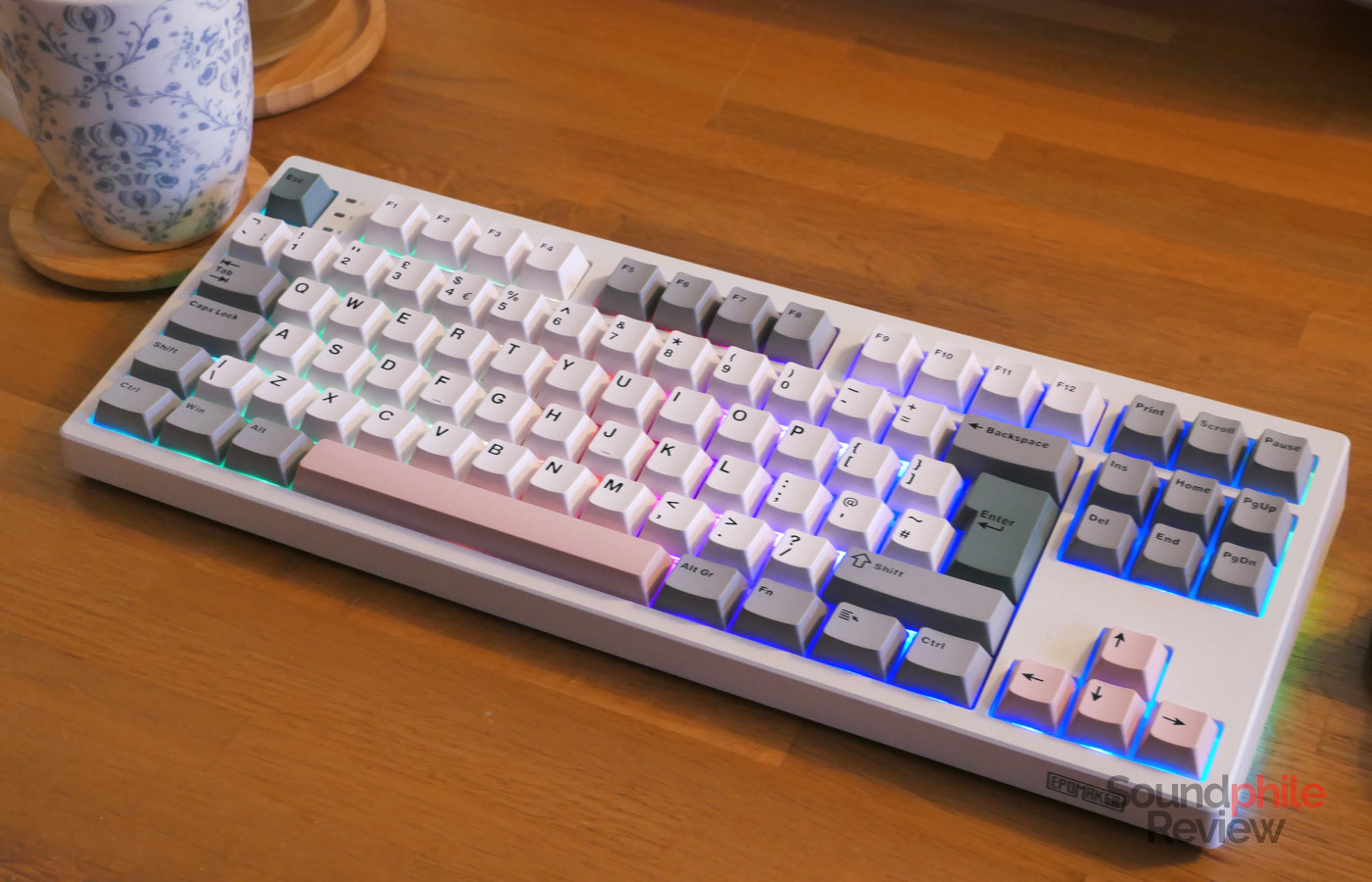
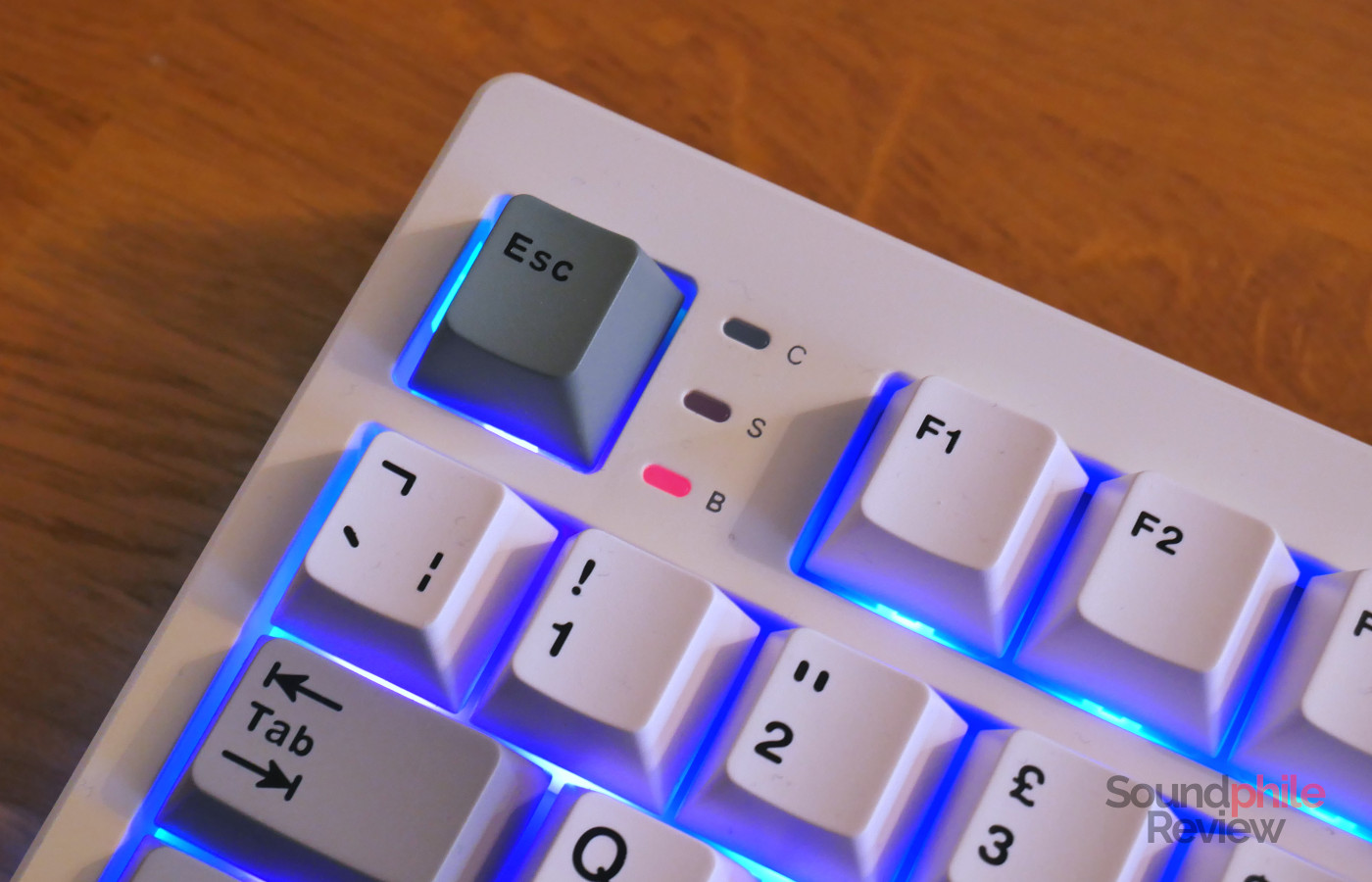
In terms of design, the Epomaker TH87 looks a lot like the smaller Epomaker TH80 Pro. In fact, they look almost identical, save for the difference in layout. The biggest innovation brought by the TH87 is that there are three indicators between the Esc and F1 keys: one for caps lock, one for scroll lock, and the third is a battery indicator which lights up when the keyboard is connected to the computer through a cable (it lights up in red when charging and in green when fully charged).
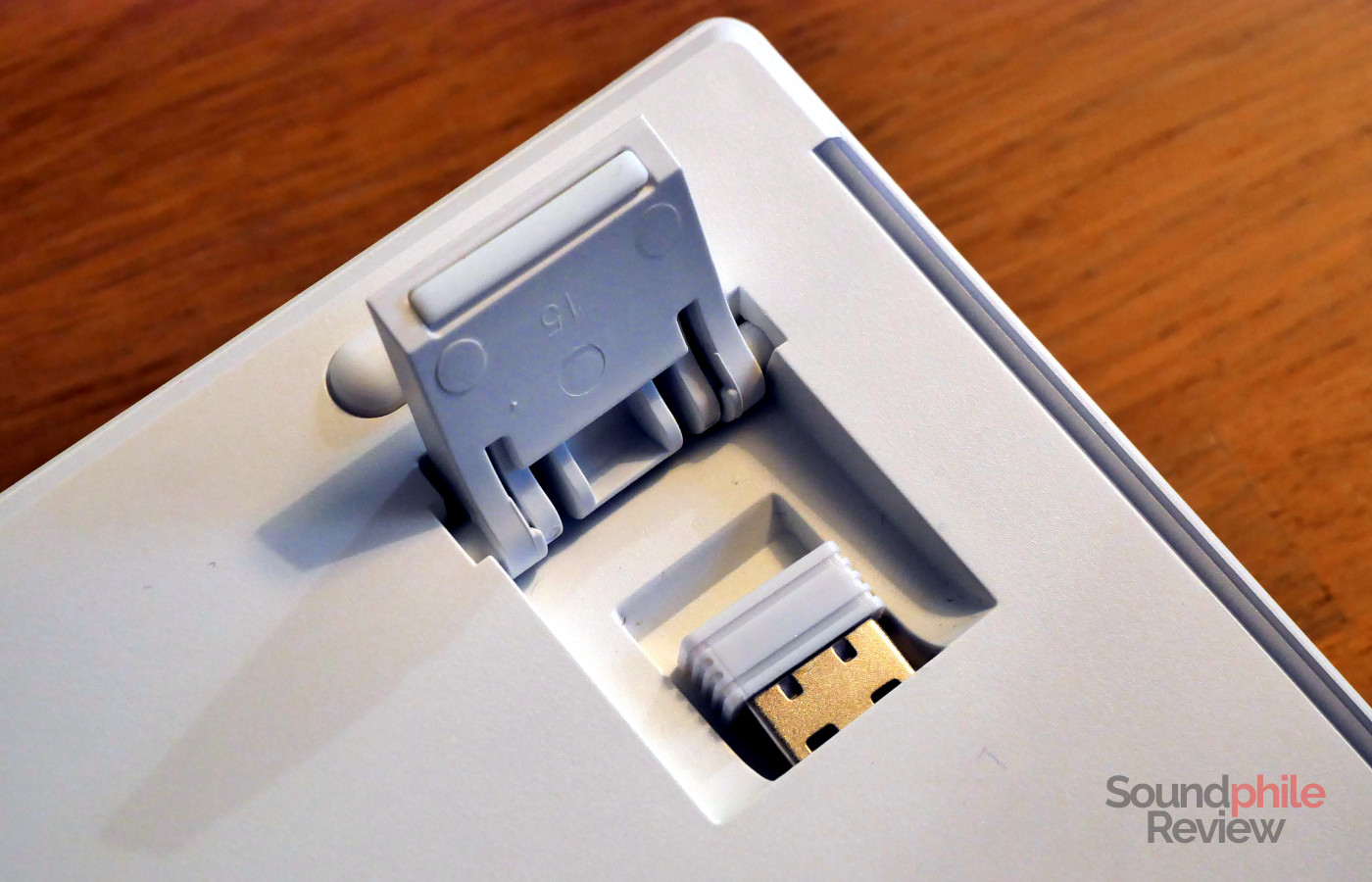
The chassis is entirely made of white plastic and divided in two pieces: the bottom and the rest. The size sits squarely in the average for TKL keyboards at 366.5 x 142.1 x 41.4 mm; in general, this is a relatively compact keyboard, despite the frame being about 1 cm on top and 0.5 cm on the remaining sides. The back of the chassis hosts a USB-C port with a switch on either side: one is to select the connection (Bluetooth, USB, 2.4 GHz), the other is to select the layout (Windows/macOS). The bottom has two extendable feet: they are actually four feet, two per side, with two different lengths. A really smart design choice on Epomaker’s part was to place the 2.4 GHz USB receiver behind one of the feet, so that it is both safely stored when not in use and not having any effects on the looks of the keyboard.
Although the Epomaker TH87 isn’t as solid as keyboards with a metal chassis, the plastic used seems to be of great quality and the keyboard is well assembled. It does not creak when you type on it, and it doesn’t even when you intentionally deform it. There is a bit of play (but no creaking!) if you take it into both hands and twist it, but let’s be realistic: when have you ever done that with your keyboard in your daily routine? Overall, I feel like Epomaker has done a good job here and the TH87 is solid enough.
Epomaker is one of the few Chinese brands that offer keyboards with an ISO layout and the TH87 is in fact available in both ANSI and ISO layouts (with both ISO-UK, like the unit I received, and ISO-DE available), as well as JIS for the Japanese market.
The switches are all hot-swappable and support both 3-pin and 5-pin models. As most keyboards these days do, the TH87 uses a gasket mount, which translates to better comfort as well as reduced noise.
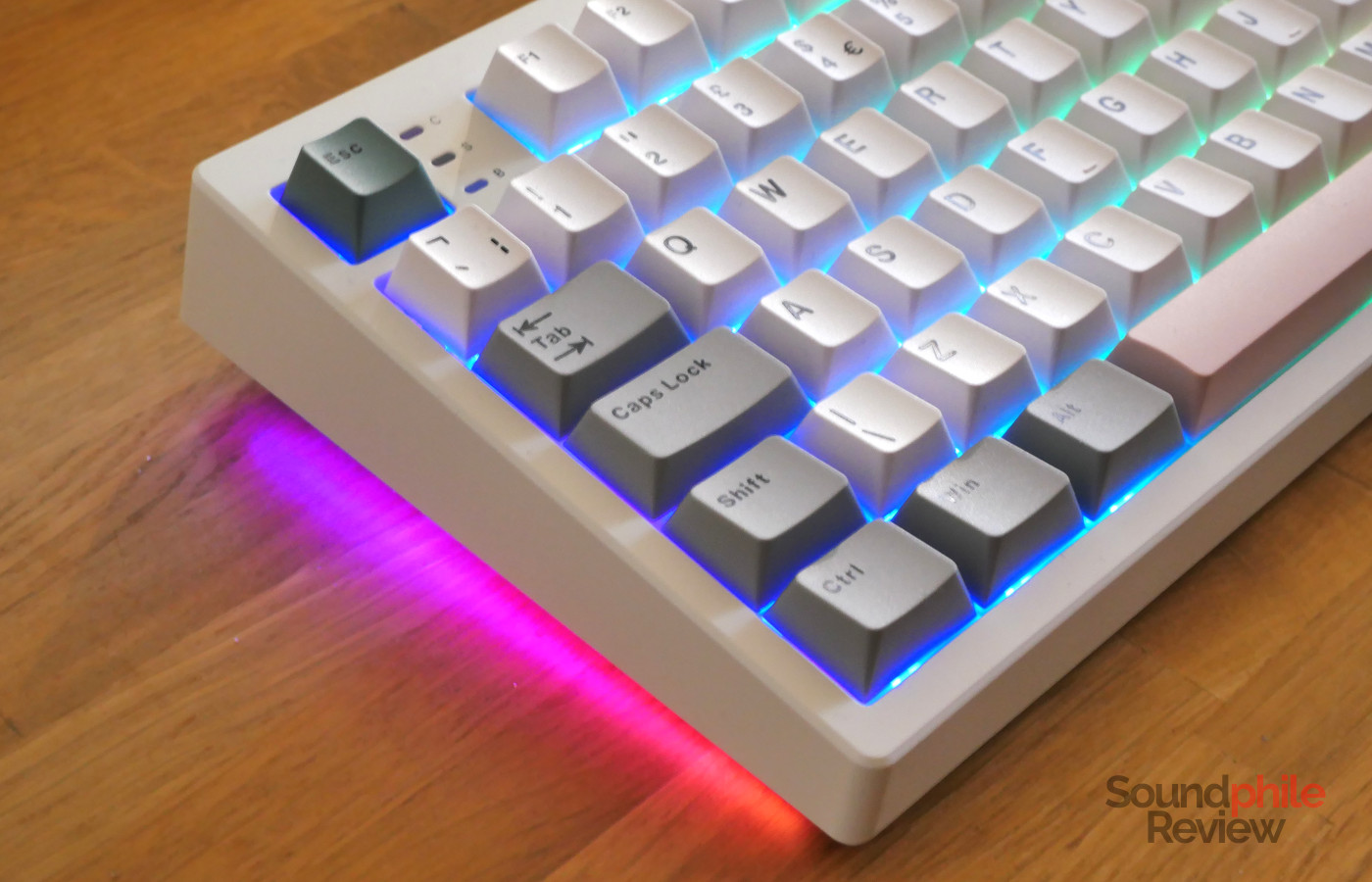
The board features LEDs which are South-facing, so that they are better compatible with Cherry profile keycaps. There are also LEDs on both sides which are independent of the ones on the top of the board.
Despite the size, the Epomaker TH87 weighs () kg, which is on the lighter side, which is explained by the use of plastic for the chassis in place of metal.
Functionality
The Epomaker TH87 is quite flexible in terms of connectivity, as you can connect to it through USB, 2.4 GHz adapter or Bluetooth. The latter allows connection to three different devices, which you can select with a combination of keys. The company does not declare what version of Bluetooth is used.
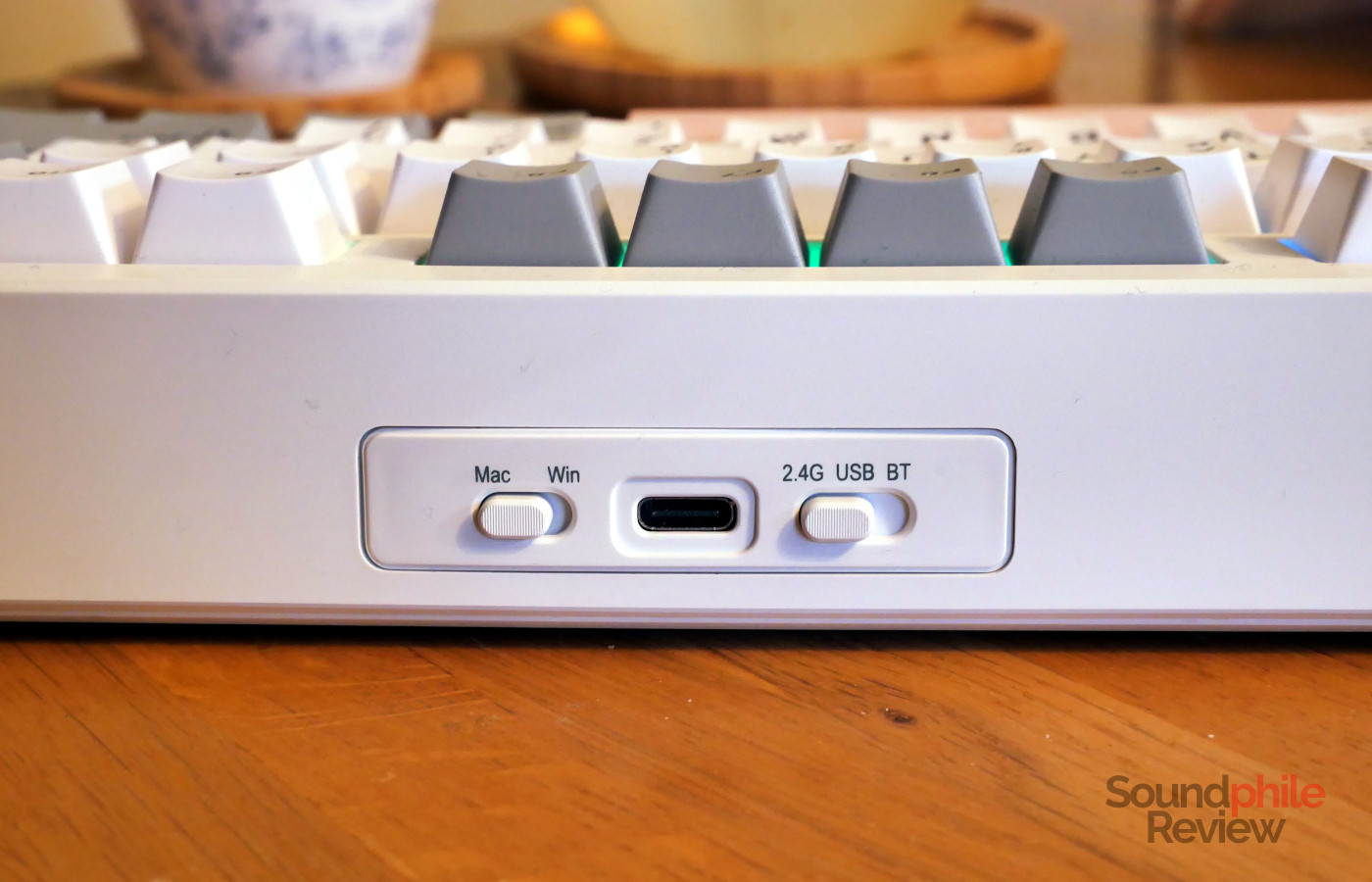
The 2.4 GHz connection is very stable and has the keyboard always connected and ready to type; even when it goes to sleep to save battery, it immediately wakes up as soon as you start typing, and it does not miss any key presses. One issue I have run into, however, is that sometimes it will not type anything and I have to unplug and re-plug the USB receiver for the keyboard to start working correctly again.
Latency is limited to 2 ms when using the USB or 2.4 Ghz connections, thanks to a polling rate of 1,000 Hz, whereas Bluetooth has much higher latency at 11 ms and a lower polling rate of 125 Hz.
The F keys are configured by default to a variety of actions such as screen brightness, media playback controls etc (either after pressing the Fn key, with the Windows layout, or by default, with the macOS layout). There are also controls for the RGB LED lighting, as there are 18 different effects you can choose from and customise.
In order to edit key assignments, macros and shortcuts you need to visit the website epomaker.driveall.cn, which will ask you to access your keyboard through your browser and will then allow you to configure it. This will only work on Windows and macOS, but not on Linux for some reason. Apart from platform compatibility, there is the usual issue of relying on an online platform for customisation, as this platform could close down at any moment, leaving you without any means to alter the settings.
The keybaord itself is compatible with all operating systems, including Linux. One thing to note is that if you are using Linux, the F keys will not be accessible if you select the Windows layout. No matter if you press the “Fn” key or not, the secondary action (e.g. reduce brightness on F1) will be performed rather than the standard one. To access the F keys, you will have to select the macOS layout and use the “Fn” key.
Typing
Epomaker offers two choices of switches: Cream Jade, which are silent switches, and Sea Salt, which are the higher-end version and the one I received. The Sea Salt switches offer 45 g actuation force and 51 g bottoming out. They are factory lubed and offer very smooth travel (3.3 mm, so relatively short). They are rated for 80 million keystrokes. They have very little stem wobble, which is not noticeable when typing in any case.
Whereas the TH80 Pro offered the unique MDA profile with centred legends, the TH87 offers plain Cherry profile keycaps with a colourway that has black-on-white alphas, grey functions, green “esc” and “enter” and pink spacebar and arrows. The keycaps are made with double-shot PBT which feels slightly grainy, a fact which helps have a bit more grip on them (and, in my opinion, makes them feel higher-end).
The first thing I noticed when I started using the TH87 is just how incredibly silent it is. I think it might well be the most silent stock keyboard I have ever tried, as it is less loud than even my laptop! If you are looking for a keyboard that you can use even in an office setting, this is it. The switches are quite lightweight and make typing effortless and fast; the fact that they are very smooth makes them really easy to type on. The activation point is beyond the middle, so it feels like you have to press the keys almost to the bottom – a fact which I rather enjoy as I think it makes typing more satisfying, as well as less prone to errors.
I recorded the keyboard using a Maono PD200W microphone:
As you can hear, the keyboard is pretty much silent. It has a low-frequency component and no high-frequency one, which makes it sound muted and dampened.
Battery Life
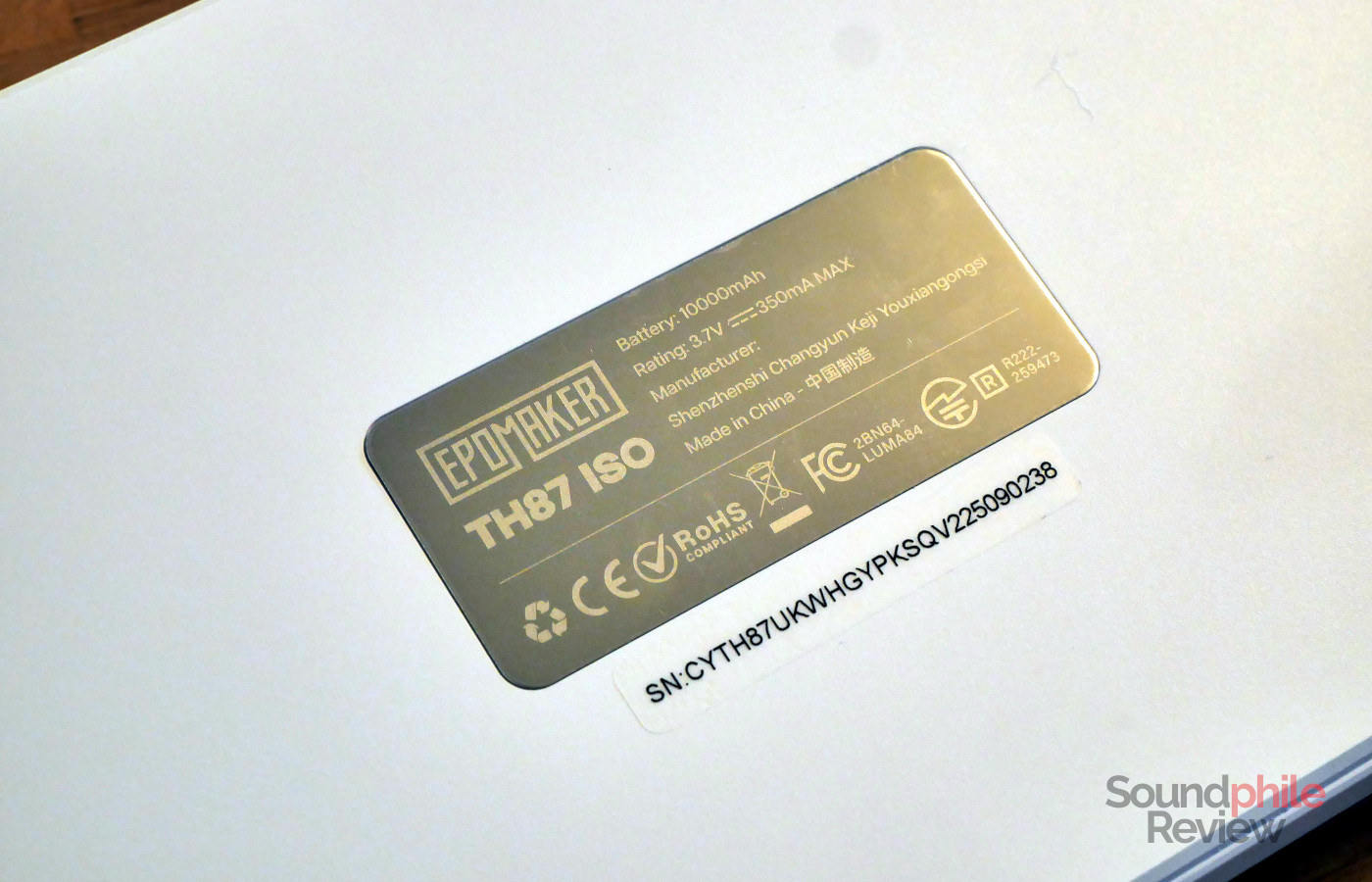
The Epomaker TH87 is equipped with a 10,000 mAh battery which, according to the company, gives the keyboard about 45 hours with the backlight on and about 200 hours with the backlight off. I can attest that I have used the keyboard for a bit more than a week for a couple of hours every day, and it actually was still above 80%, so Epomaker’s estimates seem to be conservative.
Final Thoughts
The Epomaker TH87 is an interesting proposition, especially thanks to it being very silent. It is well-built, it has solid connectivity options and great battery life, and it offers a lot of lighting effects for those who are interested in that. Overall, it is easy to like it.
The only issue that arises is that of price. The ISO version is significantly more expensive than the ANSI one, as it comes with a price premium of nearly 50% ($117 vs $75). The ANSI version is very competitively priced, and it offers great value, especially if you are looking for your first mechanical keyboard or want a silent one without spending a fortune. The ISO version, on the other hand, is made less competitive and compelling by a price premium which puts it at odds with products featuring a metal chassis and better features (e.g. compatibility with QMK/VIA). While it still is an interesting product, I think that it would benefit from a price cut. My overall advice, then, is to go ahead if you are interested in the ANSI version, and to wait for a discount in case you would like the ISO one.