There are clear trends in the mechanical keyboard world, going from additional features to building techniques, which most mainstream manufacturers seem to adopt. The latest trend is small screens added to the top-right corner and the Yunzii B75 PRO MAX, leaving the over-the-top name aside, is a good example of what these new screen-equipped keyboards do (spoiler: not much different from a normal keyboard). The B75 PRO MAX is a good keyboard with a lot of things to like, although the screen does not add much to the experience.
Disclaimer: I received a free unit from Yunzii. The B75 PRO MAX retails for $99.99. Additional information on the official website.
TL;DR: recap
| Pros |
Cons |
| + Good build quality
+ Amazing battery life + USB, Bluetooth and 2.4 GHz connectivity + Comfortable typing + VIA compatible |
– The display does not serve a practical purpose
– Uneven colouring of legends on keycaps – Sometimes the first keypress after sleep isn’t registered |
Rating: 8.5/10
Packaging & Accessories
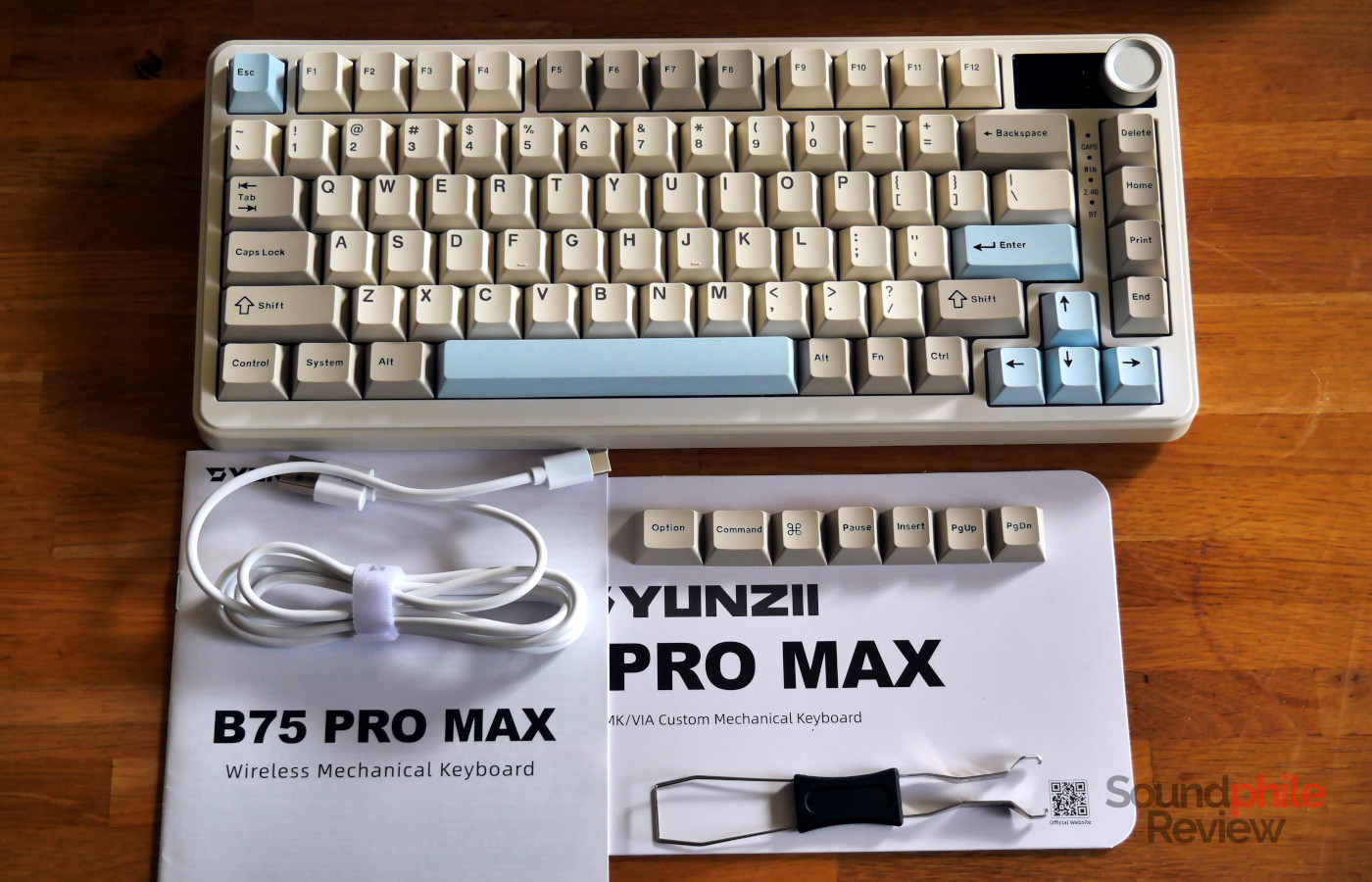
The packaging includes the keyboard itself, a USB to USB-C cable, a few spare keycaps (including Mac modifiers, home, print screen, insert and pause), two spare switches, a combo switch and keycap puller as well as a manual.
Design & Build
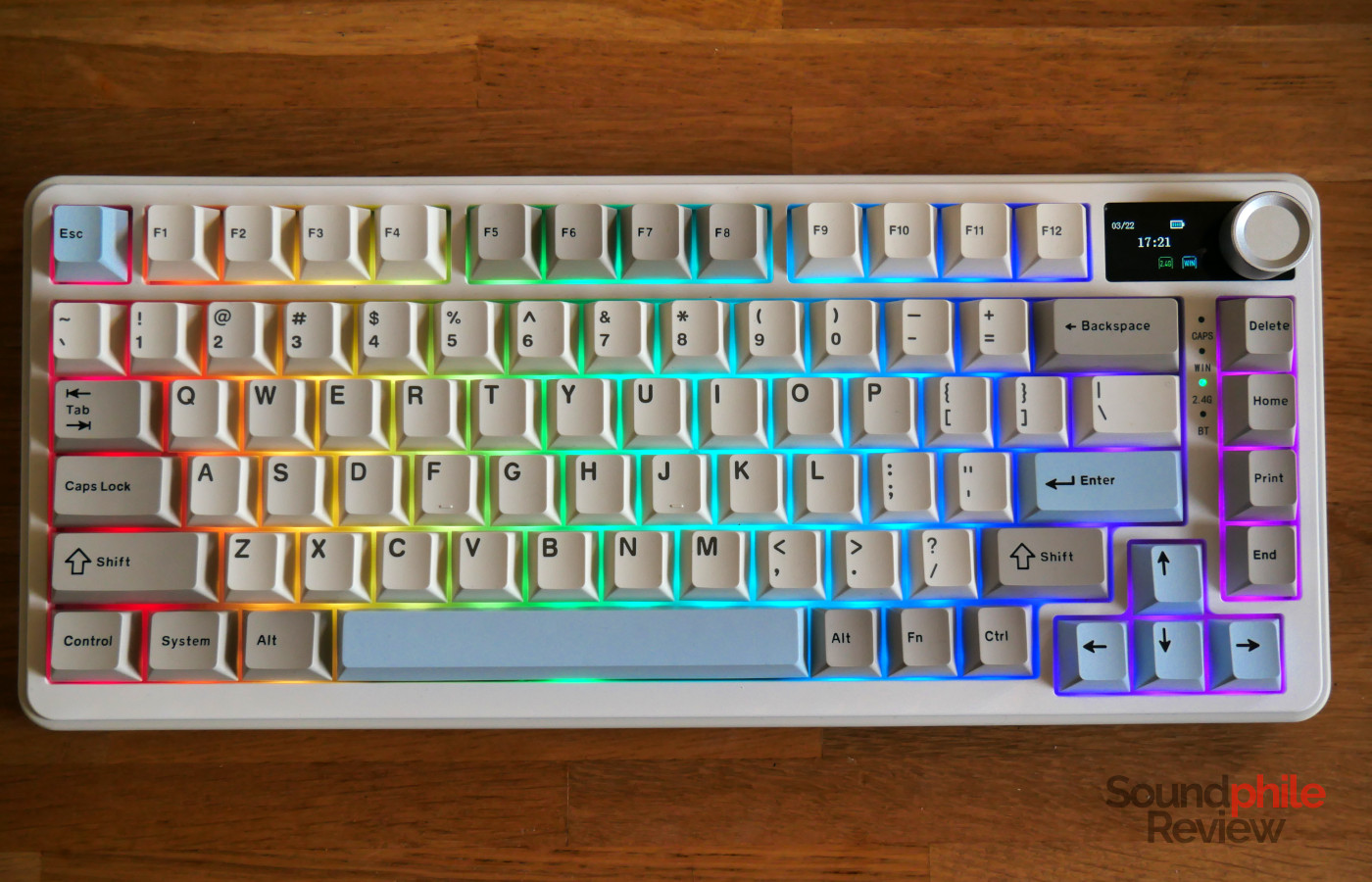
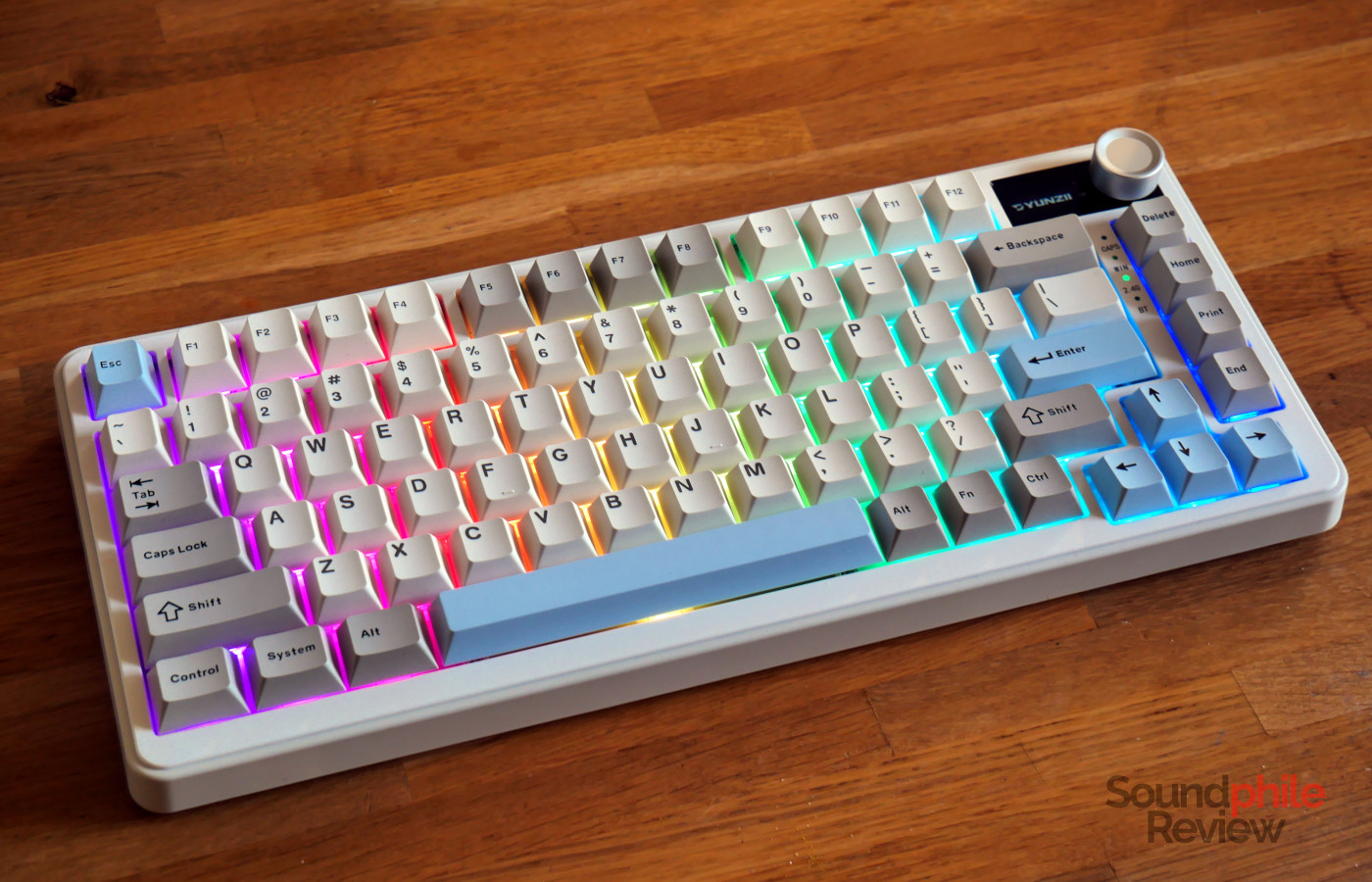
In terms of looks, the Yunzii B75 PRO MAX is similar to many other keyboards you can find on the market, with a slightly retro twist. The chassis is made of plastic in two tones: a beige-ish white for the top and the bottom, and a very light grey for the sides. It makes the keyboard look elegant and understated. There are also a black and a pink version.
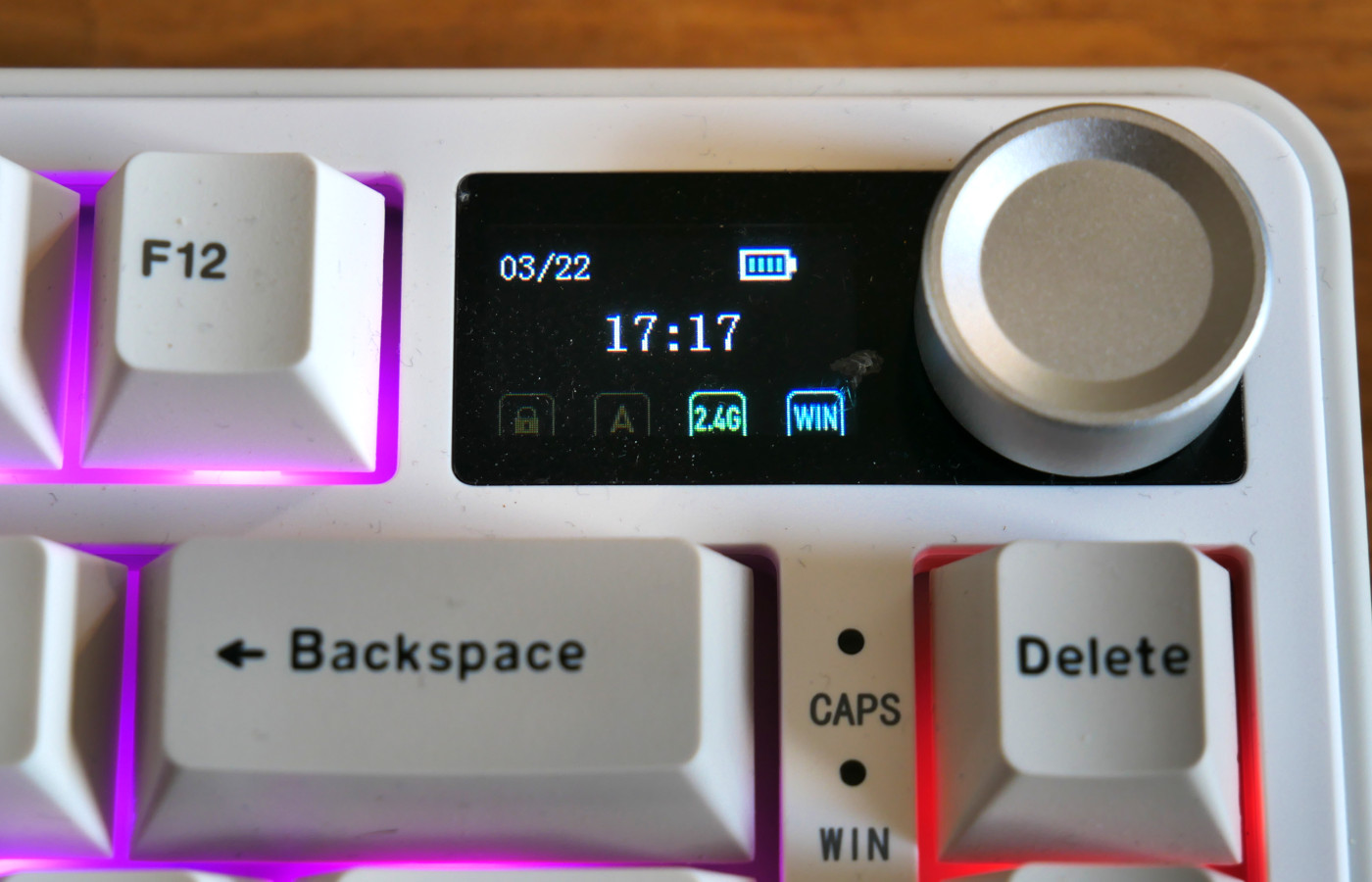
The distinctive feature of the Yunzii B75 PRO MAX is its LCD screen. It is a small (1″) colour screen with enough brightness that you can see it in a bright room and even in direct sunlight. It uses TFT LCD technology, which means that the colours will be off if viewed at from an angle, but it stays perfectly readable when viewed from a typical typing position when sat at a desk or table. Right next to the screen there is a volume knob, made of metal and silver in colour, which you can click to mute the audio. Under the screen are four status LEDs: one for caps lock, one for the Windows/super key lock, one for the 2.4 GHz connection and the last for the Bluetooth connection.
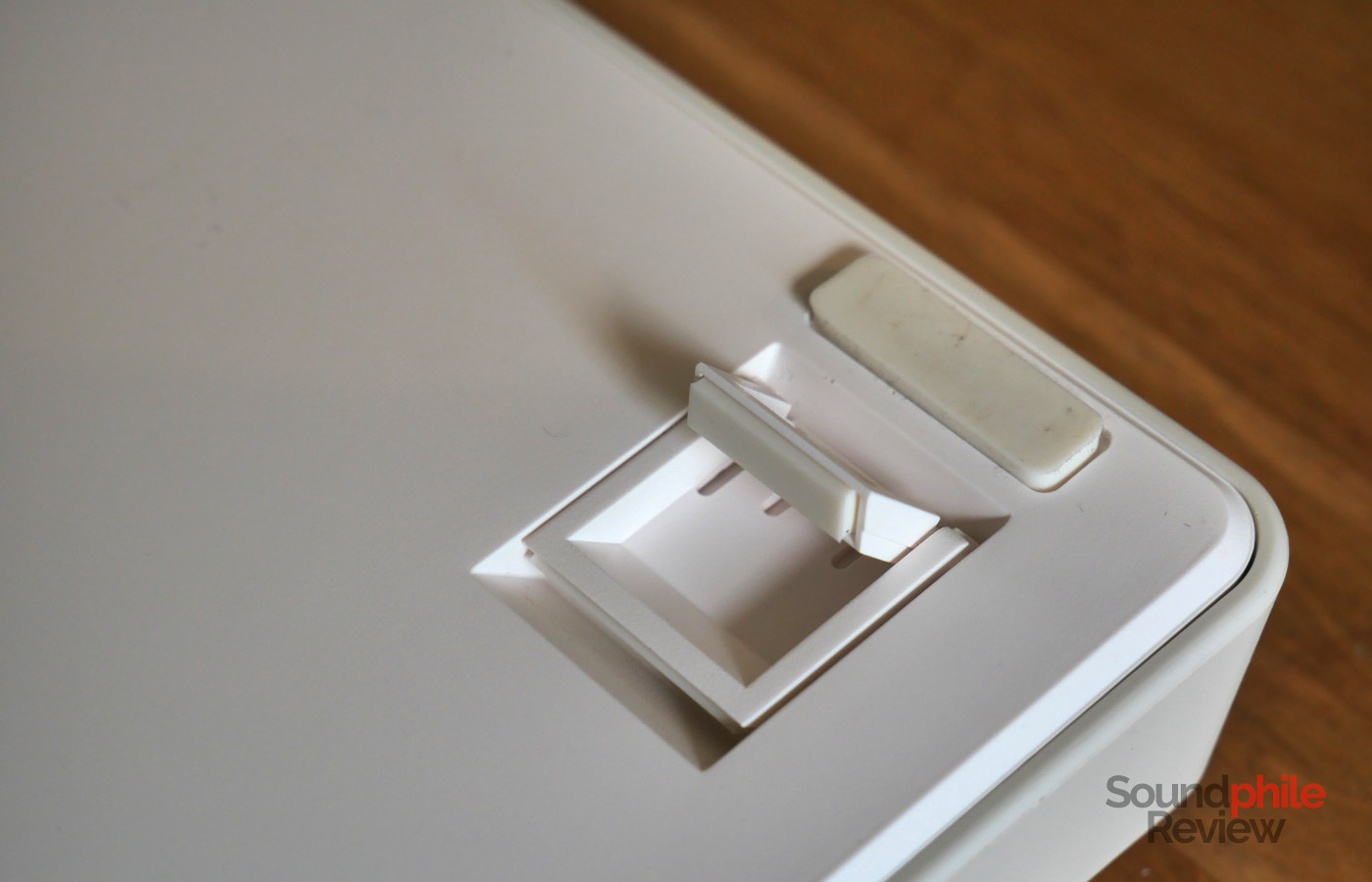
The chassis is made of three parts: the top plate, the sides, and the bottom. The top has slight incline, and you can add further inclination to the keyboard by opening the two-step feet on the bottom. Five rubber feet (one in each corner, plus one under the spacebar) keep the keyboard in place. At 33.4 x 14.3 x 4.2 cm, the Yunzii B750 PRO MAX is quite compact, in line with other 75%/84% keyboards; there is some framing around the keys, but it is very limited.
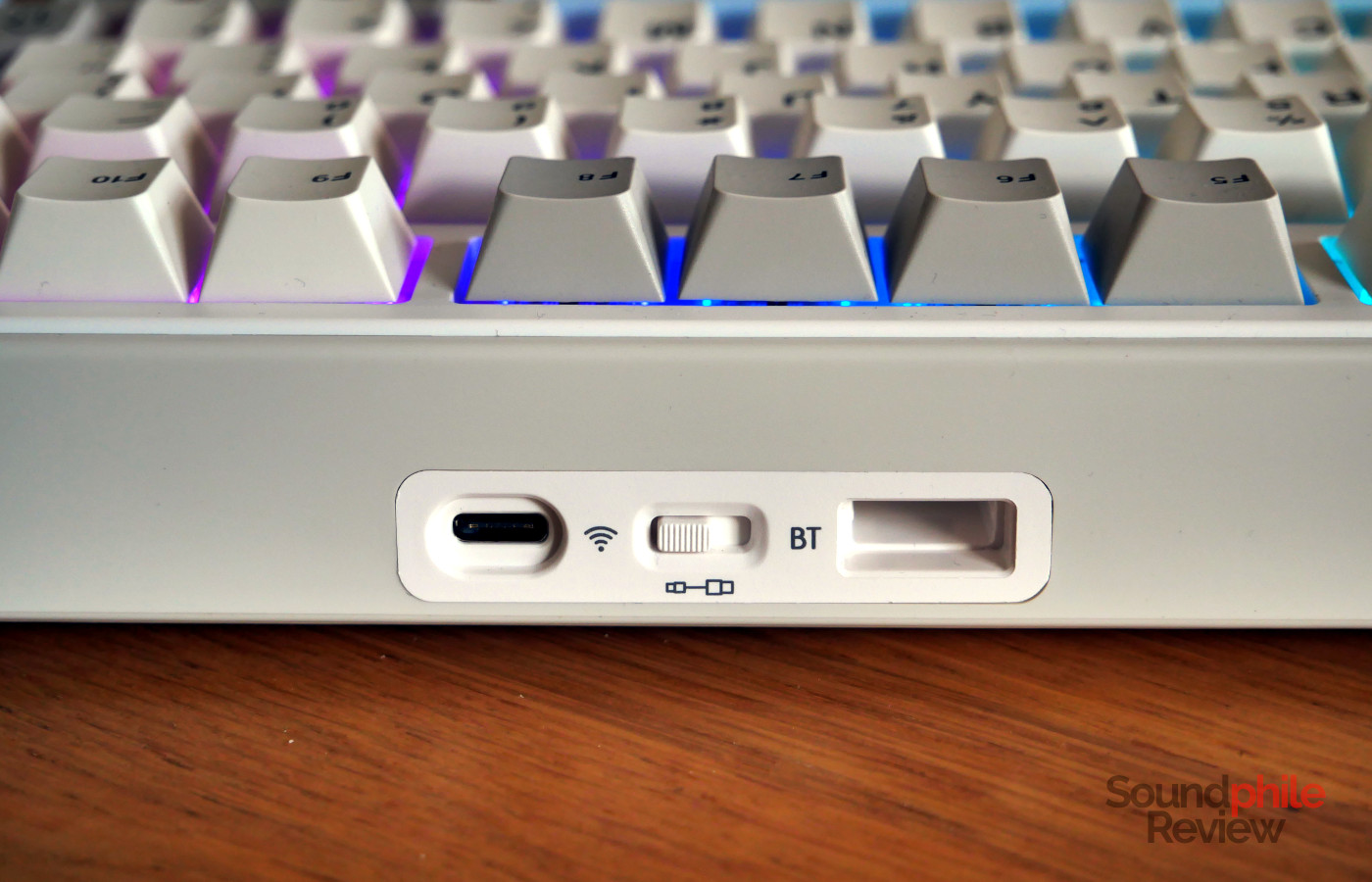
The back hosts a USB-C port, a connection selector (Bluetooth, USB or 2.4 GHz) and a receptacle to put the 2.4 GHz USB receiver in when it is not in use.
Yunzii built the B75 PRO MAX with great care and the keyboard feels quite solid. The plastic never creaks or offers any significant pay during normal use of the keyboard. There is some flex if you purposefully deform the keyboard, but that is understandable and not an activity anyone engages in outside of reviewers trying to ascertain build quality.
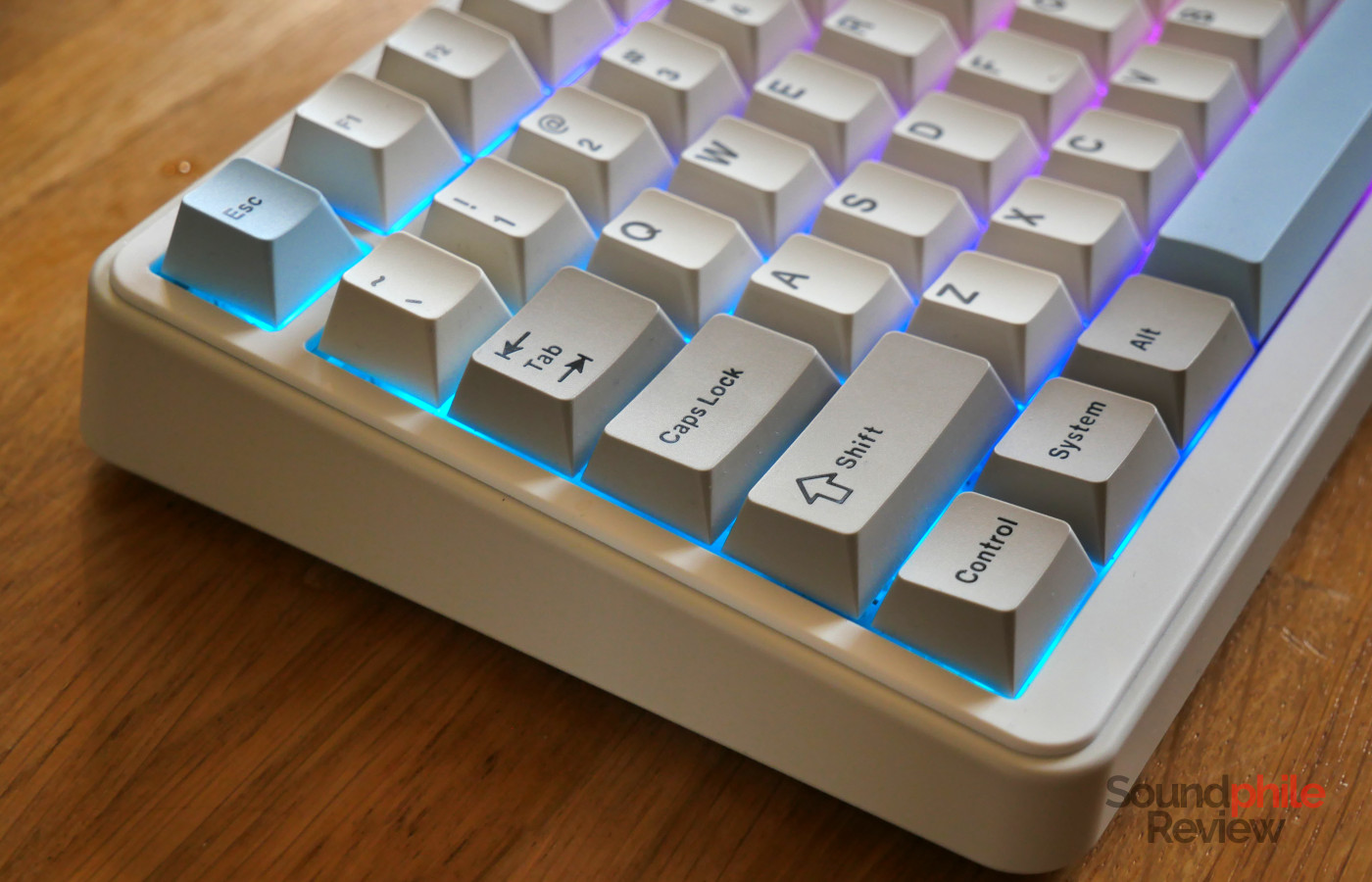
The B75 PRO MAX only comes in the ANSI layout, with no option for ISO; as it features a right alt key, it is still usable for people who need to type special characters (e.g. most European languages).
All the switches are hot-swappable and support 3-pin and 5-pin models. They are mounted facing South so they are better compatible with Cherry-profile keycaps; this also makes the RGB LEDs on the keyboard shine better (although the stock keycaps do not feature transparent legends). The B75 PRO MAX uses a gasket mount which suspends the board on rubber bits, which increases typing comfort and reduces sound; the keyboard features two layers of foam and one of silicone to dampen the sound and make it more silent.
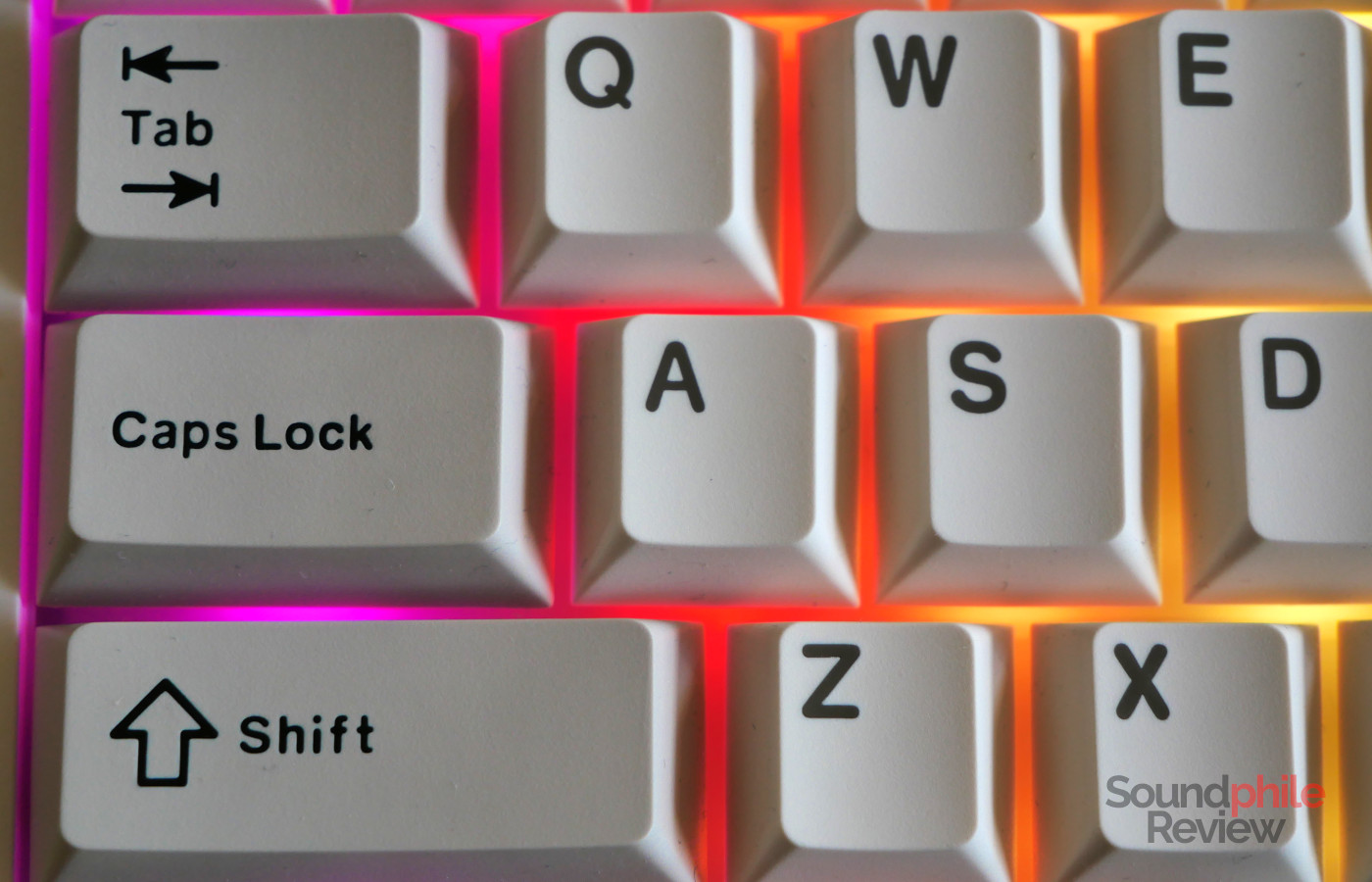
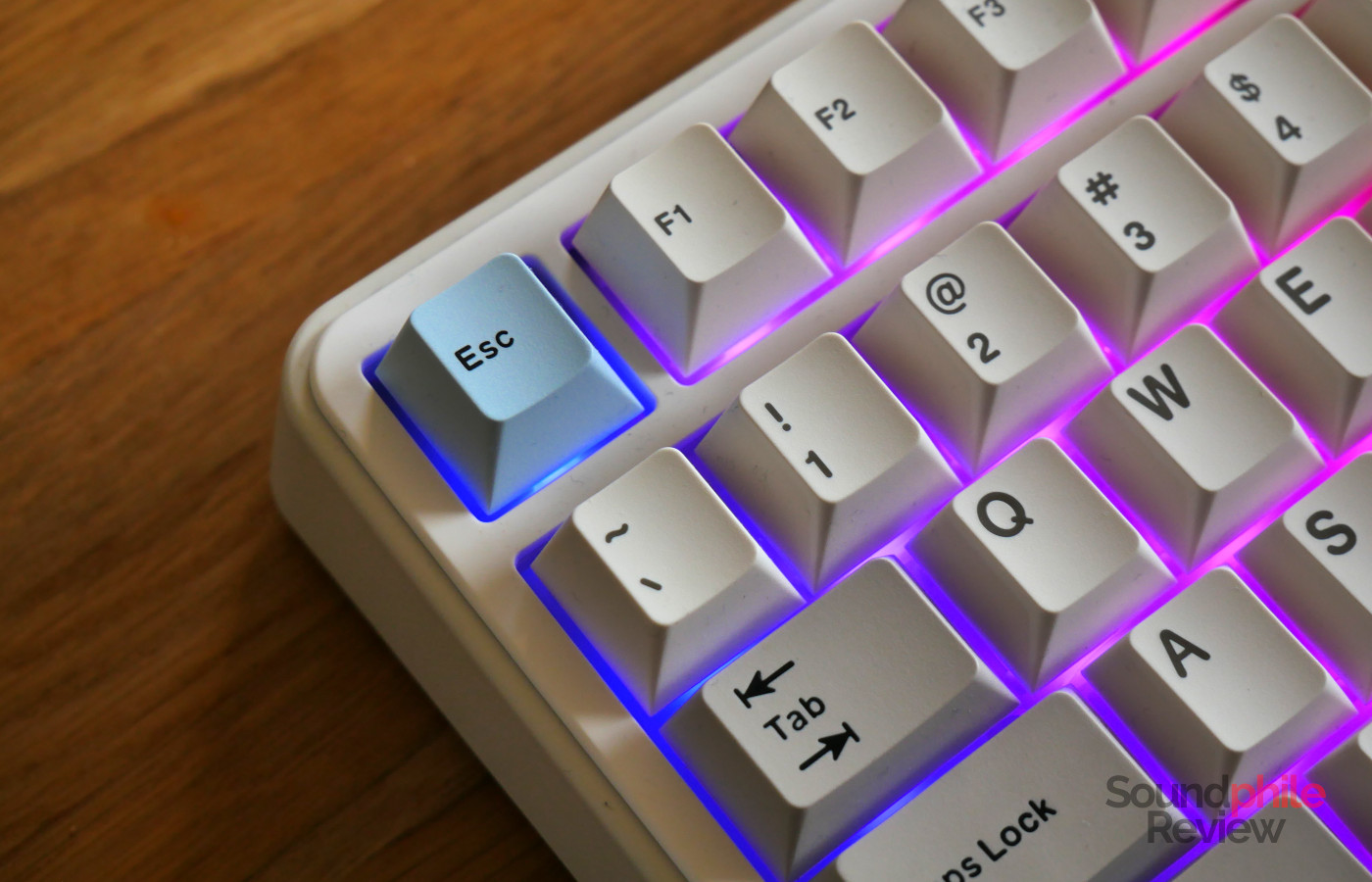
The stock keycaps use the Cherry profile and are double-shot PBT, with a nice texture that’s slightly grainy but still smooth. Most keycaps are white, while a few are light blue (esc, enter, arrows) and others, including all modifiers, are grey. The quality of these keycaps is very high, considering that the whole keyboard sells for less than $100. One feature which I find less than ideal is the differing colour of legends between white keycaps and the others: white keycaps have grey legends, while the others have black ones; this creates an unnecessary contrast. The effect is a lot more visible in person than in the picture above; the black text pops out, while the grey looks washed out. This is probably pure nitpicking, but I find black legends a lot more legible and I do not see the advantage in using grey ones.
Functionality
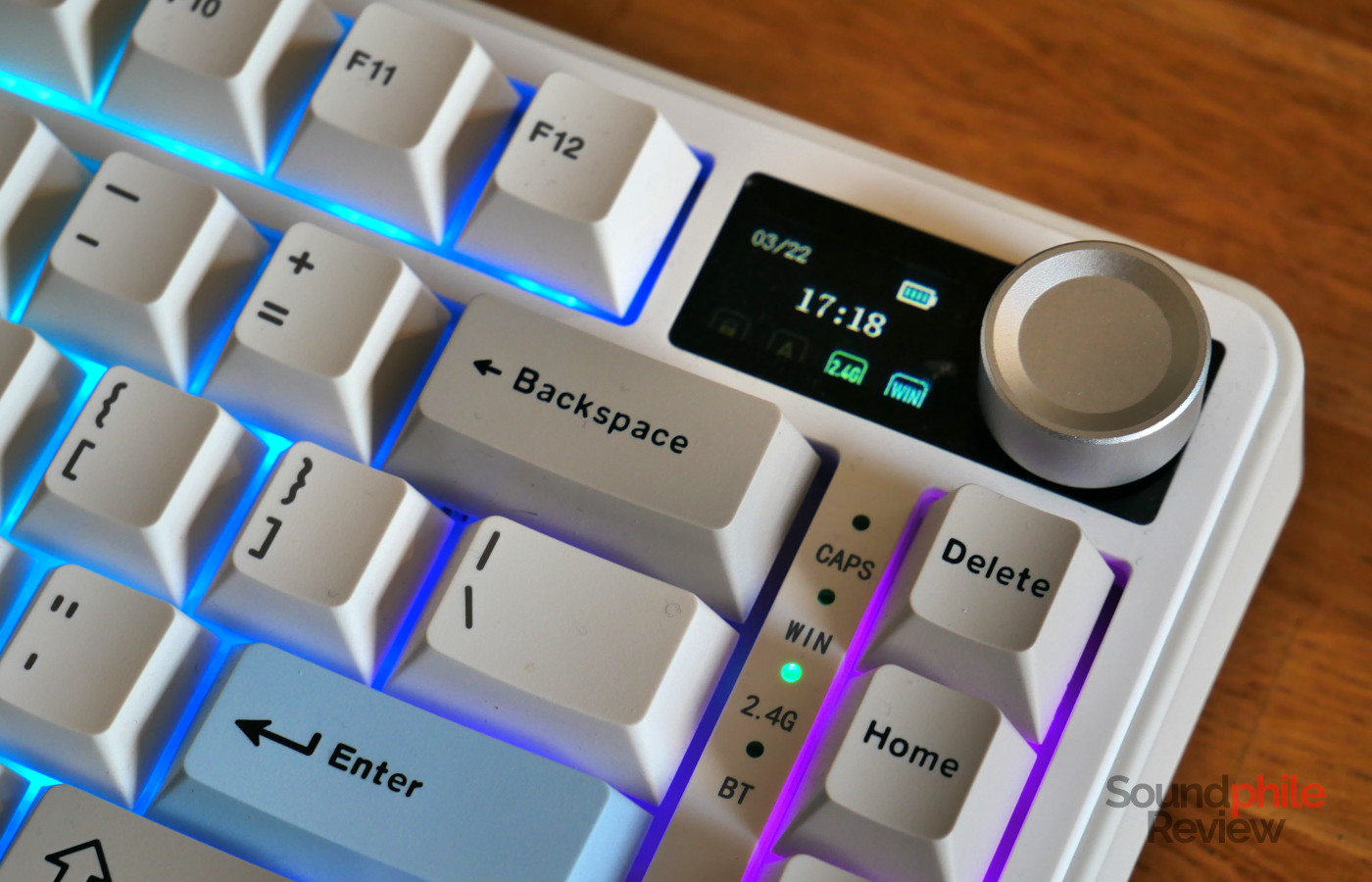
The standout feature of the Yunzii B75 PRO MAX is, without a doubt, the screen. It can be used to show date, time, battery status and other information on the keyboard (connectivity status, caps lock, etc) or, in alternative, a picture, either static or moving (GIF). You can configure this through a website, which however is only compatible with Windows and macOS (and not Linux, for some reason). When the keyboard wakes up, the screen shows an animation of the company’s logo.
The screen cannot be used for any practical purposes (e.g. usage or temperature of components inside the computer, notifications, etc), which means it is a purely aesthetical addition. At the moment, the only real value of the screen is therefore novelty, which means that it is debatable whether it does offer more value.
The 2.4 GHz connection is very stable and I have never had any issues with it, even with lots of wireless devices around it. When the keyboard goes to sleep in wireless mode, it takes a moment for it to come back; this means that the first couple of key presses sometimes won’t register. I haven’t been able to figure out when and why this happens: most often, pressing a key will register, but sometimes it won’t. The trick I found is to press a “neutral” key (like ctrl, shift, or alt) so that the keyboard will wake up and then you can start typing. This is however not ideal and I wonder if it can be fixed through a firmware update.
There is currently no way to adjust the sleep timer, which is set at 1 minute; the company said that this can be adjusted by providing a firmware update, though I am not aware of plans to provide such update publicly at this time.
Yunzii does not publicly declare the latency value nor the polling rate, but in my experience it is small enough that no noticeable lag is introduced when typing and gaming. When asked, the company said that the polling rate is 1,000 Hz for both wired and 2.4 GHz connections, and 125 Hz for Bluetooth.
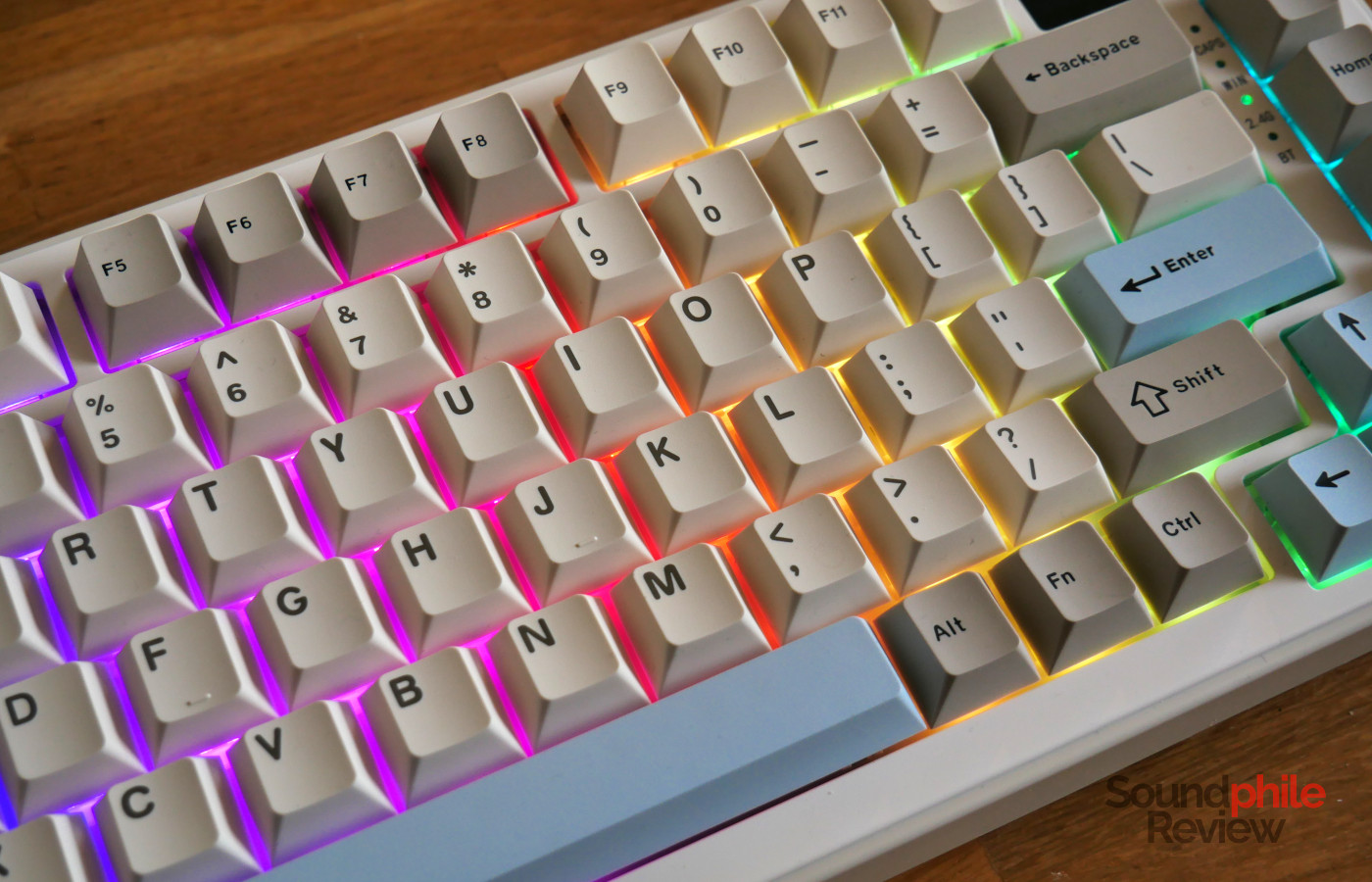
There is a grand total of 19 different RGB effects you can choose from, which range from static colours to full rainbows moving across the keyboard.
You can customise the keyboard using VIA through a Chromium browser (Chrome, Edge, Vivaldi, etc), however I have not been able to make it work on my Linux machine despite it being theoretically compatible. In order to use VIA, you need to download the definition from Yunzii’s website and upload it to via using the “design” tab.
Typing
Yunzii offers the B75 PRO MAX with three different switches, all of which are linear: Candy (mid-weight, at 45 g), Cocoa Cream V2 (heavier, at 50 g), Milk V2 (lightest, at 40 g). The unit I received came with the Milk V2, which has 40 g actuation force and 50 g bottom-out; they come factory-lubed and have slightly longer travel than usual (3.6 mm). They’re very smooth and pleasant to type on, although they have a bit of stem wobble.
The Yunzii B75 PRO MAX can be used for both general typing and gaming; for the latter purpose, it offers two convenient features: the ability to disable the Windows/Super key, and n-key rollover, which makes sure that no keypress will be lost while in the heat of a game.
I found the typing experience to be very good with the Milk V2 switches: they are quite light and their activation point sits more or less at half the travel distance, so it is easy to type really fast on them. The way the keyboard is built (multiple foam layers and a gasket mount) means that there is a relatively soft feeling when bottoming out – it is far from the hard, sharp feeling of tray mounts, although it still feels firm.
In terms of sound, the B75 PRO MAX has a relatively sharp and high-pitched component. This is due to the keycaps plastic, as the board itself seems to make virtually no sound. Overall, I wouldn’t define the sound as “quiet”, as it sits in a sort of middle ground; it is therefore a keyboard I would not recommend in an open space office.
Battery Life
Battery life on the Yunzii B75 PRO MAX is great, even when using it with the RGB LEDs enabled. I was able to use it for more than two weeks for an average of a couple of hours a day without the need to recharge it; in fact, it was still half full. This means that, if you use it all day, every day, it will probably last the whole working week.
Final Thoughts
At ~$85, the Yunzii B75 PRO MAX is a very interesting keyboard: it offers all the features we’ve come to expect even of sub-$100 boards, including tri-mode connectivity and full RGB LED lighting, and pairs them with very good build quality and a pleasant typing experience. Overall, it is a solid product which is easy to like. The one distinctive feature, the LCD screen, is however less clearly a positive addition: while it is useful in giving you all the information you need at a glance, it is also quite limited in what it does and is more of an aesthetical feature rather than a practical one.
Considering that the B75 PRO MAX is just $5 more than the B75 PRO, which comes with an additional key in place of the screen, the difference is such that it really comes down to preference: whether to get one or the other is entirely dependent on whether you would prefer the screen or an additional key. I hope that Yunzii will be able to make the screens more useful in future models, so that they will be not just a whimsical addition, but a practical one as well. In the meantime, I can recommend the Yunzii B75 PRO MAX as a solid keyboard.